RAG vs Fine-Tuning vs Prompt Engineering: When to Use Each for AI Apps

You've built a prototype with an LLM. It works, but not quite the way you need. The model doesn't know about your company's products. It formats responses wrong. It hallucinates when customers ask specific questions.
Now you're facing the question every AI developer hits: how do I customize this model to actually work for my use case?
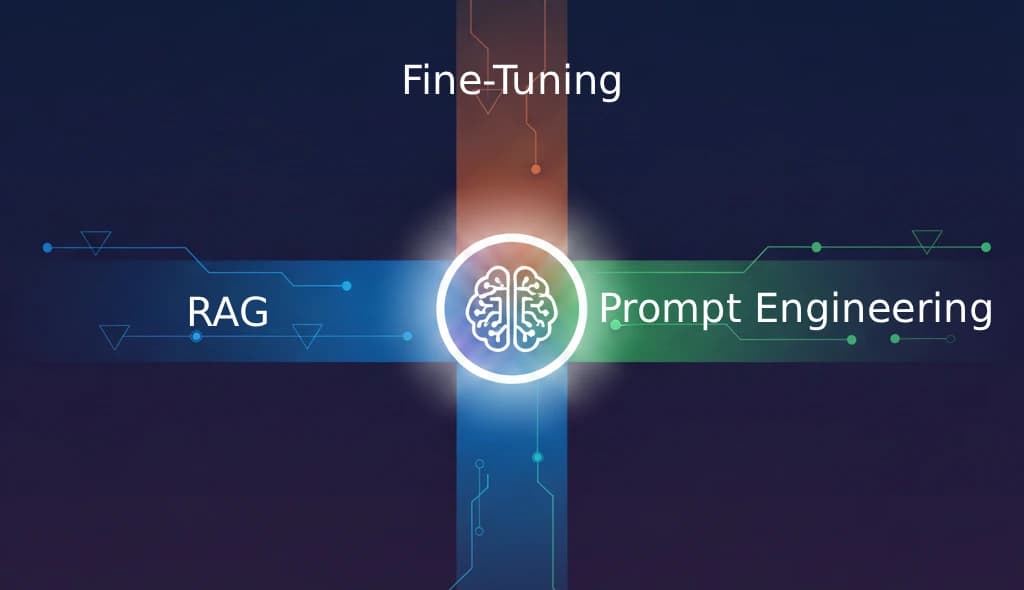
There are three main approaches — RAG (Retrieval Augmented Generation), fine-tuning, and prompt engineering — and choosing the wrong one can cost you months of development time and thousands of dollars. Choosing the right one (or the right combination) can get you to production in weeks.
This guide breaks down all three approaches, compares them head to head, and gives you a practical decision framework for choosing the right one.
Quick Comparison Table
| Prompt Engineering | RAG | Fine-Tuning | |
|---|---|---|---|
| What it does | Instructs the model via the prompt | Retrieves external data at query time | Retrains model weights on your data |
| Setup time | Hours | Days to weeks | Weeks to months |
| Cost to start | Near zero | Moderate (vector DB, embeddings) | High (compute, data preparation) |
| Ongoing cost | Token costs only | Token costs + infrastructure | Token costs + periodic retraining |
| Data freshness | Static (in prompt) | Real-time | Frozen at training time |
| Best for | Format, tone, behavior rules | Dynamic knowledge, citations | Domain-specific behavior, style |
| Difficulty | Low | Medium | High |
Prompt Engineering: The Starting Point
Prompt engineering is the simplest way to customize LLM behavior. You write instructions, examples, and constraints directly in the prompt to guide how the model responds.
How It Works
Every time you send a request to an LLM, you include a system prompt (instructions for the model) and the user message. Prompt engineering is the art of crafting that system prompt to get the output you want.
A basic example:
System: You are a customer support agent for Acme Software.
Always be polite and professional. If you don't know the answer,
say "Let me connect you with our support team" instead of guessing.
Format responses as short paragraphs, not bullet points.

User: How do I reset my password?
Key Techniques
Few-shot prompting — include examples of ideal input/output pairs directly in the prompt:
System: Convert customer feedback into structured categories.

Example input: "The app crashes every time I try to upload a photo"
Example output: { "category": "bug", "feature": "upload", "severity": "high" }

Example input: "Would be nice to have dark mode"
Example output: { "category": "feature_request", "feature": "ui", "severity": "low" }
Chain-of-thought prompting — ask the model to reason through problems step by step before answering. This improves accuracy on complex tasks.
Role-based prompting — assign the model a specific persona with domain expertise: "You are a senior tax accountant with 20 years of experience..."
Output formatting — specify exact response structures using JSON schemas, XML templates, or markdown formats.
When Prompt Engineering Is Enough
Prompt engineering alone can handle more than most people realize. It's sufficient when:
- Your knowledge fits in the context window. If all the information the model needs can be included in the prompt (a few pages of text), you don't need RAG.
- You need specific output formatting. JSON responses, markdown tables, specific tone — all achievable through instructions and examples.
- The model already knows the domain. For general knowledge tasks (writing, coding, analysis), the base model's training data is usually sufficient.
- You're prototyping. Always start with prompt engineering. It's the fastest way to validate whether an LLM can solve your problem at all.
Limitations
- Context window limits. You can only fit so much into a prompt. Even with 200K-token context windows, stuffing everything in doesn't scale.
- No new knowledge. The model can only use what it learned during training plus what's in the current prompt.
- Inconsistency. Without examples or strict formatting rules, the model may respond differently to similar inputs.
- Token costs scale with prompt size. Large system prompts with many examples mean higher costs per request.
Cost Profile
Prompt engineering is the cheapest approach to start — essentially free beyond normal API costs. But costs increase as you add more context to each prompt:
- Development cost: Low. A skilled engineer can iterate on prompts in hours.
- Per-request cost: Proportional to prompt length. A 2,000-token system prompt adds ~$0.006 per request with GPT-4-class models.
- Infrastructure cost: None. You're just making API calls.
RAG: When the Model Needs Your Data
RAG (Retrieval Augmented Generation) extends what an LLM knows by retrieving relevant information from external sources at query time. Instead of relying solely on training data, the model gets fresh, specific context with every request.
How It Works
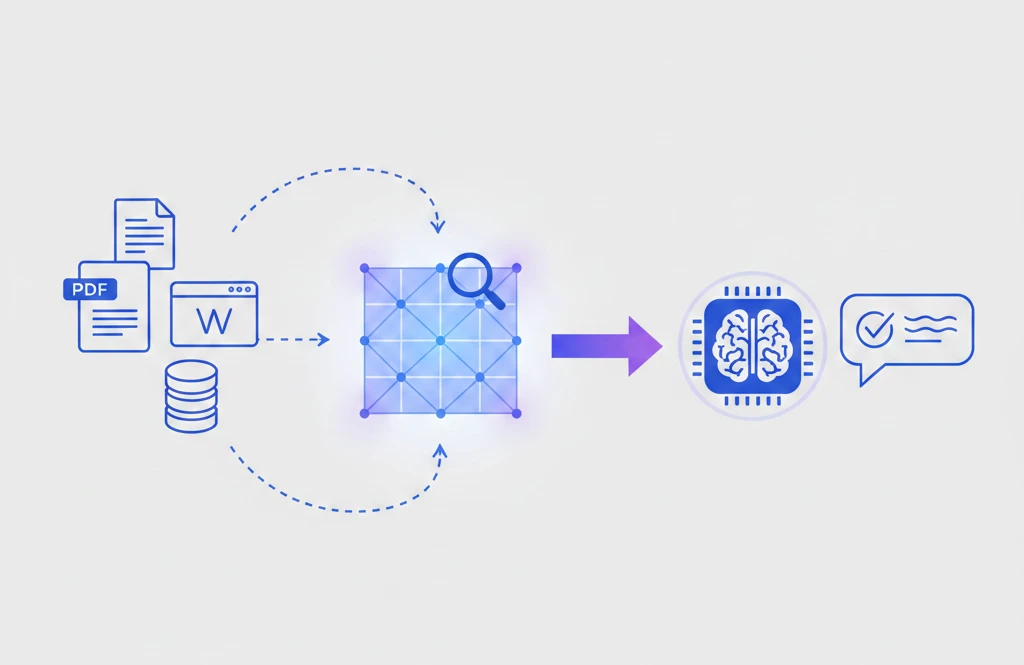
RAG follows a three-step pipeline:
- Index your data — split documents into chunks, convert them to vector embeddings, and store them in a vector database
- Retrieve at query time — when a user asks a question, find the most relevant document chunks using semantic search
- Generate with context — pass the retrieved chunks alongside the question to the LLM, which generates a grounded response
For a hands-on implementation, see our tutorial on building a RAG chatbot with Next.js and Supabase.
When to Use RAG
RAG is the right choice when:
- Your data changes frequently. Product catalogs, documentation, knowledge bases, news feeds — anything that's updated regularly. RAG picks up changes as soon as documents are re-indexed.
- You need citations and sources. RAG can tell users exactly which document an answer came from. This is critical for legal, medical, compliance, and customer support applications.
- Your knowledge base is large. Thousands of documents, millions of records — RAG scales where prompt stuffing doesn't.
- Accuracy matters more than style. RAG reduces hallucination by grounding responses in real data. When wrong answers have consequences, RAG is essential.
- You don't control the model. If you're using a third-party API (OpenAI, Anthropic, Google), you can't fine-tune their flagship models. RAG works with any model.
Real-World RAG Examples
- Customer support chatbot that answers questions from your help center articles
- Internal knowledge assistant that searches across company wikis, Slack history, and documentation
- Legal research tool that finds relevant case law and cites specific passages
- E-commerce product finder that understands natural language queries against your product catalog
Limitations
- Retrieval quality is everything. If the wrong documents are retrieved, the model generates wrong answers confidently. You need good chunking, embeddings, and search tuning.
- Added latency. The retrieval step adds 100–500ms to each request.
- Infrastructure complexity. You need a vector database, an embedding pipeline, and document processing logic.
- Doesn't change model behavior. RAG gives the model information but can't teach it to reason differently or adopt a specific communication style.
Cost Profile
RAG has moderate startup costs but is very cost-effective at scale:
- Development cost: Medium. Building a good RAG pipeline takes 1–4 weeks depending on complexity.
- Infrastructure cost: Vector database hosting ($0 for open-source self-hosted, $70–$300/month for managed services), embedding generation (one-time cost for initial indexing, then incremental).
- Per-request cost: Embedding the query (
$0.0001) + LLM call with retrieved context ($0.01–0.05 depending on model and context size).
Fine-Tuning: Teaching the Model New Tricks
Fine-tuning takes a pre-trained model and continues training it on your own dataset. This modifies the model's weights — its internal parameters — so it permanently learns new patterns, terminology, tone, or behavior.
How It Works
- Prepare training data — create hundreds or thousands of example input/output pairs that demonstrate the behavior you want
- Train the model — run the fine-tuning job on a cloud platform, which adjusts model weights to match your examples
- Deploy and use — call your fine-tuned model the same way you'd call the base model, but it now exhibits the learned behavior
A training example for a medical triage model:
{
  "messages": [
    {"role": "system", "content": "You are a medical triage assistant."},
    {"role": "user", "content": "I have a sharp pain in my lower right abdomen that started 6 hours ago."},
    {"role": "assistant", "content": "Based on the location and onset of your symptoms, this could indicate appendicitis. This is potentially urgent. I recommend seeking emergency medical evaluation within the next few hours. Do not eat or drink anything until you've been evaluated."}
  ]
}
You'd need hundreds of examples like this, covering different symptoms, urgency levels, and appropriate responses.
When to Use Fine-Tuning
Fine-tuning makes sense when:
- You need a specific communication style. If your brand has a distinctive voice that prompt engineering can't consistently replicate, fine-tuning bakes it into the model's default behavior.
- You need domain-specific reasoning. Medical diagnosis, legal analysis, financial modeling — tasks where the model needs to think differently, not just access different data.
- You want to reduce prompt size. Fine-tuning can replace long system prompts with learned behavior, reducing per-request token costs.
- You need consistent structured output. If the model must always return a specific JSON schema or follow an exact response pattern, fine-tuning is more reliable than prompt instructions alone.
- You're building for a narrow, well-defined task. Classification, extraction, summarization in a specific format — tasks where you have lots of examples and a clear definition of "correct."
Real-World Fine-Tuning Examples
- Code generation model trained on your codebase's patterns, naming conventions, and framework usage
- Content moderation system trained on your platform's specific guidelines and edge cases
- Medical report generator that produces reports in your institution's exact format and terminology
- Sentiment analysis classifier tuned for your industry's jargon and context
Limitations
- Expensive to train. Fine-tuning costs range from $10 for simple tasks on small models to $10,000+ for large models on extensive datasets.
- Data preparation is labor-intensive. You need high-quality, labeled training examples. Bad data produces a bad model.
- Knowledge is frozen. Once trained, the model doesn't learn anything new until you retrain it.
- Risk of overfitting. With too few examples or too much training, the model may memorize your training data rather than generalizing.
- Not available for all models. You can fine-tune GPT-4o, GPT-4o-mini, Llama, and Mistral, but you can't fine-tune Claude or Gemini flagship models (as of early 2026).
- Catastrophic forgetting. Fine-tuning on a narrow task can degrade the model's general capabilities.
Cost Profile
Fine-tuning has the highest upfront costs but can reduce per-request costs:
- Development cost: High. Data collection, cleaning, formatting, and quality assurance can take weeks to months.
- Training cost: Varies dramatically. OpenAI charges ~$25 per million training tokens for GPT-4o-mini, ~$100/M for GPT-4o. Open-source models require GPU compute ($2–8/hour on cloud).
- Per-request cost: Often lower than the base model because you can fine-tune a smaller model to match the quality of a larger one for your specific task.
Head-to-Head Comparison
Data and Knowledge
| Factor | Prompt Engineering | RAG | Fine-Tuning |
|---|---|---|---|
| Can add new knowledge? | Only what fits in prompt | Yes, unlimited | Yes, but frozen at training |
| Data freshness | Real-time (manual) | Real-time (automatic) | Stale until retrained |
| Handles private data? | Yes (in prompt) | Yes (in knowledge base) | Yes (in training data) |
| Citations/sources? | No | Yes | No |
Quality and Behavior
| Factor | Prompt Engineering | RAG | Fine-Tuning |
|---|---|---|---|
| Reduces hallucination? | Somewhat | Significantly | Somewhat |
| Controls output format? | Good | Good | Excellent |
| Controls tone/style? | Good | Limited | Excellent |
| Domain reasoning? | Base model only | Base model + context | Learned |
| Consistency? | Moderate | Moderate | High |
Development and Operations
| Factor | Prompt Engineering | RAG | Fine-Tuning |
|---|---|---|---|
| Time to implement | Hours | 1–4 weeks | 2–8 weeks |
| Technical difficulty | Low | Medium | High |
| Maintenance effort | Low | Medium (keep data fresh) | High (retrain periodically) |
| Vendor flexibility | Any LLM | Any LLM | Limited models |
The Decision Framework
Use this flowchart to choose your approach:
Step 1: Does the base model already know what it needs?
- Yes → Prompt engineering. Guide the model's existing knowledge with instructions and examples.
- No → Continue to step 2.
Step 2: What kind of knowledge or behavior do you need?
- Factual knowledge (data, documents, records) → RAG. The model needs access to information it doesn't have.
- Behavioral changes (tone, reasoning style, output format) → Continue to step 3.
- Both → Continue to step 3.
Step 3: Can prompt engineering achieve the behavior you need?
- Yes → Prompt engineering + RAG (if you also need factual knowledge).
- No, the behavior is too complex or inconsistent with prompts alone → Fine-tuning (+ RAG if you also need dynamic knowledge).
Step 4: Do you have enough training data for fine-tuning?
- Yes (500+ high-quality examples) → Fine-tune.
- No → Invest in better prompt engineering or collect more data before fine-tuning.
Quick Decision Guide
| Your Situation | Recommended Approach |
|---|---|
| "The model needs to know about our products" | RAG |
| "Responses need to be in our brand voice" | Fine-tuning (or prompt engineering first) |
| "Answers must cite specific documents" | RAG |
| "The model should always return valid JSON" | Fine-tuning (or prompt engineering with schema) |
| "We need to search across 10,000 documents" | RAG |
| "Customer support tone needs to match our style" | Prompt engineering → Fine-tuning if insufficient |
| "The model makes things up too often" | RAG (ground in real data) |
| "We're just getting started" | Prompt engineering |
Combining Approaches for Best Results
The most effective production AI systems rarely use just one approach. Here's how they combine:
Prompt Engineering + RAG (Most Common)
This is the go-to combination for knowledge-grounded applications. Prompt engineering defines the model's behavior (tone, format, guardrails), while RAG provides the factual knowledge.
Example: A customer support bot with a system prompt that sets the tone and response format, combined with RAG that retrieves relevant help articles for each question.
System: You are a friendly support agent for Acme Software.
Answer questions based only on the provided context.
If the context doesn't contain the answer, say
"I'll connect you with a human agent."
Format responses in 2-3 short paragraphs.

Context: [retrieved from RAG pipeline]

User: How do I export my data?
Fine-Tuning + RAG
For the highest quality in specialized domains, fine-tune the model for behavior and reasoning, then use RAG for up-to-date knowledge. This is the most complex but most powerful combination.
Example: A fine-tuned legal analysis model that has learned to reason about contracts and identify risks, combined with RAG that retrieves the actual contract documents and relevant case law for each query.
Prompt Engineering + Fine-Tuning
Fine-tune the model for core behavior, then use prompt engineering for per-request customization. The fine-tuned model handles the baseline, and prompt instructions adjust for specific contexts.
Example: A fine-tuned code review model that understands your codebase conventions, with per-request prompt instructions specifying which file to review and what to focus on.
All Three Together
Enterprise-grade applications often use all three:
- Fine-tuning establishes domain expertise and communication style
- RAG provides access to current data and documents
- Prompt engineering adds per-request context, user preferences, and guardrails
This layered approach gives you the consistency of fine-tuning, the knowledge of RAG, and the flexibility of prompt engineering.
Tools and Platforms for Each Approach
Prompt Engineering Tools
- Anthropic Console / OpenAI Playground — test and iterate on prompts interactively
- LangSmith — trace, evaluate, and debug prompt chains
- PromptLayer — version control and analytics for prompts
- Helicone — monitor prompt performance and costs
RAG Platforms and Tools
- LangChain / LlamaIndex — frameworks for building RAG pipelines
- Pinecone / Weaviate / Qdrant — managed vector databases
- Supabase (pgvector) — vector search built into your Postgres database
- ChromaDB — lightweight vector store for prototyping
- Unstructured — document parsing and preprocessing
- Cohere Reranker — improve retrieval quality with reranking
Fine-Tuning Platforms
- OpenAI Fine-Tuning API — fine-tune GPT-4o and GPT-4o-mini with a simple API
- Together AI / Fireworks AI — fine-tune and host open-source models
- Hugging Face — fine-tune any open-source model with Transformers library
- Anyscale — scalable fine-tuning infrastructure
- Axolotl / Unsloth — efficient fine-tuning frameworks for open-source models
- Google Vertex AI — fine-tune Gemini models
Common Mistakes to Avoid
1. Jumping Straight to Fine-Tuning
Fine-tuning is expensive and slow. Many developers skip prompt engineering entirely and go straight to fine-tuning for problems that a well-crafted prompt could solve. Always start with prompt engineering, then add RAG if needed, and only fine-tune when the other approaches aren't enough.
2. Using RAG When You Don't Need It
If your entire knowledge base fits in the context window and doesn't change often, you don't need RAG. Just include the information in the prompt. RAG adds complexity and latency — only use it when the benefits outweigh the costs.
3. Fine-Tuning to Add Knowledge
Fine-tuning is not an efficient way to teach a model new facts. The model may memorize training examples without truly "learning" the knowledge, and it won't generalize well to questions phrased differently. Use RAG for knowledge, fine-tuning for behavior.
4. Ignoring Data Quality
Both RAG and fine-tuning are only as good as your data. Poorly chunked documents lead to bad RAG retrieval. Low-quality training examples produce a worse fine-tuned model. Invest time in data preparation before building the system.
5. Not Evaluating Systematically
Set up evaluation metrics before choosing your approach. Define what "good enough" looks like, build a test set of questions with expected answers, and measure each approach against it. Gut feelings about quality don't scale.
Frequently Asked Questions
What's the difference between RAG and fine-tuning?
RAG retrieves external information at query time and includes it in the prompt, giving the model access to current, specific data without changing the model itself. Fine-tuning modifies the model's internal weights through additional training, permanently changing how it behaves. RAG is better for knowledge, fine-tuning is better for behavior.
Which approach is cheapest?
Prompt engineering is cheapest to start and maintain. RAG has moderate infrastructure costs ($0–300/month for vector database hosting). Fine-tuning has the highest upfront cost (data preparation + training compute) but can reduce per-request costs by allowing you to use a smaller, fine-tuned model instead of a larger general one.
Can I use RAG with a fine-tuned model?
Yes, and this is often the best approach for production applications. Fine-tune the model for your domain's reasoning style and output format, then use RAG to provide current knowledge at query time. The fine-tuned model is better at interpreting and using the retrieved context.
How much training data do I need for fine-tuning?
It depends on the task. For simple formatting or classification tasks, 50–100 high-quality examples may be enough. For complex behavioral changes, aim for 500–1,000+ examples. Quality matters more than quantity — 200 excellent examples outperform 2,000 mediocre ones.
Should I start with RAG or fine-tuning?
Start with prompt engineering. If that's not enough, add RAG next — it's faster to implement, easier to iterate, and works with any model. Only move to fine-tuning after you've confirmed that prompt engineering and RAG together can't achieve the quality you need.
Does fine-tuning make the model smarter?
Not exactly. Fine-tuning doesn't increase the model's general intelligence. It specializes the model for specific tasks, which can make it better at those tasks while potentially making it worse at others. Think of it as training a generalist to become a specialist.
How do I evaluate which approach is working best?
Build an evaluation dataset: a set of questions with known good answers. Run each approach against this dataset and measure accuracy, format compliance, hallucination rate, and response quality. Tools like LangSmith, Ragas, and custom evaluation scripts make this systematic.
Can prompt engineering replace RAG and fine-tuning entirely?
For many applications, yes. With modern models supporting 100K–200K token context windows, you can include substantial knowledge directly in the prompt. And well-crafted instructions with few-shot examples can achieve remarkable consistency. Start here and only add complexity when you have evidence that prompt engineering alone isn't enough.
Key Takeaways
- Start with prompt engineering. It's the fastest, cheapest, and most flexible approach. Many production applications never need more.
- Add RAG when the model needs knowledge it doesn't have — especially dynamic, private, or large-scale data that needs citations.
- Use fine-tuning for behavioral changes — specific tone, reasoning patterns, or output formats that prompts can't reliably achieve.
- Don't fine-tune for knowledge. Use RAG instead. Fine-tuning is for behavior, RAG is for information.
- Combine approaches for production systems. The best AI applications layer prompt engineering, RAG, and sometimes fine-tuning together.
- Evaluate systematically. Build test sets, measure results, and let data — not intuition — guide your architecture decisions.
The right approach depends on your specific use case, budget, and timeline. But in almost every case, the path is the same: start with prompt engineering, add RAG when you need knowledge, and fine-tune only when you need behavioral changes that simpler approaches can't deliver.
Learn More
Want to go deeper into building AI applications? Check out these FreeAcademy resources:
- What is RAG? — A beginner-friendly guide to Retrieval Augmented Generation
- How to Build a RAG Chatbot — Hands-on tutorial with Next.js and Supabase
- What Are Vector Databases? — Understanding the technology behind RAG
- Prompt Engineering Techniques — Advanced prompting strategies
- Building AI Agents with Node.js — Full course on building production AI apps
- Prompt Engineering Course — Master the fundamentals of effective prompting
For a non-technical, business-team-focused walkthrough of these same prompt engineering ideas, see Cynked's prompt engineering for business teams guide.
Enjoyed this article?
Join The FreeAcademy Weekly
One practical AI email every Tuesday. New free courses, AI tips, and a short note from the founder.
Free forever. Unsubscribe anytime.
Related articles
What is RAG (Retrieval Augmented Generation)? Explained for Beginners
Learn what Retrieval Augmented Generation (RAG) is, how it works step by step, and why it matters for building AI applications that use your own data.

Agentic RAG Explained: How AI Agents Supercharge RAG in 2026
Discover how agentic RAG combines AI agents with retrieval-augmented generation to deliver smarter, multi-step answers, better accuracy, and real autonomy in 2026.
How to Build a RAG Chatbot with Next.js and Supabase: A Complete Guide
Learn how to build a production-ready RAG (Retrieval-Augmented Generation) chatbot using Next.js, Supabase with pgvector, and AI embeddings. Step-by-step tutorial for JavaScript developers.