What is RAG (Retrieval Augmented Generation)? Explained for Beginners

Large language models (LLMs) like GPT and Claude are impressive — they can write essays, answer questions, summarize documents, and even write code. But they have a fundamental problem: they can only work with what they learned during training.
Ask an LLM about your company's internal policies, a document you uploaded yesterday, or the latest research paper in your field, and it will either make something up or tell you it doesn't know.
RAG (Retrieval Augmented Generation) solves this problem. It's one of the most important patterns in modern AI, and once you understand it, you'll see it everywhere.
In this guide, we'll explain what RAG is, how it works step by step, and why it has become the go-to approach for building AI applications that work with real-world data.
The Problem: LLMs Don't Know Your Data
When you train a large language model, it absorbs billions of words from books, websites, and other public sources. After training, the model's knowledge is frozen — it becomes a static snapshot of everything it learned.
This creates three major limitations:
- No access to private data. The model has never seen your company's documents, databases, or internal knowledge base.
- Knowledge goes stale. The model doesn't know about anything that happened after its training cutoff date.
- Hallucination. When the model doesn't know an answer, it often generates a plausible-sounding but completely wrong response rather than admitting ignorance.
You could try to fix this by fine-tuning the model on your data, but that's expensive, slow, and needs to be repeated every time your data changes. You could also paste documents into the prompt, but that's limited by the model's context window and doesn't scale to large knowledge bases.
RAG offers a better approach.
What is RAG (Retrieval Augmented Generation)?
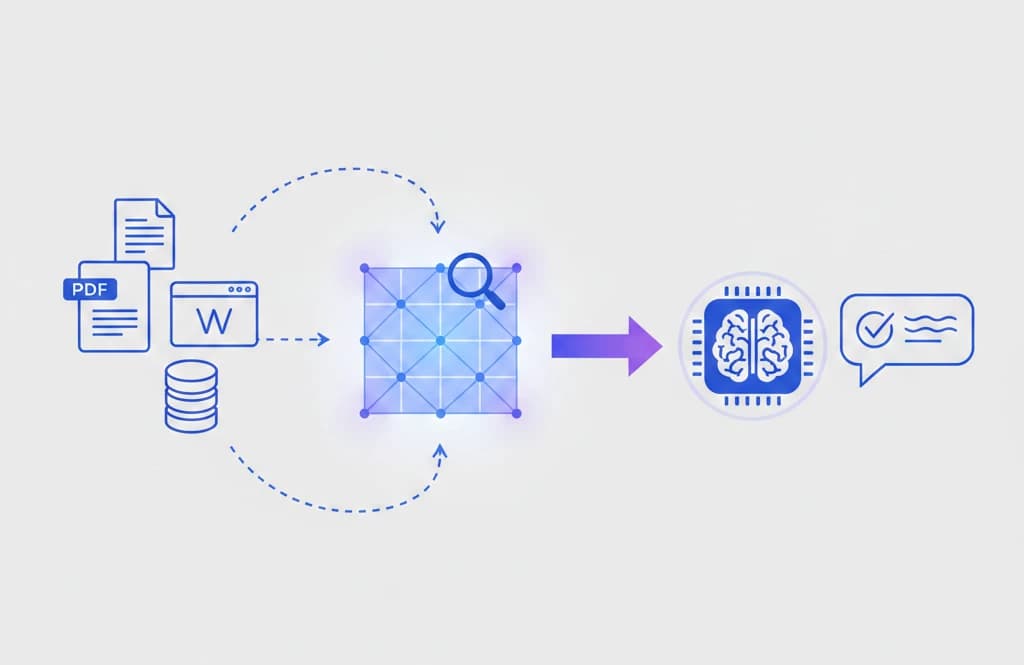
RAG (Retrieval Augmented Generation) is a technique that improves AI responses by first retrieving relevant information from an external knowledge source, then feeding that information to the language model so it can generate an informed answer.
In simple terms: instead of asking the AI to answer from memory, you first look up the relevant facts and hand them to the AI along with the question. The AI then generates its response based on the actual data, not just its training.
RAG in a Simple Analogy
Think of the difference between a closed-book exam and an open-book exam.
- Without RAG — the student (LLM) takes a closed-book exam. They can only rely on what they memorized. If they didn't study a topic well enough, they might guess — and guess wrong.
- With RAG — the student takes an open-book exam. Before answering each question, they flip to the relevant pages in their textbook, read the key passages, and then write an informed answer.
The student is the same in both cases, but the open-book version produces much better, more accurate answers — especially on topics they didn't study in depth.
RAG gives language models an open book.
How RAG Works: The Three Steps
RAG can be broken down into three core steps: embedding, retrieval, and generation. Let's walk through each one.
Step 1: Embedding — Preparing Your Knowledge Base
Before RAG can work, you need to prepare your data so it can be searched efficiently. This is where embeddings come in.
An embedding is a way to represent text as a list of numbers (a vector) that captures the meaning of the text, not just the exact words. Texts with similar meanings end up with similar vectors, even if they use completely different words.
For example, these two sentences would have similar embeddings:
- "How do I reset my password?"
- "I forgot my login credentials and need to change them"
Here's how the preparation phase works:
- Collect your documents — company docs, PDFs, web pages, database records, or any text-based knowledge
- Split them into chunks — break large documents into smaller, manageable passages (typically 200–1000 words each)
- Generate embeddings — run each chunk through an embedding model to convert it into a numerical vector
- Store in a vector database — save the vectors alongside the original text in a specialized database designed for similarity search
Popular vector databases include Pinecone, Weaviate, ChromaDB, pgvector (PostgreSQL extension), and Qdrant. Popular embedding models include OpenAI's text-embedding-3, Cohere's Embed, and open-source models like BGE and E5.
This preparation step only needs to happen once (and then incrementally as new documents are added). Once your knowledge base is indexed, it's ready for retrieval.
Step 2: Retrieval — Finding Relevant Information
When a user asks a question, the retrieval step finds the most relevant pieces of information from your knowledge base.
Here's what happens:
- Embed the query — the user's question is converted into a vector using the same embedding model
- Search the vector database — the system finds the document chunks whose vectors are most similar to the query vector (this is called semantic search or similarity search)
- Return the top results — typically the top 3–10 most relevant chunks are retrieved
The key insight is that this search works on meaning, not keywords. If a user asks "What's the return policy?" the system can find a document titled "Refund and Exchange Guidelines" even though neither "return" nor "policy" appears in the title.
This is fundamentally different from traditional keyword search and is what makes RAG so effective.
Step 3: Generation — Producing the Answer
Now comes the generation step, where the language model creates its response.
- Build the prompt — combine the user's question with the retrieved document chunks into a structured prompt
- Send to the LLM — the language model receives both the question and the relevant context
- Generate the response — the model produces an answer grounded in the retrieved information
A simplified RAG prompt might look like this:
You are a helpful assistant. Answer the user's question based on the
provided context. If the context doesn't contain enough information
to answer, say so.

Context:
[Retrieved document chunk 1]
[Retrieved document chunk 2]
[Retrieved document chunk 3]

User question: What is the refund policy for annual subscriptions?
The model now has the actual policy text right in front of it. Instead of guessing, it can read the relevant passages and generate an accurate, specific answer.
The Complete RAG Pipeline
Here's the full flow from question to answer:
- User asks a question — "What's our company's policy on remote work?"
- Question is embedded — converted to a vector representation
- Vector search — finds the most relevant document chunks in the knowledge base
- Context is assembled — the top chunks are combined with the original question
- LLM generates answer — the model reads the context and produces a grounded response
- User receives answer — with information pulled directly from the company's actual documents
The entire process typically takes just a few seconds.
Why RAG Matters
RAG has become the dominant approach for production AI applications for several compelling reasons.
1. Reduces Hallucinations
The biggest benefit of RAG is that it dramatically reduces hallucination. When the model has the actual source text in its context, it's much less likely to make things up. And when the retrieved documents don't contain the answer, the model can be instructed to say "I don't know" rather than fabricate a response.
2. Works with Your Own Data
RAG lets you build AI applications that know about your data — company policies, product documentation, research papers, customer records, or any other private information. The data never needs to be included in the model's training; it just needs to be in your vector database.
3. Always Up to Date
Unlike model training, which freezes knowledge at a point in time, a RAG knowledge base can be updated continuously. Add a new document, and it's immediately available for retrieval. Update a policy, and the AI starts referencing the new version right away.
4. Cost-Effective
Fine-tuning a large language model on your data is expensive and time-consuming. RAG achieves similar (and often better) results by simply indexing your documents and retrieving them at query time. You use the same base model — no custom training required.
5. Transparent and Verifiable
With RAG, you can show users exactly which source documents were used to generate the answer. This makes responses verifiable — users can click through to the original document and confirm the information. This transparency builds trust in ways that a black-box model cannot.
6. Scalable
RAG scales naturally with your knowledge base. Whether you have 100 documents or 10 million, the vector search step remains fast because vector databases are optimized for this exact operation. Adding more data doesn't slow down the system significantly.
Real-World Use Cases
RAG is already powering a wide range of production applications. Here are some of the most common. For a non-technical framing of how RAG-powered agents fit into broader business strategy, see Cynked's AI Agents Explained: What Business Owners Need to Know.
Customer Support Chatbots
Companies use RAG to build chatbots that can answer questions based on their product documentation, FAQ pages, and support articles. Instead of scripting rigid decision trees, the chatbot retrieves the relevant help articles and generates natural, conversational responses.
Example: A SaaS company indexes its entire help center. When a customer asks "How do I set up two-factor authentication?", the system retrieves the relevant setup guide and generates step-by-step instructions specific to their product.
Internal Knowledge Assistants
Organizations build RAG-powered assistants that let employees search across internal wikis, policy documents, meeting notes, and other company knowledge. This is especially valuable for onboarding new employees and reducing repetitive questions.
Example: A new employee asks "What's the process for requesting time off?" and gets an accurate answer pulled from the HR policy document, without needing to know where that document lives.
Research and Analysis Tools
Researchers use RAG to query large collections of academic papers, legal documents, or financial reports. The system retrieves relevant passages and helps synthesize information across multiple sources.
Example: A legal team indexes thousands of contracts and asks "What are the standard termination clauses in our vendor agreements?" The system finds and summarizes the relevant clauses across documents.
Code Documentation Assistants
Developer teams index their codebase documentation, API references, and internal guides to build assistants that help developers find answers about their own systems.
Example: A developer asks "How does the authentication middleware work?" and gets an answer drawn from the actual code documentation, not generic information from the internet.
Healthcare Information Systems
Healthcare providers use RAG to help clinicians access relevant medical literature, treatment guidelines, and patient history. The system retrieves evidence-based information to support clinical decisions.
Example: A doctor asks about drug interactions for a specific patient's medications, and the system retrieves relevant pharmacological data from medical databases.
RAG vs. Other Approaches
To understand why RAG is so popular, it helps to compare it with alternative approaches:
| Approach | How It Works | Pros | Cons |
|---|---|---|---|
| Prompt stuffing | Paste documents directly into the prompt | Simple, no infrastructure needed | Limited by context window, doesn't scale |
| Fine-tuning | Retrain the model on your data | Model "learns" your domain | Expensive, slow to update, risk of overfitting |
| RAG | Retrieve relevant docs, add to prompt | Scalable, always up to date, cost-effective | Requires vector DB setup, retrieval quality matters |
| RAG + Fine-tuning | Combine both approaches | Best quality for specialized domains | Most complex to build and maintain |
For most applications, RAG alone provides the best balance of quality, cost, and maintainability. Fine-tuning makes sense when you need the model to adopt a specific tone, format, or domain-specific reasoning style that RAG alone can't achieve.
Key Components of a RAG System
If you're building a RAG system, here are the core components you'll need:
Embedding Model
Converts text into vector representations. Choose based on your language, domain, and performance requirements.
- OpenAI text-embedding-3-small/large — popular commercial option
- Cohere Embed — strong multilingual support
- BGE, E5, GTE — high-quality open-source options
- Sentence Transformers — flexible open-source framework
Vector Database
Stores and searches embeddings efficiently. Options range from lightweight to enterprise-scale.
- Pinecone — fully managed, easy to start
- Weaviate — open-source, feature-rich
- ChromaDB — lightweight, great for prototyping
- pgvector — PostgreSQL extension, good if you already use Postgres
- Qdrant — open-source, high performance
Chunking Strategy
How you split documents into chunks significantly affects retrieval quality.
- Fixed-size chunks — split every N characters or tokens (simple but can cut mid-sentence)
- Semantic chunks — split at paragraph or section boundaries (preserves context)
- Overlapping chunks — include overlap between adjacent chunks (prevents information loss at boundaries)
- Recursive splitting — try to split at paragraphs, then sentences, then characters
Retrieval Strategy
How you search and rank results can be tuned for better quality.
- Semantic search — vector similarity search (the baseline RAG approach)
- Hybrid search — combine vector search with keyword search for better recall
- Reranking — use a cross-encoder model to reorder results by relevance after initial retrieval
- Metadata filtering — filter by document type, date, or other attributes before vector search
Common Challenges and How to Solve Them
RAG is powerful, but it's not without challenges. Here are the most common issues and practical solutions:
Poor Retrieval Quality
Problem: The system retrieves irrelevant or tangentially related documents.
Solutions:
- Experiment with chunk sizes — too small loses context, too large dilutes relevance
- Use hybrid search (combining semantic + keyword) for better recall
- Add a reranking step to improve precision
- Improve your embedding model or use a domain-specific one
Hallucination Despite Retrieval
Problem: The model generates information not present in the retrieved documents.
Solutions:
- Add explicit instructions in the prompt: "Only answer based on the provided context"
- Include a "confidence" or "source" requirement in the response format
- Use smaller, more focused chunks so the context is more relevant
- Implement post-processing checks that verify claims against sources
Stale or Duplicate Content
Problem: The knowledge base contains outdated or duplicate information, leading to conflicting answers.
Solutions:
- Implement a document refresh pipeline that re-indexes updated content
- Add metadata (dates, versions) and use it to prefer newer documents
- Deduplicate content during the indexing phase
Scaling to Large Knowledge Bases
Problem: Performance degrades as the number of documents grows.
Solutions:
- Use approximate nearest neighbor (ANN) algorithms for faster search
- Implement metadata filtering to narrow the search space
- Use hierarchical retrieval — first find the right category, then search within it
Getting Started with RAG
If you want to build your first RAG application, here's a practical path:
1. Start Simple
Begin with a small knowledge base (10–50 documents) and a basic pipeline. Use a managed service like OpenAI for embeddings and a lightweight vector store like ChromaDB.
2. Choose Your Stack
A typical beginner-friendly stack:
- LLM: OpenAI GPT, Anthropic Claude, or an open-source model
- Embedding model: OpenAI text-embedding-3-small or an open-source alternative
- Vector database: ChromaDB (local) or Pinecone (managed)
- Framework: LangChain, LlamaIndex, or build your own with direct API calls
3. Index Your Documents
Split your documents into chunks, generate embeddings, and store them in your vector database. Test retrieval by querying with sample questions and checking if the right chunks come back.
4. Build the Pipeline
Connect the pieces: take a user question, retrieve relevant chunks, build a prompt with context, send to the LLM, and return the response. Start with a basic prompt template and iterate.
5. Evaluate and Iterate
Test with real questions and evaluate the quality of responses. Common metrics include:
- Retrieval relevance — are the right documents being retrieved?
- Answer accuracy — is the generated answer factually correct based on the sources?
- Answer completeness — does the response address the full question?
- Faithfulness — does the answer stay grounded in the retrieved context?
Key Takeaways
- RAG (Retrieval Augmented Generation) enhances LLM responses by retrieving relevant information from external sources before generating an answer
- The process has three core steps: embed your documents, retrieve relevant chunks when a question is asked, and generate a response grounded in the retrieved context
- RAG reduces hallucinations, works with private and up-to-date data, and is more cost-effective than fine-tuning
- Real-world applications include customer support chatbots, internal knowledge assistants, research tools, and code documentation helpers
- Key components include an embedding model, a vector database, a chunking strategy, and a retrieval strategy
- Start simple with a small knowledge base and iterate on retrieval quality and prompt design
RAG has quickly become one of the most important patterns in applied AI. Whether you're building a chatbot for your company's help center or a research assistant for a team of analysts, understanding RAG is essential for working with AI in the real world.
Frequently Asked Questions
What does RAG stand for?
RAG stands for Retrieval Augmented Generation. It's a technique that improves AI responses by retrieving relevant information from external sources before generating an answer.
How is RAG different from fine-tuning?
Fine-tuning modifies the model's weights by training it on your data, which is expensive and creates a static snapshot. RAG keeps the model unchanged and instead retrieves relevant information at query time, making it cheaper, faster to update, and more flexible.
Do I need a vector database for RAG?
For production use, yes — a vector database is the most efficient way to store and search embeddings at scale. For prototyping or small datasets, you can use simpler approaches like in-memory search with libraries like FAISS or even brute-force comparison, but these don't scale well.
Can RAG completely eliminate hallucinations?
No, but it significantly reduces them. The model can still occasionally misinterpret or extrapolate beyond the retrieved context. Good prompt engineering, explicit grounding instructions, and post-processing checks help minimize remaining hallucination.
What types of data can RAG work with?
RAG works with any data that can be converted to text — documents, web pages, PDFs, emails, chat logs, database records, code files, and more. For non-text data like images or audio, you'd first need to convert them to text (e.g., via OCR or transcription) before indexing.
How much does it cost to build a RAG system?
Costs vary widely based on scale. For a prototype with a few hundred documents, you can use free tiers of embedding APIs and open-source vector databases for essentially no cost. Production systems with millions of documents will have costs for embedding generation, vector database hosting, and LLM API calls, but RAG is still significantly cheaper than fine-tuning a custom model.
Ready to build? Take our free Full-Stack RAG with Next.js, Supabase & Gemini course to build a production RAG application from scratch.
Enjoyed this article?
Join The FreeAcademy Weekly
One practical AI email every Tuesday. New free courses, AI tips, and a short note from the founder.
Free forever. Unsubscribe anytime.
Related articles
Agentic RAG Explained: How AI Agents Supercharge RAG in 2026
Discover how agentic RAG combines AI agents with retrieval-augmented generation to deliver smarter, multi-step answers, better accuracy, and real autonomy in 2026.
How to Build a RAG Chatbot with Next.js and Supabase: A Complete Guide
Learn how to build a production-ready RAG (Retrieval-Augmented Generation) chatbot using Next.js, Supabase with pgvector, and AI embeddings. Step-by-step tutorial for JavaScript developers.
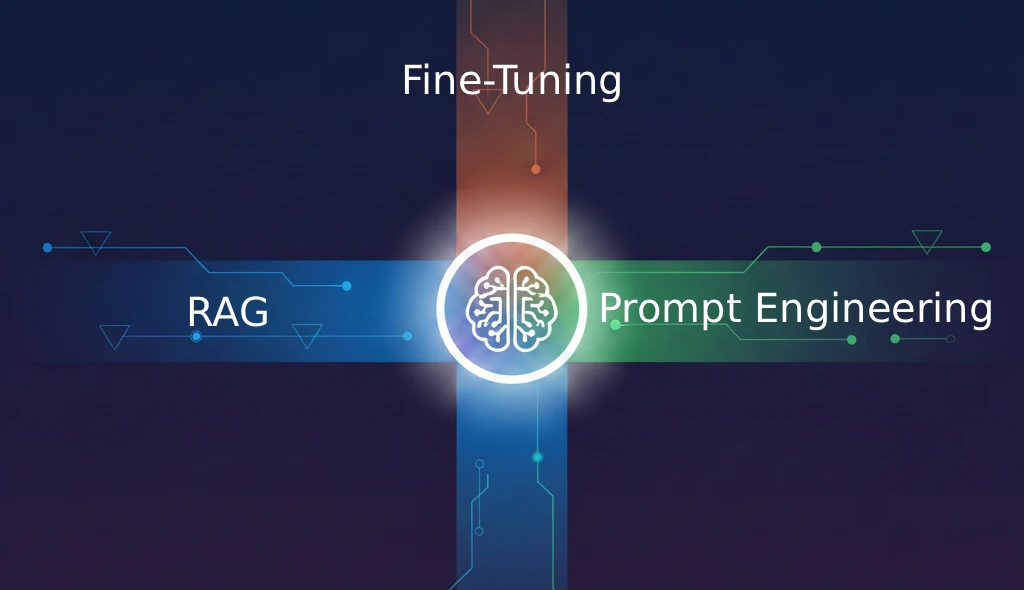
RAG vs Fine-Tuning vs Prompt Engineering: When to Use Each for AI Apps
Compare RAG, fine-tuning, and prompt engineering for customizing LLMs. Learn when to use each approach, cost differences, and how to combine them for production AI applications.