Best Courses for Self-Taught Programmers in 2026

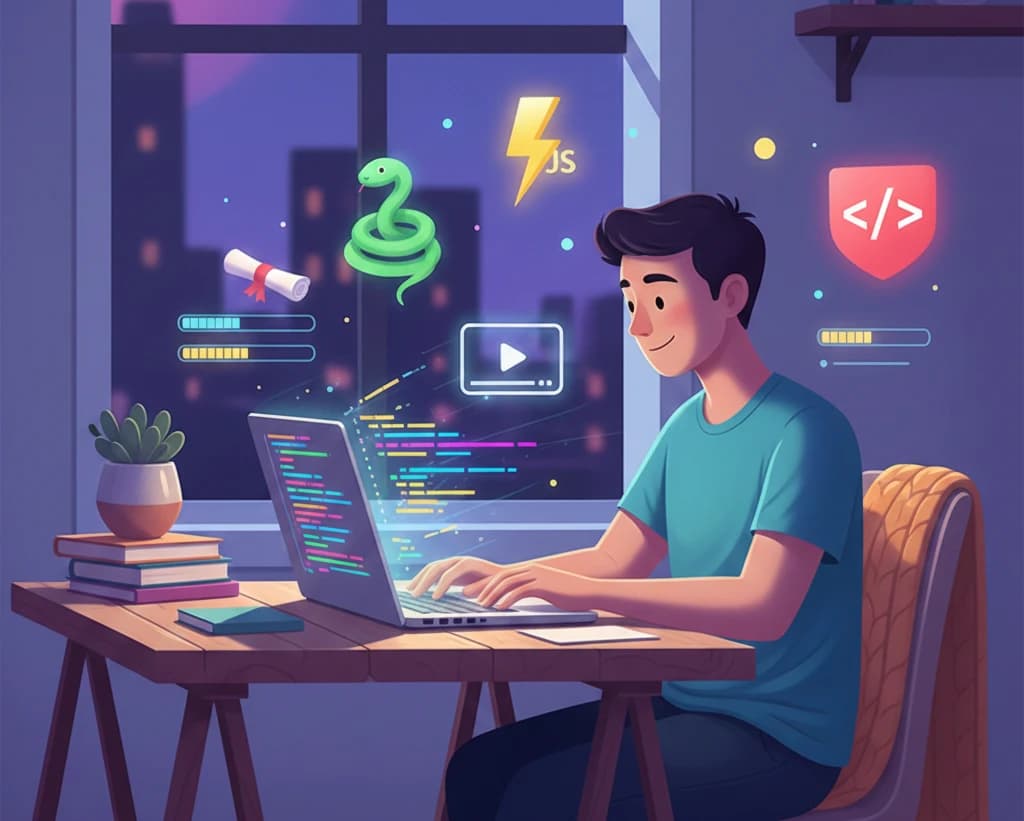
The tech industry is one of the few fields where your skills matter more than your credentials. Some of the most successful developers in history—from Bill Gates to Mark Zuckerberg—are either self-taught or never finished their formal education. In 2026, the path to becoming a self-taught programmer has never been more accessible, with countless high-quality free resources available online.
If you're wondering whether you can learn programming without a degree, the answer is a resounding yes. This guide will show you exactly how to do it, with curated courses, structured learning paths, and practical tips from developers who've walked this path before.
Why Self-Taught Programmers Succeed in 2026
Before diving into courses, let's understand why self-taught developers are thriving in today's job market.
The Industry Has Shifted
Tech companies increasingly prioritize skills over degrees. According to recent industry surveys:
- 72% of employers value practical skills and portfolio projects over formal education
- Major tech companies like Google, Apple, IBM, and Meta have dropped degree requirements for many positions
- Coding bootcamp graduates and self-taught developers now make up a significant portion of the workforce
Self-Taught Developers Have Unique Advantages
When you teach yourself to code, you develop crucial skills that formal education often doesn't provide:
- Self-discipline: You learn to manage your own learning schedule
- Problem-solving mindset: You figure things out without constant guidance
- Resourcefulness: You know how to find answers and learn new technologies
- Passion-driven motivation: You're learning because you want to, not because you have to
The Resources Have Never Been Better
In 2026, free educational resources rival—and often surpass—traditional university curricula:
- Interactive coding platforms
- Comprehensive video tutorials
- Real-world project-based learning
- Active communities for support
Essential Skills Every Self-Taught Programmer Needs
Before choosing courses, understand the core competencies you need to develop:
Technical Foundations
- At least one programming language (Python or JavaScript recommended for beginners)
- HTML and CSS for web development basics
- Version control with Git for collaboration and code management
- Basic command line skills for development workflows
- Database fundamentals for data storage and retrieval
Soft Skills
- Problem decomposition: Breaking complex problems into smaller, manageable pieces
- Reading documentation: Learning to use official resources effectively
- Debugging: Finding and fixing errors systematically
- Communication: Explaining technical concepts clearly
Course Comparison: Best Options for Self-Taught Programmers
Here's a comprehensive comparison of the best free courses available for self-taught programmers:
| Course | Provider | Duration | Certificate | Best For |
|---|---|---|---|---|
| Python Basics | FreeAcademy.ai | 6-8 hours | Free | Absolute beginners |
| JavaScript Fundamentals | FreeAcademy.ai | 8-10 hours | Free | Web development foundation |
| HTML Fundamentals | FreeAcademy.ai | 4-5 hours | Free | Starting web development |
| CSS Selectors & Layout | FreeAcademy.ai | 5-6 hours | Free | Building beautiful websites |
| Git Essentials | FreeAcademy.ai | 3-4 hours | Free | Version control basics |
| SQL Basics | FreeAcademy.ai | 5-6 hours | Free | Database fundamentals |
| TypeScript Fundamentals | FreeAcademy.ai | 6-8 hours | Free | Type-safe JavaScript |
| React Fundamentals | FreeAcademy.ai | 8-10 hours | Free | Modern frontend development |
| Node.js Basics | FreeAcademy.ai | 6-8 hours | Free | Backend JavaScript |
| Linux Command Line | FreeAcademy.ai | 4-5 hours | Free | Terminal mastery |
Top Courses for Self-Taught Programmers
1. Python Basics (FreeAcademy.ai)
Best for: Absolute beginners who want the most beginner-friendly first language
Python is consistently ranked as the best first programming language for beginners, and for good reason. Its clean syntax reads almost like English, making it ideal for learning programming concepts without getting bogged down in complex syntax.
Our Python Basics course covers everything you need to get started:
What you'll learn:
- Variables, data types, and operators
- Control flow with conditionals and loops
- Functions and modular programming
- Working with lists, dictionaries, and other data structures
- File handling and basic input/output
- Error handling and debugging techniques
Why it's perfect for self-learners:
- Interactive exercises: Practice coding directly in your browser
- Clear explanations: Every concept explained without jargon
- Practical examples: Real-world scenarios you'll actually encounter
- Free certificate: Show proof of your new skills
Time commitment: 6-8 hours Certificate: Yes, free upon completion
Start the Python Basics Course
2. JavaScript Fundamentals (FreeAcademy.ai)
Best for: Those interested in web development or wanting the most versatile language
JavaScript is the language of the web, and knowing it opens doors to frontend, backend, and mobile development. Our JavaScript Fundamentals course provides a solid foundation.
What you'll learn:
- Core JavaScript syntax and concepts
- DOM manipulation for interactive websites
- Event handling and user interactions
- Asynchronous programming with callbacks and promises
- Modern ES6+ features
- Debugging and browser developer tools
Why it's perfect for self-learners:
- Immediate visual feedback: See your code affect web pages in real-time
- Browser-based: No complex setup required
- Industry standard: Used by virtually every website
- Path to many careers: Frontend, backend, mobile, and more
Time commitment: 8-10 hours Certificate: Yes, free upon completion
Start the JavaScript Fundamentals Course
3. HTML Fundamentals (FreeAcademy.ai)
Best for: Complete beginners who want to see immediate results
HTML is the foundation of every website. While not technically a programming language, understanding HTML is essential for any web developer. Our HTML Fundamentals course makes it easy.
What you'll learn:
- HTML document structure and semantics
- Text formatting and content organization
- Links, images, and multimedia
- Forms and user input
- Accessibility best practices
- Modern HTML5 features
Why it's perfect for self-learners:
- Instant gratification: See results immediately in your browser
- Low barrier to entry: No complex setup or tools needed
- Foundation for everything web: Essential knowledge for any web role
- Build real pages: Create actual websites as you learn
Time commitment: 4-5 hours Certificate: Yes, free upon completion
Start the HTML Fundamentals Course
4. CSS Selectors & Layout (FreeAcademy.ai)
Best for: Making websites visually appealing and responsive
Once you know HTML, CSS brings your pages to life. Our CSS Selectors & Layout course teaches you to style websites professionally.
What you'll learn:
- CSS selectors and specificity
- The box model and spacing
- Flexbox for flexible layouts
- CSS Grid for complex designs
- Responsive design principles
- Modern CSS features and best practices
Why it's perfect for self-learners:
- Visual learning: See style changes instantly
- Creative expression: Design is subjective—make it yours
- High demand skill: Every website needs good CSS
- Builds on HTML: Natural progression in your learning
Time commitment: 5-6 hours Certificate: Yes, free upon completion
Start the CSS Selectors & Layout Course
5. Git Essentials (FreeAcademy.ai)
Best for: Professional development workflows and collaboration
Git is the industry-standard version control system. Every professional developer uses Git, and understanding it is non-negotiable for working in teams. Our Git Essentials course covers what you need.
What you'll learn:
- Core Git concepts: commits, branches, merging
- Setting up and configuring Git
- Working with remote repositories
- Collaboration workflows
- Resolving merge conflicts
- Git best practices
Why it's perfect for self-learners:
- Industry essential: Required for virtually every developer job
- Protects your work: Never lose code again
- Enables collaboration: Work with others on projects
- GitHub preparation: Foundation for building your portfolio
Time commitment: 3-4 hours Certificate: Yes, free upon completion
Start the Git Essentials Course
6. SQL Basics (FreeAcademy.ai)
Best for: Understanding databases and data manipulation
Almost every application needs to store and retrieve data. SQL is the standard language for working with databases, and our SQL Basics course teaches it from scratch.
What you'll learn:
- Database concepts and relational model
- Creating and modifying tables
- Querying data with SELECT
- Filtering, sorting, and aggregating data
- Joining tables for complex queries
- Basic database design principles
Why it's perfect for self-learners:
- Interactive SQL playground: Practice queries in your browser
- Universal skill: Applies to most backend and data roles
- Logical thinking: Develops problem-solving skills
- High demand: SQL skills are sought after in many industries
Time commitment: 5-6 hours Certificate: Yes, free upon completion
7. TypeScript Fundamentals (FreeAcademy.ai)
Best for: Advancing your JavaScript skills with type safety
Once you know JavaScript, TypeScript takes your code to the next level with static typing. Our TypeScript Fundamentals course helps you write more reliable code.
What you'll learn:
- TypeScript basics and type annotations
- Interfaces and type definitions
- Classes and object-oriented programming
- Generics for reusable code
- Modules and project organization
- Integration with JavaScript projects
Why it's perfect for self-learners:
- Better code quality: Catch errors before runtime
- Industry adoption: Major companies prefer TypeScript
- Improved tooling: Better autocomplete and refactoring
- Modern development: Standard for serious projects
Time commitment: 6-8 hours Certificate: Yes, free upon completion
Start the TypeScript Fundamentals Course
8. React Fundamentals (FreeAcademy.ai)
Best for: Building modern, interactive web applications
React is the most popular frontend framework, used by Netflix, Facebook, Airbnb, and countless other companies. Our React Fundamentals course prepares you for modern frontend development.
What you'll learn:
- React components and JSX
- State management and hooks
- Props and component communication
- Event handling and forms
- Lifecycle and effects
- Building reusable UI components
Why it's perfect for self-learners:
- Job market demand: React developers are highly sought after
- Component thinking: Learn to build modular applications
- Active ecosystem: Huge community and resources
- Portfolio projects: Build impressive demo applications
Time commitment: 8-10 hours Certificate: Yes, free upon completion
Start the React Fundamentals Course
9. Node.js Basics (FreeAcademy.ai)
Best for: Becoming a full-stack developer with JavaScript
Node.js lets you use JavaScript on the server, enabling full-stack development with a single language. Our Node.js Basics course teaches backend development fundamentals.
What you'll learn:
- Node.js runtime and modules
- Building APIs and servers
- Working with the file system
- npm and package management
- Express.js basics
- Database integration
Why it's perfect for self-learners:
- Full-stack capability: Use one language everywhere
- Large ecosystem: npm has packages for everything
- Real applications: Build actual backend services
- Career flexibility: Work on any part of the stack
Time commitment: 6-8 hours Certificate: Yes, free upon completion
Start the Node.js Basics Course
10. Linux Command Line Basics (FreeAcademy.ai)
Best for: Professional development environment mastery
The command line is a developer's power tool. Our Linux Command Line Basics course gives you terminal confidence.
What you'll learn:
- Navigating the file system
- File and directory operations
- Text processing and pipes
- Permissions and users
- Shell scripting basics
- Common developer workflows
Why it's perfect for self-learners:
- Professional requirement: Used in most development environments
- Efficiency boost: Command line is faster than GUIs
- Server access: Essential for deployment and DevOps
- Scriptable: Automate repetitive tasks
Time commitment: 4-5 hours Certificate: Yes, free upon completion
Start the Linux Command Line Basics Course
Learning Path Recommendations
Different goals require different learning paths. Here are structured curricula for common objectives:
Path 1: Frontend Web Developer
If you want to build beautiful, interactive websites and user interfaces:
- Start with HTML Fundamentals - Learn page structure
- Add CSS Selectors & Layout - Style your pages
- Learn JavaScript Fundamentals - Add interactivity
- Master Git Essentials - Professional workflow
- Study TypeScript Fundamentals - Level up your JS
- Complete React Fundamentals - Modern framework
Total time: 40-50 hours Outcome: Job-ready frontend developer skills
Path 2: Backend Developer
If you want to build servers, APIs, and work with data:
- Start with Python Basics - Beginner-friendly language
- Learn Git Essentials - Version control
- Master SQL Basics - Database fundamentals
- Study Linux Command Line - Server environment
- Explore Docker Essentials - Containerization
Total time: 25-35 hours Outcome: Foundation for backend development roles
Path 3: Full-Stack JavaScript Developer
If you want to build complete applications with one language:
- Start with HTML Fundamentals - Web basics
- Add CSS Selectors & Layout - Styling
- Learn JavaScript Fundamentals - Core language
- Master Git Essentials - Collaboration
- Study TypeScript Fundamentals - Type safety
- Build with React Fundamentals - Frontend framework
- Add Node.js Basics - Backend skills
- Explore Next.js Mastery - Full-stack framework
Total time: 55-70 hours Outcome: Complete full-stack developer skill set
Path 4: Data & AI Enthusiast
If you're interested in data science and artificial intelligence:
- Start with Python Basics - The language of data science
- Learn SQL Basics - Data querying
- Study AI Essentials - AI foundations
- Add Prompt Engineering - AI interaction skills
- Explore Machine Learning Fundamentals - ML basics
Total time: 30-40 hours Outcome: Foundation for data science and AI roles
Path 5: DevOps & Cloud
If you're interested in infrastructure and deployment:
- Start with Linux Command Line - Essential foundation
- Learn Git Essentials - Version control
- Add Bash Scripting - Automation
- Study Docker Essentials - Containerization
- Explore AWS Cloud Fundamentals - Cloud services
Total time: 25-35 hours Outcome: Foundation for DevOps and cloud engineering
Tips for Self-Taught Programmers
Learning to code on your own requires specific strategies. Here's what successful self-taught developers recommend:
1. Build Projects, Not Just Complete Tutorials
Tutorial hell is real. Watching videos and following along feels productive, but true learning happens when you build something from scratch.
How to do it:
- After each course section, build a mini-project using what you learned
- Keep a list of project ideas and work on them regularly
- Recreate websites or apps you use daily
- Start a portfolio early and add to it continuously
2. Embrace the Struggle
Confusion and frustration are part of the process. When you're struggling, you're learning.
Mindset shifts:
- Error messages are helpful feedback, not failures
- Getting stuck means you're at the edge of your knowledge
- Every professional developer Googles things daily
- The goal is progress, not perfection
3. Code Every Day (Even If Just 30 Minutes)
Consistency beats intensity. Regular practice builds muscle memory and keeps concepts fresh.
Practical tips:
- Set a specific time each day for coding
- Start with your most important learning task
- Use streaks and accountability systems
- Have a backup plan for busy days (even 15 minutes counts)
4. Learn to Read Documentation
Official documentation is your most reliable resource. Learning to read docs is a superpower.
How to improve:
- Start with documentation when learning new concepts
- Reference docs even when you know the basics
- Practice reading docs without tutorials
- Contribute to documentation when you find gaps
5. Join a Community
Learning alone is hard. Communities provide support, motivation, and networking.
Where to find community:
- Discord servers for specific technologies
- Reddit communities like r/learnprogramming
- Local meetups and coding groups
- Twitter/X tech communities
- Open source project communities
6. Build Your Portfolio Early
Your portfolio proves your skills to employers. Start building it from day one.
Portfolio essentials:
- GitHub profile with consistent activity
- Personal website showcasing your work
- 3-5 substantial projects demonstrating different skills
- Clear documentation for each project
- Live demos when possible
7. Learn to Learn
Meta-learning—understanding how you learn best—accelerates everything.
Strategies:
- Identify whether you learn better from videos, reading, or doing
- Take notes and review them regularly
- Teach concepts to others (rubber duck debugging works)
- Space out your learning for better retention
- Test yourself rather than just reviewing
8. Don't Chase Every New Technology
Focus beats breadth. Master fundamentals before exploring every new framework.
How to prioritize:
- Stick with your chosen learning path
- Ignore most "hot new framework" hype
- Deep knowledge in core technologies beats shallow knowledge in many
- Only branch out once you're solid in fundamentals
Frequently Asked Questions
Can I really become a programmer without a degree?
Absolutely. Many successful programmers are self-taught, and the tech industry increasingly values demonstrated skills over credentials. What matters is your ability to write code, solve problems, and work effectively with others. A well-documented portfolio, strong GitHub presence, and practical projects often carry more weight than a degree in job interviews.
How long does it take to become job-ready as a self-taught programmer?
This varies significantly based on your goals, available time, and prior experience. Most dedicated learners can develop entry-level skills in 6-12 months of consistent study and practice. The key is focused, structured learning rather than unfocused exploration. Following a clear learning path like those outlined above can significantly accelerate your progress.
Which programming language should I learn first?
For absolute beginners, Python is often recommended because of its readable syntax and versatility. If you're specifically interested in web development, JavaScript is an excellent choice since you can use it for both frontend and backend development. The most important thing is to pick one language and learn it well before moving to others.
How do I stay motivated while learning to code on my own?
Build projects that interest you personally, join communities of other learners, set specific goals with deadlines, and celebrate small wins. Remember that struggle is normal—every professional programmer was once a beginner who felt lost. Tracking your progress through commits, completed courses, or journal entries can help you see how far you've come during difficult moments.
Do I need a powerful computer to learn programming?
No. Most programming can be done on any reasonably modern computer. Many of our courses include browser-based coding environments, so you can practice without installing anything. As you advance into areas like machine learning or mobile development, you might benefit from better hardware, but it's not required to get started.
How do I get my first job as a self-taught programmer?
Focus on building a strong portfolio with 3-5 quality projects, contribute to open source if possible, network through communities and meetups, and apply consistently to entry-level positions. Consider freelancing or contract work to build experience. Prepare thoroughly for technical interviews by practicing coding challenges. Many self-taught developers also find success through internships or apprenticeship programs.
Should I learn multiple languages or focus on one?
Start by mastering one language thoroughly. Switching between languages too early often leads to superficial understanding. Once you're confident in one language—meaning you can build substantial projects without constantly looking up syntax—you can add another. Many concepts transfer between languages, making the second one much easier to learn.
How important is computer science theory for self-taught programmers?
While you don't need a CS degree, understanding fundamental concepts like data structures, algorithms, and basic computer architecture does help. These topics often come up in technical interviews and help you write more efficient code. You can learn these concepts incrementally as you progress, rather than studying them all upfront.
Start Your Self-Taught Programming Journey Today
The path from complete beginner to professional developer is challenging but absolutely achievable. Thousands of self-taught programmers are working at top companies, building successful products, and enjoying fulfilling careers in tech.
The difference between those who succeed and those who don't isn't talent—it's persistence, structured learning, and consistent practice.
Our recommendation: Start with Python Basics if you want the most beginner-friendly introduction, or JavaScript Fundamentals if you're drawn to web development. Complete one course fully before moving to the next. Build projects along the way. Join a community. Keep going even when it's hard.
A year from now, you could be working as a developer, building your own projects, or launching your startup. The only question is: are you ready to begin?
Explore all our free programming courses and start your journey today.
Enjoyed this article?
Join The FreeAcademy Weekly
One practical AI email every Tuesday. New free courses, AI tips, and a short note from the founder.
Free forever. Unsubscribe anytime.
Related articles

AI Coding Assistants vs Learning to Code Yourself: Do You Still Need to Learn Programming in 2026?
With AI coding tools getting so good, should you still learn to code? A balanced look at what AI can and cannot do, why understanding code still matters, and how to become an AI-augmented developer.
How to Choose the Right Online Course for Your Goals
Not all online courses are created equal. Learn how to evaluate course quality, choose the right platform, and select courses that align with your career and learning goals.
Best Courses for Building AI Apps with APIs in 2026
Compare the top courses for building AI applications with OpenAI, Claude, Gemini, and other APIs. Free tutorials, hands-on projects, and learning paths for every skill level.