

Best Courses for Building AI Apps with APIs in 2026

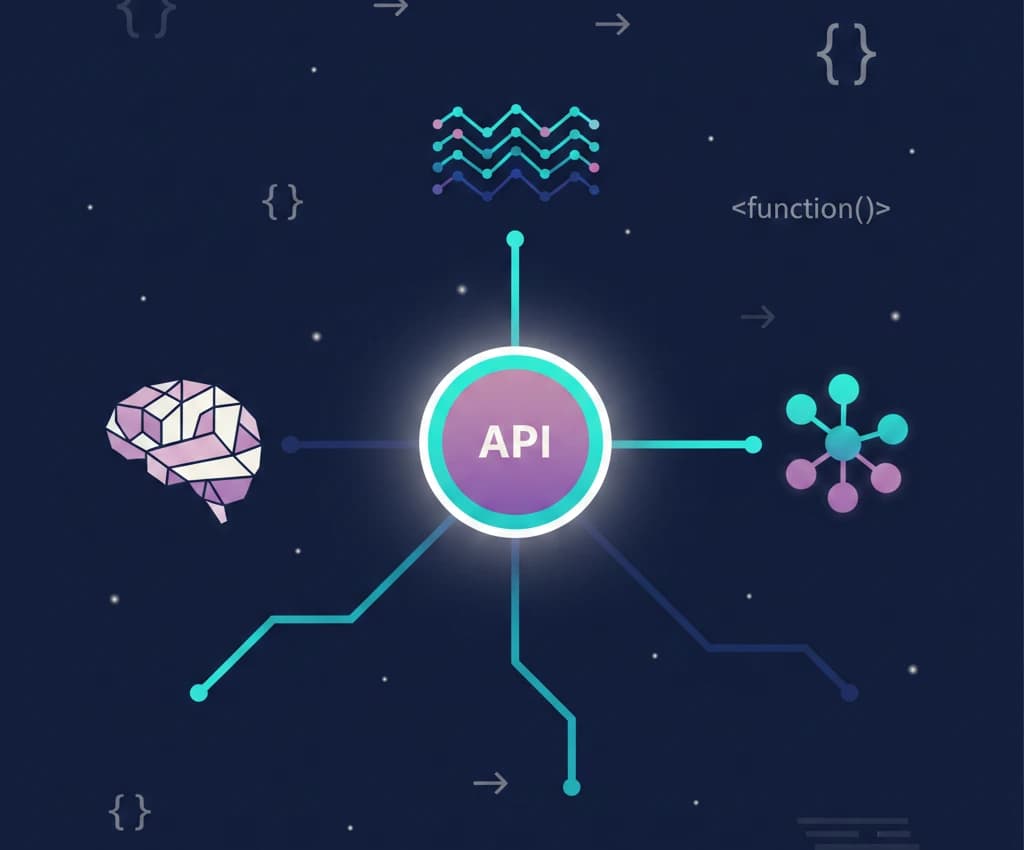
Building AI applications is no longer reserved for machine learning researchers. In 2026, anyone who can write basic code can connect to an AI API and ship a working product in a weekend. The real challenge isn't access to the technology — it's knowing which API to use, how to structure your app, and which course will teach you the right skills without wasting your time.
This guide compares the best courses for building AI apps with APIs, covering OpenAI, Claude, Gemini, and open-source alternatives. Whether you want to learn AI API integration for free or build a production-ready AI product, we'll help you pick the right learning path.
AI API Landscape in 2026: What You Need to Know
Before choosing a course, you need to understand the APIs you'll be building with. Here's how the major AI APIs compare:
| API | Provider | Best For | Free Tier | Pricing Model | Top Model |
|---|---|---|---|---|---|
| OpenAI API | OpenAI | General-purpose apps, GPT ecosystem | $5 credit (new accounts) | Pay-per-token | GPT-5.2 |
| Anthropic API | Anthropic | Coding tools, long-context apps, safety-critical | Pay-as-you-go | Pay-per-token | Claude Opus 4.6 |
| Gemini API | Multimodal apps, Google ecosystem | Generous free tier | Pay-per-token | Gemini 2.5 Pro | |
| Groq API | Groq | Speed-critical apps, real-time inference | Free tier available | Pay-per-token | Llama 3.3 70B |
| Mistral API | Mistral | European data residency, open-weight models | Free tier available | Pay-per-token | Mistral Large |
| OpenRouter | OpenRouter | Multi-model routing, comparison | Pay-as-you-go | Pay-per-token | Multiple |
Each API has different strengths, and the best AI app course should teach you how to evaluate and integrate multiple providers — not lock you into one.
Best Courses for Building AI Apps Compared
| Course | Platform | Price | APIs Covered | Hands-On Projects | Level |
|---|---|---|---|---|---|
| Building AI Agents with Node.js & TypeScript | FreeAcademy | Free | OpenAI, Claude, multiple | Yes - Production apps | Advanced |
| Full-Stack RAG with Next.js, Supabase & Gemini | FreeAcademy | Free | Gemini, embeddings | Yes - Full-stack app | Advanced |
| MCP Fundamentals | FreeAcademy | Free | Claude MCP | Yes - MCP servers | Intermediate |
| AI Prompt Chaining & Workflows | FreeAcademy | Free | Multiple | Yes - Workflows | Intermediate |
| ChatGPT & LangChain Complete Course | Udemy | $20-80 | OpenAI, LangChain | Yes | Intermediate |
| Generative AI with LLMs | Coursera (AWS) | Free to audit | AWS Bedrock, multiple | Limited | Intermediate |
| Building AI Applications with Gemini | Google Cloud Skills Boost | Free | Gemini | Yes - Labs | Beginner |
| LLM Application Development | DeepLearning.AI | Free | OpenAI | Yes - Notebooks | Intermediate |
Top Courses Reviewed in Detail
1. Building Professional AI Agents with Node.js & TypeScript (FreeAcademy)
Best for: Developers who want to build production-ready AI applications
Our Building AI Agents course is the most comprehensive free course for learning to build real AI applications. It goes beyond basic API calls and teaches you to build autonomous agents that can reason, use tools, and handle complex workflows.
What you'll learn:
- Integrating with OpenAI, Claude, and other LLM APIs
- Building tool-calling agents that interact with external services
- Designing multi-step agentic workflows
- Structured output parsing and validation
- Error handling, retries, and rate limiting in production
- Streaming responses and real-time AI interactions
- Deploying AI applications to production
Why it stands out:
- Covers multiple AI APIs, not just one provider
- Focuses on production patterns, not just demos
- TypeScript-first approach with proper type safety
- Interactive exercises in your browser
- Completely free with certificate
Pros:
- Teaches real-world architecture patterns
- Multi-provider coverage (OpenAI, Claude, and more)
- Free with no paywalls
- Hands-on projects throughout
- Updated for 2026 APIs and models
Cons:
- Requires JavaScript/TypeScript knowledge
- Advanced level — not for absolute beginners
- Node.js focused (no Python track)
Certificate: Yes, free upon completion
2. Full-Stack RAG with Next.js, Supabase & Gemini (FreeAcademy)
Best for: Full-stack developers who want to build AI-powered search and Q&A applications
Our Full-Stack RAG course teaches you to build a complete Retrieval-Augmented Generation application from scratch. RAG is the architecture behind most production AI apps that need to work with custom data.
What you'll learn:
- What RAG is and why it matters for AI apps
- Generating and storing vector embeddings with Supabase
- Building semantic search with pgvector
- Integrating with Google's Gemini API
- Full-stack architecture with Next.js
- Chunking strategies for different content types
- Deploying a complete AI application
Why it stands out:
- End-to-end project: you build a complete, deployable app
- Uses Supabase for both database and vector storage (no extra infra)
- Teaches the most in-demand AI app architecture pattern
- Free tier friendly — Gemini API has a generous free tier
Pros:
- Full-stack approach (frontend + backend + AI)
- Practical RAG architecture you can reuse
- Uses production-ready tools (Next.js, Supabase, Gemini)
- Free Gemini API tier means no cost to follow along
Cons:
- Specific to Google Gemini (though patterns transfer)
- Requires React/Next.js knowledge
- Advanced level
Certificate: Yes, free upon completion
3. MCP Fundamentals: Building AI Systems That Connect (FreeAcademy)
Best for: Developers who want to build AI apps that integrate with external tools and services
The Model Context Protocol (MCP) course teaches you the open standard for connecting AI models to external data sources and tools. MCP is rapidly becoming the standard way AI applications interact with the real world.
What you'll learn:
- The MCP architecture and protocol specification
- Building MCP servers that expose tools and resources
- Connecting Claude and other AI models to custom data
- Designing tool schemas for AI consumption
- Security and authentication for MCP integrations
- Real-world MCP use cases and patterns
Why it stands out:
- MCP is the emerging industry standard for AI integrations
- Hands-on server building, not just theory
- Directly applicable to Claude Code and Claude Desktop workflows
- Few other courses cover this topic
Pros:
- Covers a cutting-edge, high-demand topic
- Practical server-building exercises
- Applicable across multiple AI platforms
- Free with certificate
Cons:
- MCP ecosystem is still evolving
- Primarily Claude-focused (though the standard is open)
- Intermediate level requires some API experience
Certificate: Yes, free upon completion
4. AI Prompt Chaining & Workflows (FreeAcademy)
Best for: Anyone who wants to build multi-step AI workflows without heavy coding
Our Prompt Chaining course bridges the gap between using AI chatbots and building full AI applications. It teaches you to design multi-step workflows where AI outputs feed into the next step.
What you'll learn:
- Designing prompt chains for complex tasks
- Sequential, parallel, and conditional workflows
- Output parsing and transformation between steps
- Error handling in multi-step AI processes
- Combining multiple AI models in one workflow
- When to use prompt chaining vs. full agent architecture
Why it stands out:
- Practical middle ground between no-code and full development
- Applicable to any AI API
- Teaches thinking patterns, not just syntax
Pros:
- API-agnostic — works with OpenAI, Claude, Gemini, or any LLM
- Great stepping stone to full agent development
- Practical workflow templates you can reuse
Cons:
- Less depth than a full agent-building course
- Some examples may need adaptation for specific APIs
Certificate: Yes, free upon completion
5. Generative AI with Large Language Models (Coursera / AWS)
Best for: Learners who want academic depth and an AWS-branded credential
This Coursera course, developed by AWS and DeepLearning.AI, covers the lifecycle of LLM-based AI applications from training to deployment.
What you'll learn:
- LLM architecture and transformer fundamentals
- Fine-tuning and prompt engineering techniques
- Reinforcement learning from human feedback (RLHF)
- Deploying LLM apps on AWS infrastructure
- Responsible AI practices
Pros:
- Strong theoretical foundation
- AWS and DeepLearning.AI credibility
- Well-produced video content
- Covers the full LLM lifecycle
Cons:
- Free to audit, but certificate costs $49+
- AWS-centric deployment approach
- Less hands-on than project-based courses
- Content updates lag behind fast-moving API changes
6. Building AI Applications with Gemini (Google Cloud Skills Boost)
Best for: Developers in the Google ecosystem who want to build with Gemini
Google's official Gemini development course teaches you to build AI applications using Google's multimodal AI models.
What you'll learn:
- Gemini API fundamentals and model selection
- Multimodal inputs (text, image, video, audio)
- Function calling and tool use with Gemini
- Vertex AI integration for production deployments
- Google Cloud AI infrastructure
Pros:
- Free access to labs and content
- Covers Gemini's unique multimodal capabilities
- Official Google content, always current
- Hands-on labs with real API calls
Cons:
- Locked into Google ecosystem
- Doesn't cover other AI APIs
- Production deployment requires Google Cloud billing
- Less community support than independent courses
AI API Pros and Cons: Detailed Breakdown
Choosing the right API matters as much as choosing the right course. Here's a detailed comparison to help you decide which APIs to learn first.
OpenAI API (GPT-5.2, o-series)
Pros:
- Largest ecosystem of tools, libraries, and tutorials
- Strong all-around performance across tasks
- Excellent developer experience and documentation
- Assistants API for stateful conversations
- Image generation (DALL-E) and speech built in
- Widest third-party integration support
Cons:
- Most expensive per token among major providers
- No free tier (only initial credits for new accounts)
- Rate limits can be restrictive on lower tiers
- Closed-source models — no self-hosting option
- Frequent API changes can break existing code
Best for: General-purpose AI apps, prototyping, apps that need the broadest ecosystem support.
Anthropic API (Claude Opus 4.6, Sonnet 4.5)
Pros:
- Best coding performance (80.9% SWE-bench Verified)
- 200K token context window — handles very long documents
- Strong safety features and constitutional AI
- Excellent structured output and instruction following
- Model Context Protocol (MCP) for tool integrations
- Consistent, predictable behavior
Cons:
- Smaller ecosystem than OpenAI
- No built-in image generation
- Fewer third-party integrations
- Higher cost for Opus models
- Newer API — less community content available
Best for: Coding assistants, document analysis, safety-critical applications, apps requiring long context.
Google Gemini API (Gemini 2.5 Pro, Flash)
Pros:
- Most generous free tier among major providers
- Native multimodal (text, image, video, audio in one model)
- Competitive performance at lower cost
- Deep Google Workspace and Search integration
- Fast inference with Gemini Flash models
- Growing ecosystem and strong documentation
Cons:
- Slightly behind in pure coding benchmarks
- Less mature developer ecosystem
- Google Cloud dependency for production features
- API has had breaking changes during rapid development
Best for: Multimodal apps, budget-conscious development, apps integrated with Google services.
Open-Source APIs (Llama 3.3, Mistral, via Groq/Together/Ollama)
Pros:
- Self-hosting option for full data control
- No per-token costs when self-hosted
- Multiple hosting providers (Groq, Together, Replicate)
- Groq offers extremely fast inference speeds
- No vendor lock-in
- Fine-tuning friendly
Cons:
- Performance gap with frontier models on complex tasks
- Self-hosting requires significant infrastructure knowledge
- Less polished developer experience
- Smaller context windows on most open models
- More setup required for tool use and structured outputs
Best for: Privacy-sensitive apps, cost-sensitive production workloads, apps requiring fine-tuned models, edge deployment.
Learning Paths: From Beginner to Production
Path 1: Complete Beginner to AI App Developer
If you're new to both programming and AI:
- JavaScript Essentials — Learn the programming fundamentals
- AI Essentials — Understand how AI and LLMs work
- REST API Design — Learn how APIs work in general
- Node.js Basics — Server-side JavaScript
- Prompt Engineering — Write effective prompts
- AI Prompt Chaining & Workflows — Build multi-step AI workflows
- Building AI Agents — Build production AI apps
Total time: 40-60 hours | Outcome: You can build and deploy AI-powered applications
Path 2: Experienced Developer Adding AI Skills
If you already know JavaScript/TypeScript or Python:
- AI Essentials — Quick AI foundations (skip if familiar)
- Prompt Engineering — Optimize your AI interactions
- Vector Databases — Understand embeddings and semantic search
- Building AI Agents — Production agent development
- Full-Stack RAG — Build a complete RAG application
- MCP Fundamentals — Connect AI to external tools
Total time: 25-40 hours | Outcome: You can architect and ship production AI products. If you're aiming to bring these skills into a larger organization, Cynked's guide on the AI Center of Excellence: structure and roles for 2026 covers how enterprises are staffing teams around these capabilities.
Path 3: Full-Stack AI with Python
If you prefer Python for AI development:
- Python Basics — Python fundamentals
- AI Essentials — AI foundations
- Machine Learning Fundamentals — Core ML skills
- Vector Databases — Embeddings and retrieval
- Generative AI with LLMs (Coursera) — LLM theory and AWS deployment
Total time: 35-50 hours | Outcome: You can build AI apps with Python and deploy on AWS
If you're targeting legal or regulated industries with the AI apps you build, Cynked's analysis of how GCs are cutting outside counsel spend with AI in 2026 is a good primer on where buyers are actively looking for tooling.
What Skills Do You Need to Build AI Apps?
Before enrolling in any course, here's what you should know or plan to learn:
Must-Have Skills
- One programming language (JavaScript/TypeScript or Python are the most practical)
- Basic API knowledge (HTTP requests, JSON, authentication)
- Prompt engineering (how to write effective instructions for AI models)
Nice-to-Have Skills
- Database fundamentals (SQL, vector databases for RAG apps)
- Frontend development (React/Next.js for building user interfaces)
- DevOps basics (deployment, environment variables, rate limiting)
You Don't Need
- A computer science degree
- Deep knowledge of neural network architecture
- Experience with PyTorch or TensorFlow (unless you're fine-tuning)
- A powerful GPU
The barrier to building AI apps in 2026 is knowing how to call an API and handle the response. The courses above teach you exactly that.
How to Choose the Right AI App Course
Based on Your Experience Level
- Total beginner: Start with AI Essentials, then follow Path 1 above
- Know some coding: Jump to Prompt Engineering and then AI Agents
- Experienced developer: Go straight to Building AI Agents or Full-Stack RAG
Based on What You Want to Build
- Chatbot or assistant: AI Agents — covers conversation management and tool use
- Search or Q&A over documents: Full-Stack RAG — teaches retrieval-augmented generation
- AI-integrated tool: MCP Fundamentals — build integrations with Claude and other AI platforms
- Multi-step automation: AI Prompt Chaining — design complex AI workflows
Based on Your Budget
Every FreeAcademy course listed above is 100% free with certificates. If you want additional credentials, Coursera's audit mode is free (certificates cost $49+), and Google Cloud Skills Boost offers free labs.
Frequently Asked Questions
What is the best course for building AI apps?
The best course depends on your experience level. For developers who want a comprehensive, free course covering multiple AI APIs, Building Professional AI Agents with Node.js & TypeScript on FreeAcademy covers OpenAI, Claude, and other APIs with hands-on production projects. For full-stack RAG applications, the Full-Stack RAG course teaches end-to-end development with Gemini.
Can I learn to build AI apps for free?
Yes. FreeAcademy offers multiple free courses on building AI applications, including Building AI Agents, Full-Stack RAG, MCP Fundamentals, and Prompt Engineering. All include free certificates. Many AI APIs also offer free tiers for development and testing.
Which AI API should I learn first?
Start with the OpenAI API if you want the most tutorials and community support. Choose the Anthropic Claude API if you're building coding tools or need long-context processing. Pick Google Gemini if you want the best free tier and multimodal capabilities. The best courses, like Building AI Agents, teach you to work with multiple APIs so you aren't locked into one provider.
Do I need to know machine learning to build AI apps?
No. Building AI apps with APIs is fundamentally different from building ML models. You need programming skills and API knowledge, not statistics or linear algebra. Courses like Building AI Agents teach you to integrate with pre-trained models through API calls, which requires no ML background.
What programming language is best for AI app development?
Python and JavaScript/TypeScript are both excellent choices. Python has the largest AI/ML ecosystem and is used in most data science workflows. JavaScript/TypeScript is better for full-stack web applications and has strong AI SDK support from OpenAI, Anthropic, and Google. Choose based on what you already know or what kind of apps you want to build.
How long does it take to build your first AI app?
With the right course and basic programming knowledge, you can build a simple AI-powered application in a single day. A basic chatbot might take 2-4 hours. A full RAG application with custom data takes a weekend. The Building AI Agents course has you building working apps within the first few modules.
Is the OpenAI API free to use?
OpenAI provides initial credits for new accounts (currently $5), but it is not free long-term. You pay per token for API usage. Google Gemini has the most generous free tier among major providers, and Groq offers free access to open-source models with rate limits.
What is RAG and why does it matter?
RAG (Retrieval-Augmented Generation) is an architecture pattern where you retrieve relevant documents from a database and include them in your AI prompt. This lets AI apps answer questions about custom data without fine-tuning a model. It's the most common production AI architecture pattern and is taught in detail in the Full-Stack RAG course.
Start Building AI Apps Today
The AI app development space moves fast, but the fundamentals are stable: understand the APIs, learn to design effective prompts, build proper architecture, and ship working products. Every course listed in this guide teaches those fundamentals.
Our recommendation: If you're a developer ready to build, start with Building Professional AI Agents with Node.js & TypeScript. It covers multiple APIs, teaches production patterns, and is completely free. If you want to build a specific type of app (like search or Q&A), take the Full-Stack RAG course alongside it.
The best time to learn AI app development was last year. The second-best time is right now.
If you're a student looking for a broader selection of free AI courses beyond app development, see our guide to the best free AI courses for students in 2026. For absolute beginners who want to start with the fundamentals, our best free AI courses for absolute beginners guide is the ideal starting point.
Enjoyed this article?
Join The FreeAcademy Weekly
One practical AI email every Tuesday. New free courses, AI tips, and a short note from the founder.
Free forever. Unsubscribe anytime.
Related articles
Best Free AI Course for High School Students (With Certificate)
The best free AI courses for high school students. Beginner-friendly, no coding, with a free certificate you can add to college applications and LinkedIn.
Best Free Prompt Engineering Courses in 2026 (Ranked by Quality)
Top 8 free prompt engineering courses ranked by quality. Interactive exercises, video tutorials, and hands-on practice to master AI prompting in 2026.
Best Free AI Courses for Students in 2026 (With Certificates)
Discover the best free AI courses for students in 2026. Learn artificial intelligence, prompt engineering, and more — with free certificates to boost your resume.
