

v0 vs Bolt vs Lovable: Best AI App Builders & Vibe Coding Tools Compared (2026)

"Vibe coding" went from an Andrej Karpathy tweet to Collins Dictionary's Word of the Year in under twelve months. The idea is simple: describe what you want in plain English, let AI write the code, and ship without reading a single diff.
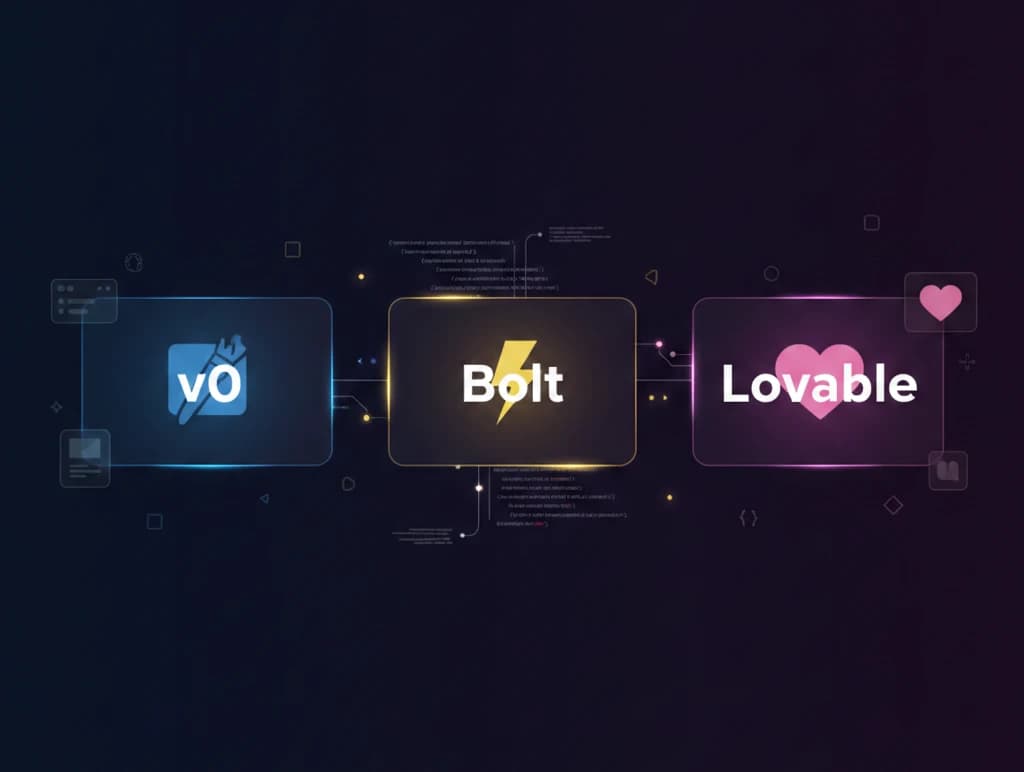
Three platforms have emerged as the frontrunners for this new way of building software: Vercel's v0, StackBlitz's Bolt, and Lovable (formerly GPT Engineer). Each takes a fundamentally different approach to AI-powered app building.
This guide breaks down what each tool actually delivers, where they fall short, and which one is right for your specific situation.
Quick Comparison Table
| Feature | v0 (Vercel) | Bolt (StackBlitz) | Lovable |
|---|---|---|---|
| Best For | UI components & design | Full-stack apps | Non-technical MVPs |
| Backend Support | None (frontend only) | Full (Node.js, APIs, DB) | Supabase-native |
| Frameworks | React/Next.js | React, Vue, Svelte, Angular, Expo | React + TypeScript |
| Deployment | Vercel | Netlify, bolt.host, Vercel | Lovable Cloud, GitHub |
| Free Tier | $5 credits/month | 1M tokens/month | 5 credits/day |
| Paid From | $20/month | $20/month | $25/month |
| Runs Code Live | No | Yes (in-browser) | No |
| Mobile Apps | No | Yes (React Native/Expo) | No |
| Image-to-Code | Yes (Figma) | Partial | Yes (screenshots) |
What is Vibe Coding?
Before diving in, let's clarify the term. Vibe coding was coined by Andrej Karpathy (OpenAI co-founder and former Tesla AI lead) in February 2025:
"There's a new kind of coding I call 'vibe coding', where you fully give in to the vibes, embrace exponentials, and forget that the code even exists."
The core idea: describe what you want in natural language, accept AI-generated code without reading every line, and paste error messages back into the AI when things break. It bypasses the traditional write-compile-debug cycle entirely.
v0, Bolt, and Lovable are the three most popular platforms built around this workflow. Each targets a different audience and takes a different technical approach.
v0 by Vercel: The Design-First Builder
Overview
v0 (at v0.app) is Vercel's AI-powered code generator. It started as a UI component generator and has evolved into a broader app-building tool, but its DNA is still design and frontend.
If you need a pixel-perfect React component from a Figma mockup or a text description, v0 is the fastest path.
What It Generates
- React + Next.js components with Tailwind CSS and shadcn/ui
- Full pages and multi-page layouts
- Image-to-code from Figma designs or screenshots
- Can also render Svelte, Vue, and plain HTML/CSS
Key Strengths
1. Best-in-Class UI Quality
v0 produces the most polished, production-ready UI components of the three tools. The output uses shadcn/ui patterns and Tailwind CSS, which means clean, accessible components that follow modern React best practices.
2. Figma-to-Code Pipeline
Upload a Figma design and get working React code. This is unique to v0 and valuable for teams with designers who work in Figma.
3. Design Mode
v0's Design Mode lets you visually tweak components without writing prompts. Adjust spacing, colors, and layout through a visual editor instead of describing changes in text.
4. Vercel Ecosystem Integration
One-click deployment to Vercel with GitHub sync on all plans, including free. If your team already uses Vercel for hosting, v0 fits seamlessly into your workflow.
Weaknesses
- No backend whatsoever. v0 generates zero server logic, database queries, authentication, or API routes. You wire all of that yourself
- Non-developers hit a wall fast: beautiful components with no path to a working application
- Credit-hungry pricing. Every iteration, including fixing AI errors, burns credits. Users report exhausting the $5 free allowance in a single session
- Locked into the Vercel ecosystem for deployment
Pricing
| Plan | Price | What You Get |
|---|---|---|
| Free | $0/month | $5/month in credits, basic model, GitHub sync |
| Premium | $20/month | $20/month in credits, best model, Figma imports, API access |
| Student | $4.99/month | Between free and premium tiers |
| Team | $30/user/month | Shared credits, collaboration features |
| Enterprise | Custom | Priority performance, SSO, dedicated support |
Additional credits can be purchased on paid plans.
Best Use Cases
- Generating React UI components from designs or descriptions
- Prototyping page layouts for Next.js apps
- Converting Figma mockups to code
- Frontend developers who need to move fast on UI work
Bolt by StackBlitz: The Full-Stack Powerhouse
Overview
Bolt (at bolt.new) takes a fundamentally different approach: it spins up a real Node.js development environment in your browser using StackBlitz's WebContainers technology. Unlike tools that just generate code snippets, Bolt runs npm install, starts dev servers, and executes real API routes—all inside a browser tab.
This makes Bolt the most developer-friendly of the three tools and the fastest path from zero to a running full-stack application.
What It Generates
- Complete full-stack web applications with frontend and backend
- React, Next.js, Vue, Svelte, Astro, Remix, Angular projects
- Node.js backends with Express APIs
- Database integrations with Prisma
- Serverless functions and authentication
- React Native / Expo mobile apps (unique among the three)
Key Strengths
1. Real Runtime in the Browser
Bolt is the only tool that runs your code live as it generates it. The AI has full access to the filesystem, package manager, terminal output, and browser console. When something breaks, it sees the actual error and can fix it.
2. Widest Framework Support
React, Vue, Svelte, Angular, Astro, Remix, Next.js, Expo—Bolt supports more frameworks than v0 and Lovable combined. You're not locked into a single stack.
3. True Full-Stack Generation
Unlike v0 (frontend only), Bolt generates backends, APIs, database schemas, and server logic. It can produce a working CRUD app with authentication from a single prompt.
4. Mobile App Support
Bolt is the only one of the three that can generate React Native / Expo mobile applications. If you need iOS or Android, this is your only option in this category.
5. No Local Setup Required
Everything runs in the browser. No git clone, no npm install, no environment configuration. Open a browser tab and start building.
Weaknesses
- Context window degradation. Projects with 15-20+ components experience severe context loss. The AI forgets established patterns, creates duplicate code, and loses architectural consistency
- Debugging token burn. Users report spending millions of tokens trying to fix a single bug. Bolt can introduce new bugs while fixing old ones, each attempt consuming tokens
- The 70% problem. Gets you roughly 70% of the way to a working app. The final 30% typically requires a developer to step in and fix things manually
- Project size limits: free accounts cap at ~200K token context, paid at ~500K
Pricing
| Plan | Price | What You Get |
|---|---|---|
| Free | $0/month | 1M tokens/month (300K daily limit), public + private projects |
| Basic | ~$20/month | 10M tokens/month, no Bolt branding |
| Pro 100 | $100/month | Higher token allotment for daily development |
| Pro 200 | $200/month | Highest token allotment for full-time use |
| Teams | Pro + $5/member | Shared workspace, team collaboration |
Students get 50% off paid plans plus extra free tokens.
Best Use Cases
- Developers who want a full AI-powered dev environment without local setup
- Rapid prototyping of full-stack web applications
- Projects that need framework flexibility (not just React)
- Mobile app prototyping with React Native / Expo
- Solo developers and small teams building MVPs
Learn more: Our React Fundamentals and Next.js Mastery courses cover the frameworks that Bolt generates most frequently.
Lovable: The Non-Technical Founder's Choice
Overview
Lovable (at lovable.dev) started life as the open-source GPT Engineer, rebranded in 2024, and has since raised $200M at a $1.8 billion valuation. It positions itself as "the world's first AI Fullstack Engineer" and is the most accessible of the three tools for people who don't write code.
Lovable's secret weapon is its deep Supabase integration. It doesn't just generate frontend code—it creates database tables, sets up authentication, writes row-level security policies, and connects everything together.
What It Generates
- Complete full-stack web applications from a single prompt
- React + TypeScript frontend with Tailwind CSS and shadcn/ui
- Supabase backend with database schema, authentication, and file storage
- Row-level security policies for data protection
- CRUD interfaces connected to real databases
- Edge functions for backend logic
Key Strengths
1. Most Complete "App From a Prompt" Experience
Lovable generates the most complete application from a single description. Frontend, backend, auth, database—it wires everything together. The other tools require more manual integration.
2. Deep Supabase Integration
Lovable creates Supabase tables, writes RLS policies, sets up auth flows, and connects the frontend to the database automatically. For apps that need a real backend, this is a massive time-saver.
3. Three Operation Modes
- Agent Mode: Autonomous full-app building from a description
- Edit Mode: Targeted changes to existing code
- Chat Mode: Planning and debugging without code changes (1 credit per message)
This gives you control over how the AI spends your credits.
4. Enterprise-Ready Security
Lovable holds SOC 2 Type 2 and ISO 27001:2022 certifications and is GDPR compliant. Neither v0 nor Bolt offers this level of security compliance out of the box.
5. Two-Way GitHub Sync
Push from Lovable to GitHub, or push to GitHub and see changes reflected in Lovable. This makes it practical to use Lovable alongside traditional development tools.
Weaknesses
- Debugging loops burn credits. The most common complaint. The AI gets stuck trying to fix a bug, introduces new ones, and each iteration costs credits
- Locked to React + Supabase. No Vue, Angular, or alternative backends. If you want a different stack, Lovable isn't for you
- Complex projects break down. Simple-to-medium apps work well. Multi-step workflows, complex integrations, and custom business logic cause significant degradation
- Code quality at scale. Generated code often has minimal comments, inconsistent patterns, and tightly coupled logic that's hard to maintain
- Connecting to existing non-Supabase databases is unreliable
Pricing
| Plan | Price | What You Get |
|---|---|---|
| Free | $0/month | 5 credits/day (~30/month), unlimited public projects, GitHub sync |
| Pro | $25/month | ~100-150 credits/month, credit rollover, private projects, custom domains |
| Business | $50/month | Extra credits, SSO, opt-out of data training, design templates |
| Enterprise | Custom | SOC 2, ISO 27001, SLA guarantees |
Credits vary by mode: 1 credit per Chat Mode message, variable credits in Build Mode based on complexity.
Best Use Cases
- Non-technical founders validating startup ideas with real MVPs
- Product managers building internal tools
- Projects that need Supabase for the backend
- Teams that need enterprise security compliance from day one
- Rapid prototyping before investing in custom development
Learn more: Our Supabase Fundamentals course teaches the database platform that Lovable builds on top of.
Head-to-Head Comparisons
For UI Components and Design
Winner: v0
v0 produces the cleanest, most polished UI components. The Figma-to-code pipeline and Design Mode give it a significant edge for design-focused work. If you need beautiful React components fast, v0 is the clear choice.
Bolt can generate UIs, but they're more functional than polished. Lovable produces decent UIs but with less design refinement than v0.
For Full-Stack Applications
Winner: Bolt
Bolt is the only tool that runs a real development environment in the browser. It handles frontend, backend, APIs, and database integrations with the widest framework support. For developers building complete applications, Bolt offers the most flexibility and power.
Lovable also builds full-stack apps but is locked to React + Supabase. v0 doesn't generate backends at all.
For Non-Technical Users
Winner: Lovable
Lovable requires the least technical knowledge to produce a working application with a real database. Its Agent Mode can take a plain English description and generate a complete app with authentication and data persistence.
Bolt is usable by non-developers for simple apps but gets technical fast. v0 produces beautiful components that non-developers can't easily turn into working applications.
For Mobile Apps
Winner: Bolt (only option)
Bolt is the only tool of the three that supports React Native / Expo for mobile development. If you need iOS or Android, Bolt is your only choice in this category.
For Enterprise Security
Winner: Lovable
Lovable's SOC 2 Type 2 and ISO 27001 certifications make it the only tool suitable for enterprise environments with strict compliance requirements.
For Budget-Conscious Users
Winner: Bolt
Bolt's free tier (1M tokens/month) is the most generous for actually building things. v0's $5 credit allowance runs out quickly, and Lovable's 5 credits per day limits you to a few prompts.
| Category | v0 | Bolt | Lovable |
|---|---|---|---|
| UI quality | Best | Good | Good |
| Full-stack | No backend | Best | Good (Supabase only) |
| Non-technical users | Weak | Moderate | Best |
| Mobile apps | No | Yes | No |
| Framework flexibility | Moderate | Best | Low |
| Enterprise compliance | No | No | Yes |
| Free tier generosity | Limited | Best | Moderate |
The 70% Problem: When You Still Need a Developer
All three tools share a fundamental limitation that's important to understand: they get you about 70% of the way to a production application.
The first 70% is magic. You describe what you want, and within minutes you have a working prototype that would have taken days or weeks to build manually. But the remaining 30% is where things get difficult:
- Complex business logic that doesn't fit neatly into a single prompt
- Edge cases in authentication, payments, and data validation
- Performance optimization for real-world traffic
- Security hardening beyond basic generated code
- Third-party integrations that require careful error handling
- Debugging AI-generated code that you didn't write and don't fully understand
This doesn't make these tools useless—far from it. A 70% head start is enormously valuable. But it means vibe coding is best understood as a prototyping and acceleration tool, not a replacement for software engineering knowledge.
Learn more: Our AI Essentials course covers how to work effectively with AI tools, and Prompt Engineering teaches techniques for getting better outputs from any AI-powered tool.
Which Tool Should You Choose?
Choose v0 if you...
- Are a frontend developer or designer
- Need to convert Figma designs to React code
- Work within the Vercel/Next.js ecosystem
- Care most about UI polish and component quality
- Will handle the backend yourself or with another tool
Choose Bolt if you...
- Are a developer who wants full-stack AI assistance
- Need framework flexibility beyond just React
- Want a complete development environment in the browser
- Are building mobile apps with React Native
- Want the most generous free tier for prototyping
Choose Lovable if you...
- Are a non-technical founder validating a startup idea
- Need a working app with a real database and authentication
- Want the simplest path from idea to deployed MVP
- Require enterprise security compliance (SOC 2, ISO 27001)
- Are comfortable with a React + Supabase stack
Use Multiple Tools Together
Many experienced builders combine tools:
- v0 for designing polished UI components
- Bolt or Lovable for building the full application with backend logic
- Cursor or VS Code with AI assistants for the final 30% that vibe coding tools can't reliably handle
This layered approach leverages each tool's strengths while compensating for their weaknesses.
Pricing Comparison
Free Tier Comparison
| Tool | Free Allowance | What You Can Build |
|---|---|---|
| v0 | $5 credits/month | A few component iterations |
| Bolt | 1M tokens/month (300K/day) | Several small full-stack apps |
| Lovable | 5 credits/day (~30/month) | One small app with iteration |
Paid Plan Comparison
| Tool | Entry Plan | Price | Best Value For |
|---|---|---|---|
| v0 Premium | $20/month | $20/month in credits + best model | Designers, frontend devs |
| Bolt Basic | ~$20/month | 10M tokens/month | Developers building full-stack apps |
| Lovable Pro | $25/month | ~100-150 credits/month | Non-technical users, startup MVPs |
All three tools use consumption-based pricing, which means costs scale with usage. For intensive development, expect to pay significantly more than the base plan price.
Limitations Every User Should Know
Shared Limitations
- AI debugging loops. All three tools can get stuck in cycles where fixing one bug introduces another, consuming credits each iteration
- Context window limits. Large projects overwhelm the AI's memory, leading to inconsistent code and forgotten patterns
- No replacement for understanding code. When the AI gets stuck, someone needs to read the code and fix it manually
- Generated code quality. AI-generated code works but often lacks the structure, error handling, and optimization that production applications need
- Vendor lock-in concerns. Each tool encourages its own ecosystem—Vercel, Netlify/StackBlitz, or Lovable Cloud
Tool-Specific Gotchas
- v0: No backend means you need another tool or manual coding for any server logic
- Bolt: Token consumption is unpredictable. A complex debugging session can burn through your monthly allowance in hours
- Lovable: Locked to React + Supabase. If your needs change, you may outgrow the platform
The Future of Vibe Coding
Vibe coding tools are evolving fast. In 2025 alone, all three platforms added significant new capabilities:
- v0 expanded from UI components to more complete app generation
- Bolt added mobile app support and native hosting
- Lovable raised $200M and deepened its Supabase integration
The trend is clear: these tools are getting more capable, but the gap between "working prototype" and "production application" remains significant. As AI models improve, that gap will narrow—but for now, the most effective approach is combining AI tools with real development knowledge.
Learn more: Our Building AI Agents with Node.js course teaches you to build production AI applications, and TypeScript Fundamentals covers the language that all three tools generate most frequently.
Frequently Asked Questions
What is vibe coding?
Vibe coding is a term coined by Andrej Karpathy in February 2025 describing a development approach where you use natural language to tell AI what to build, accept the generated code without reviewing every line, and paste error messages back to the AI when things break. v0, Bolt, and Lovable are the three most popular vibe coding platforms.
Which AI app builder is best for beginners?
Lovable is the most beginner-friendly option. Its Agent Mode can take a plain English description and generate a complete app with a database and authentication. Bolt is a close second for simple apps but gets technical quickly. v0 produces beautiful UI components but requires development knowledge to turn them into working applications.
Can I build a real startup with vibe coding tools?
You can build a working MVP and validate your idea, but production applications typically require developer involvement for the final 20-30%. These tools are best understood as prototyping accelerators. Many successful startups use vibe coding for their initial version, then bring in developers to harden the codebase for scale.
Which tool has the best free tier?
Bolt offers the most generous free tier with 1M tokens per month, enough to build several small applications. Lovable gives 5 credits per day (~30/month), which is enough for one small project with iteration. v0's $5 monthly credit allowance is the most limited and can be exhausted in a single session.
Do I own the code these tools generate?
Yes. All three tools give you full ownership of generated code. v0 and Bolt both support GitHub integration, and Lovable offers two-way GitHub sync. You can export your code and continue development in any editor or IDE.
Which tool is best for mobile apps?
Bolt is the only one of the three that supports mobile development through React Native and Expo. If you need iOS or Android apps, Bolt is your only option in this comparison. v0 and Lovable are web-only.
Can I use these tools together?
Yes, and many developers do. A common workflow is using v0 to design polished UI components, Bolt or Lovable to build the full application, and a traditional code editor with AI assistance (like Cursor or Claude Code) for final refinements.
How do these tools compare to GitHub Copilot or Claude Code?
They serve different purposes. v0, Bolt, and Lovable are app builders that generate complete applications from descriptions. GitHub Copilot and Claude Code are coding assistants that help you write code line-by-line within an editor. Many developers use both: vibe coding tools for rapid prototyping and coding assistants for daily development work.
Conclusion
There's no single "best" AI app builder. v0 wins on UI quality and design workflows. Bolt wins on full-stack flexibility and developer experience. Lovable wins on accessibility for non-technical users and enterprise compliance.
The most practical approach is to try each tool's free tier for your specific use case. And remember: vibe coding accelerates the start of a project, but building production software still rewards understanding the code underneath.
Start building, and let the AI handle the boilerplate.
Last updated: February 19, 2026. AI app builder features and pricing change frequently—check each platform's website for the latest information.
Enjoyed this article?
Join The FreeAcademy Weekly
One practical AI email every Tuesday. New free courses, AI tips, and a short note from the founder.
Free forever. Unsubscribe anytime.
Related articles
No-Code AI Tools vs Coding Your Own AI App: Which Approach Is Right for You?
Compare building AI applications with no-code platforms vs custom code. Discover the trade-offs in cost, scalability, and flexibility to choose the right approach for your skills and goals.

What Is Windsurf? The Agentic AI Code Editor Explained (2026)
Discover what the Windsurf AI code editor is, how its agentic Cascade engine works, pricing, and how it compares to Cursor for AI-assisted coding in 2026.
Google Deep Research vs Perplexity vs ChatGPT: AI Research Tools Comparison 2026
Google Deep Research vs Perplexity vs ChatGPT compared for accuracy, citations, depth, and speed. Find the best AI research tool for academic work, fact-checking, and market research in 2026.