

Claude Pro vs Max vs Free (2026): Usage Limits and Which Plan Is Worth It

Anthropic's Claude has become one of the most capable AI assistants available. But with multiple pricing tiers — from a free plan all the way up to $200/month, plus API pricing that recently added a free tier — it is not always obvious which plan you actually need.
In February 2026, Anthropic expanded the free tier significantly, giving non-paying users access to Projects, Artifacts, and app connectors. That blurs the line between free and paid even further.
This guide breaks down every Claude plan so you can decide whether upgrading is worth your money.
Quick Comparison Table
| Feature | Free | Pro ($17-20/mo) | Max ($100/mo) | Max ($200/mo) |
|---|---|---|---|---|
| Model Access | Sonnet 4.6 | All models incl. Opus 4.8 | All models incl. Opus 4.8 | All models incl. Opus 4.8 |
| Usage Limit | ~30-100 msgs / day | 5x Free | 5x Pro | 20x Pro |
| Context Window | 200K tokens | 200K tokens | 1M tokens (Opus 4.8) | 1M tokens (Opus 4.8) |
| Projects | Yes | Yes | Yes | Yes |
| Artifacts | Yes | Yes | Yes | Yes |
| Memory | Yes | Yes | Yes | Yes |
| Web Search | Yes | Yes | Yes | Yes |
| Extended Thinking | Yes (limited) | Yes | Yes | Yes |
| Desktop Extensions | Yes | Yes | Yes | Yes |
| MCP Connectors (remote) | Yes | Yes | Yes | Yes |
| Code Execution | Yes | Yes | Yes | Yes |
| Cowork | No | Yes | Yes | Yes |
| Research Feature | No | Yes | Yes | Yes |
| Claude for Excel (beta) | No | Yes | Yes | Yes |
| Claude for PowerPoint (beta) | No | Yes | Yes | Yes |
| File Uploads | Limited | Yes | Yes | Yes |
| Claude Code | No | Yes | Yes (higher limits) | Yes (highest limits) |
| Google Workspace | No | Yes | Yes | Yes |
| MCP Integrations (full) | Connectors only | Full MCP | Full MCP | Full MCP |
| Priority Access | No | Yes | Yes | Yes |
Claude Usage Limits: Free vs Pro vs Max
The single biggest reason people upgrade is usage limits. Here is how much you actually get on each plan:
- Free: roughly 30 to 100 messages per day on Sonnet 4.6, with resets every 4 to 8 hours. During peak demand the cap drops and you can be paused mid-conversation.
- Pro ($17 to $20/mo): about 5x the free allowance, roughly 45 messages per 5-hour window. Enough for most daily users. You also choose which model to spend usage on, so light tasks on Sonnet preserve your Opus budget.
- Max ($100/mo): 5x Pro, roughly 25x the free tier, plus higher Claude Code limits for long coding sessions.
- Max ($200/mo): 20x Pro, effectively unlimited for almost any workflow, with the highest Claude Code limits.
Exact message counts vary by model and message length. Long prompts, large file uploads, and Opus usage all burn through your allowance faster than short Sonnet chats. For a deeper look at the free tier specifically, see our guide to Claude free plan limits.
Which limit tier should you pick? If you rarely see the "you're out of messages" warning, stay Free. If you hit it a few times a week, Pro fixes it. Only move to Max when Pro limits interrupt your actual work, and start at $100 before $200.
Claude Free: More Capable Than You Think
Claude's free tier runs on Claude Sonnet 4.6, the same model that powers most paid interactions. You don't get a watered-down experience. You get the same intelligence with tighter limits.
What You Get for Free
- Claude Sonnet 4.6 with a 200K-token context window
- Projects to organize conversations with shared context
- Artifacts for creating documents, code, and visualizations
- Memory across conversations — Claude remembers context between sessions
- Web search built into conversations
- Extended thinking for complex multi-step reasoning (limited usage)
- Desktop extensions — connect Claude to your desktop apps
- MCP connectors (remote) for Notion, Slack, Google Workspace, Figma, and more
- Code execution — create and edit files directly in chat
- File creation for Excel spreadsheets, Word docs, PowerPoint, and PDFs
- Compaction that summarizes earlier context to extend conversations
- Available on web, iOS, Android, and desktop
What You Don't Get
- No Opus model access. You're limited to Sonnet 4.6. The Opus models, including the latest Opus 4.8, are reserved for paid plans.
- No Claude Code. The terminal-based coding agent requires a paid subscription.
- Strict usage caps. Roughly 30-100 messages per day depending on demand, with 4-8 hour resets.
- No priority access. During peak hours, you may be rate-limited or temporarily blocked.
Who Should Stay Free
The free tier is genuinely useful if you:
- Use Claude occasionally for quick questions, writing help, or brainstorming
- Need an AI assistant for simple document creation
- Want to try Claude before committing to a subscription
- Already pay for another AI tool (like ChatGPT Plus) and use Claude as a secondary option
Claude Pro ($17–20/month): The Sweet Spot
Claude Pro is aimed at daily users who need more messages, better models, and developer tools. At $17/month billed annually (or $20/month billed monthly), it matches ChatGPT Plus in price while offering a different set of strengths.
What Pro Adds Over Free
1. Access to All Models, Including Opus
This is the biggest upgrade. Pro subscribers can select Claude Opus 4.8 (released May 28, 2026), Anthropic's most capable model for complex reasoning and long-horizon agentic coding. Opus 4.8 features a 1 million token context window and 128K max output tokens. API pricing is $5 / $25 per million input/output tokens.
You can still use Sonnet 4.6 or Haiku 4.5 on Pro when you don't need Opus-level power, which helps conserve your usage allowance.
2. 5x More Usage
Pro gives you roughly 5 times the messages of the free tier. That translates to approximately 45 messages per 5-hour window (the exact number varies by model and message length). For most daily users, this is enough.
3. Extended Thinking
Extended thinking lets Claude reason through complex problems before responding. It works like a scratchpad where the model breaks down multi-step problems, catches its own mistakes, and produces more accurate answers.
This is especially valuable for:
- Complex math and logic problems
- Multi-step coding tasks
- Analyzing nuanced arguments
- Research synthesis across long documents
4. Cowork
Cowork is Anthropic's collaboration tool that lets Claude work on tasks in the background while you continue chatting. It launched for Max subscribers on January 12, 2026, and expanded to Pro on January 16. Cowork can handle multi-step research, writing, and analysis tasks autonomously, reporting back when finished.
5. Research Feature
The Research feature lets Claude conduct in-depth, multi-source investigations on any topic — going beyond simple web search to synthesize information from multiple sources, cross-reference claims, and produce structured reports. This is a Pro-exclusive feature.
6. Claude for Excel and PowerPoint (beta)
Pro subscribers get access to Claude integrations directly inside Microsoft Excel and PowerPoint. Claude for Excel can write formulas, clean data, and build analyses without leaving your spreadsheet. Claude for PowerPoint can draft slides, rewrite content, and suggest design improvements inline.
7. Google Workspace Integration
Pro subscribers now get direct integration with Google Docs, Gmail, and Drive. Claude can read and edit your documents within the chat interface, making it a practical tool for office workflows without copy-pasting content back and forth.
8. Claude Code
Claude Code is Anthropic's terminal-based AI coding agent. It reads your entire codebase, writes and edits files, runs commands, and handles multi-step development tasks autonomously. It requires a Pro subscription or higher.
9. File Uploads and Analysis
While free users can create files, Pro users get full file upload and analysis capabilities. Upload PDFs, spreadsheets, images, and code files for Claude to analyze in depth.
10. Priority Access
When servers are under heavy load, Pro subscribers skip the queue. You won't be rate-limited or blocked during peak hours.
11. Claude Design (research preview)
Launched April 17, 2026 at claude.ai/design, Claude Design generates first-pass visuals — landing pages, slide decks, wireframes, marketing assets, and product UI — from a natural-language description. Available to Pro, Max, Team, and Enterprise subscribers.
Is Claude Pro Worth $17–20/Month?
Yes, if you match any of these profiles:
- Developers who want Opus-level code generation and Claude Code access
- Writers and researchers who hit free tier limits regularly
- Professionals who rely on Claude daily for work tasks
- Students working on complex technical projects
- Anyone who has been frustrated by free tier rate limits
No, if:
- You use Claude fewer than 3-4 times per week
- Your tasks are simple enough that Sonnet handles them well
- You primarily use another AI assistant and only occasionally try Claude
Claude Max: For Power Users and Developers
Claude Max comes in two tiers designed for people who push Claude hard enough that even Pro limits feel restrictive.
Max $100/Month (5x Pro)
The lower Max tier gives you 5 times the usage of Pro (which itself is 5x Free). That's roughly 25 times the free tier's messages. You also get higher Claude Code limits for longer coding sessions.
This tier makes sense if you:
- Use Claude Code extensively for large codebases
- Hit Pro limits regularly during intensive work sessions
- Run agentic workflows that consume many messages quickly
- Need Claude for full-time professional work
Max $200/Month (20x Pro)
The top-tier Max plan gives you 20 times Pro usage, effectively unlimited for most workflows. This is designed for heavy engineering and agentic use cases.
This tier makes sense if you:
- Use Claude Code as your primary development tool
- Build and test AI agents that require many iterations
- Manage multiple large projects simultaneously
- Simply never want to think about usage limits
What Max Adds Over Pro
Beyond the usage increase, Max subscribers get:
- Higher Claude Code limits for longer uninterrupted sessions
- Higher Cowork limits for more background tasks
- Priority access during peak demand (same as Pro)
- All Opus models including Opus 4.8 with its 1M context window
Max does not unlock additional features beyond what Pro offers. The difference is entirely about capacity. If you never hit Pro's limits, Max provides no additional value.
Claude Team and Enterprise
For organizations, Anthropic offers two additional plans.
Team Plan (minimum 5 members)
The Team plan comes in two seat types:
- Standard seat ($20/month annual, $25/month monthly): More usage than Pro, admin tools, SSO, domain capture, shared Project folders, and role-based permissions.
- Premium seat ($100/month annual, $150/month monthly): Adds Claude Code access and early access to new collaboration features. Premium seats get 6.25x more usage than Pro.
Team plans are best for small-to-medium organizations that need centralized billing, shared knowledge bases, and admin controls.
Enterprise Plan (custom pricing)
Enterprise includes everything in Team plus:
- SCIM for identity management
- Audit logging and compliance API
- Custom data retention controls
- Expanded context windows (500K tokens with Sonnet, 1M with Claude Code)
- Analytics API for usage metrics
- Dedicated support
Enterprise pricing is negotiated directly with Anthropic's sales team and typically starts around $60/seat/month with a minimum of 70 users. If you're an EU organization comparing Enterprise plans, Cynked's EU AI Act August 2026 deadline: business action plan walks through the governance work that needs to be in place alongside the contract.
Feature Deep Dive: What Matters Most
Model Access: Sonnet vs Opus
The most significant difference between free and paid is model access.
Claude Sonnet 4.6 (available on all tiers) is fast, capable, and handles most tasks well. It's the default model for good reason.
Claude Opus 4.8 (Pro and above) is measurably better for:
- Coding: tops Anthropic's coding and agentic benchmarks
- Long document analysis: 1M token context window for massive inputs
- Nuanced writing: Produces more thoughtful, detailed outputs
- Agentic workflows: long-horizon, high-autonomy tasks with 128K max output tokens
For casual use, Sonnet is excellent. For professional work where quality differences matter, Opus 4.8 is worth the upgrade.
What's new in Opus 4.8
Released May 28, 2026, Opus 4.8 is Anthropic's flagship generally available model and replaces Opus 4.7:
- Stronger coding and agentic performance across benchmarks, with the consistency to keep working on long-running tasks.
- Effort control: you can set how much effort Claude puts into a task (the
effortparameter now defaults tohigh).- Dynamic workflows in Claude Code, letting it tackle very large-scale problems.
- Adaptive thinking: Claude decides how much reasoning a problem deserves on its own (the old
budget_tokensAPI parameter is gone).- Fast mode is roughly 3x cheaper than it was on previous models.
- 1M token context window and 128K max output, with API pricing at $5 / $25 per million tokens.
Extended Thinking (now Adaptive Thinking)
With Opus 4.8, adaptive thinking is the only thinking-on mode. The old budget-based extended thinking is gone — Claude decides how much reasoning a problem deserves on its own, and the API's budget_tokens parameter now returns a 400 error.
For Claude.ai users, the practical experience is unchanged: harder problems automatically get longer reasoning, and you don't have to flip a switch. In the API, thinking content is hidden by default in responses; developers can opt in to see it when they need to debug a chain.
Practical examples where adaptive thinking helps:
- Debugging a 500-line function with subtle logic errors
- Analyzing a research paper and identifying methodological flaws
- Solving multi-step math problems accurately
- Planning a complex software architecture
If your tasks are primarily conversational (chat, simple Q&A, quick writing), you won't notice the difference. If you regularly tackle complex analytical or technical problems, this is a meaningful upgrade over single-pass generation.
Claude Code
Claude Code is Anthropic's agentic coding tool that runs in your terminal. It can:
- Read and understand your entire codebase via
CLAUDE.mdproject files - Write, edit, and refactor code across multiple files
- Run tests and fix failures automatically
- Execute shell commands and manage git operations
- Support MCP integrations for external tools
Claude Code requires Pro or higher. Max subscribers get higher usage limits, which matters for long coding sessions. On Pro, you may hit rate limits during extended development work.
If you're a developer, Claude Code alone can justify the Pro subscription. Read our full comparison of AI terminal tools for more context.
MCP and Tool Use
The Model Context Protocol (MCP) lets Claude connect to external tools and services. On the free tier, you get basic app connectors (Notion, Slack, Google Workspace, etc.). On paid tiers, you get full MCP support, including:
- Custom MCP server connections
- MCP integrations within Artifacts
- Claude Code MCP tools for development workflows
For most users, the free tier connectors are sufficient. Developers and power users who build custom integrations benefit from the full MCP support on paid plans.
Projects and Artifacts
As of February 2026, both free and paid users have access to Projects and Artifacts. This is a major change from earlier in Claude's history when these were Pro-only features.
- Projects: Organize conversations with shared context and uploaded documents. Useful for ongoing work like research projects, codebases, or writing projects.
- Artifacts: Create standalone outputs like code, documents, visualizations, and interactive applications within the chat.
The main difference on paid tiers is that you can use Opus within Projects and Artifacts, while free users are limited to Sonnet.
Claude Pro vs ChatGPT Plus: How They Compare
Both cost $20/month. Here's how they stack up:
| Feature | Claude Pro | ChatGPT Plus |
|---|---|---|
| Price | $17/mo (annual) or $20/mo | $20/mo |
| Best Model | Opus 4.8 | GPT-5.5 |
| Context Window | 200K tokens | 128K tokens |
| Coding | #1 (SWE-bench) | Strong |
| Creative Writing | Strong | #1 |
| Memory | Yes (automatic + Projects) | Memory (automatic) |
| Image Generation | No | Yes (DALL-E) |
| Code Execution | Claude Code (terminal) | Code Interpreter (chat) |
| Office Integration | Excel + PowerPoint (beta) | No |
| Plugins/GPTs | MCP integrations | GPT Store |
| Extended Thinking | Yes | Yes (o-series models) |
| Research Feature | Yes | No |
Choose Claude Pro if you prioritize coding quality, long document analysis, terminal-based development with Claude Code, or Office integrations (Excel/PowerPoint).
Choose ChatGPT Plus if you want image generation, the GPT plugin ecosystem, and more natural creative writing.
Use both if you can afford $37–40/month. Many professionals use Claude for coding and technical work, and ChatGPT for brainstorming and creative tasks.
Our Recommendations
For Students
Start with Free. The expanded free tier covers most student needs. Upgrade to Pro ($20/month) if you're in a technical program and need Opus for coding or extended thinking for complex problem-solving.
Check out our AI Essentials course to learn how to use AI tools effectively.
For Developers
Go Pro. Claude Code and Opus model access make Pro the clear choice for developers. If you use Claude Code as your primary development tool and hit limits regularly, upgrade to Max $100/month.
Our Building AI Agents with Node.js course covers building production applications with Claude's API.
For Writers and Researchers
Try Free first. With Projects and Artifacts now available on the free tier, many writers and researchers can get by without paying. Upgrade to Pro if you need Opus for higher-quality outputs or hit usage limits frequently.
For Teams
Team Standard ($20/seat/month annual) is the best value for organizations that need admin controls, shared Projects, and SSO. Add Premium seats ($100/seat/month annual) only for team members who need Claude Code access.
For Power Users
Max $100/month if you hit Pro limits weekly. Max $200/month if you hit them daily. Don't upgrade preemptively. Start with Pro, and only move to Max when you actually experience the limits.
Frequently Asked Questions
What is the difference between Claude Pro and Max?
Pro and Max offer the exact same features. The difference is capacity. Pro gives you about 5x the free tier's usage. Max $100/month gives you 5x Pro, and Max $200/month gives you 20x Pro, plus higher Claude Code limits for long sessions. If you never hit Pro's limits, Max adds no value.
Is Claude Max worth it?
Max is worth it only if you regularly run out of messages on Pro. For heavy Claude Code users, agentic workflows, or full-time professional use, Max $100/month removes the interruptions. Most people should start on Pro and upgrade to Max only after they actually feel the limits. For a deeper breakdown, see our full review of whether Claude Max is worth it.
How much more usage does Claude Pro have than Free?
Claude Pro gives you roughly 5 times the messages of the free tier, about 45 messages per 5-hour window depending on the model. Free users get roughly 30 to 100 messages per day with 4 to 8 hour resets.
Which Claude plan is best?
For most people, Pro at $17 to $20/month is the best plan. It unlocks Opus, Claude Code, and 5x usage. Stay on Free if you use Claude only occasionally, and move to Max only if you hit Pro limits during real work.
Is Claude free to use?
Yes. Claude offers a free tier with Sonnet 4.6, Projects, Artifacts, file creation, app connectors, and web search. Usage is limited to roughly 30-100 messages per day depending on demand.
Can I use Claude Opus for free?
No. Opus models, including the current Opus 4.8, require a Pro subscription ($20/month) or higher. The free tier only includes Sonnet 4.6.
Is Claude Pro worth it over ChatGPT Plus?
They serve different strengths. Claude Pro is better for coding (Opus leads SWE-bench), long documents (200K context), and terminal-based development (Claude Code). ChatGPT Plus is better for creative writing, image generation (DALL-E), and the GPT plugin ecosystem. Both cost $20/month.
What's the difference between Claude Max $100 and $200?
The $100/month plan gives you 5x Pro usage. The $200/month plan gives you 20x Pro usage. Features are identical. The only difference is how many messages you can send.
Does Claude Code work on the free tier?
No. Claude Code requires Pro ($20/month) or higher. Max plans provide higher Claude Code usage limits for longer sessions.
Can I switch between plans?
Yes. You can upgrade, downgrade, or cancel at any time. When downgrading, you keep access to your current plan until the end of the billing period.
What happens when I hit my usage limit?
On the free tier, you're blocked until the 5-hour window resets. On Pro and Max, limits are higher but still exist. You'll see a notification when you're approaching your limit and can either wait or upgrade.
Conclusion
Claude's free tier is genuinely useful in 2026, especially after the February expansion. For casual users, it covers most needs without spending a cent.
Claude Pro at $20/month is the plan most people should consider. Opus model access, extended thinking, and Claude Code represent meaningful upgrades for anyone using Claude regularly for work.
Claude Max only makes sense if you consistently push past Pro limits. Start with Pro and upgrade when—not if—you need to.
The best approach? Start free, use Claude for a week, and see if you hit the limits. If you do, Pro is almost certainly worth it.
Learn AI for Free
Ready to get more out of Claude and other AI tools? FreeAcademy offers free courses to help:
- AI Essentials — Understand how AI works and which tools to use
- Prompt Engineering — Write better prompts for Claude and any AI
- ChatGPT Power User — Master ChatGPT if you use both tools
- Building AI Agents with Node.js — Build production AI apps
- AI for Everyday Life — Practical AI for daily tasks
All courses are 100% free with certificates upon completion.
Last updated: June 4, 2026. Claude plans and features may change. Check claude.ai/pricing for the latest information.
Liked this article?
Get the weekly AI digest
New free courses, the latest from the blog, and practical AI tips.
Free forever. Unsubscribe anytime.
Related articles
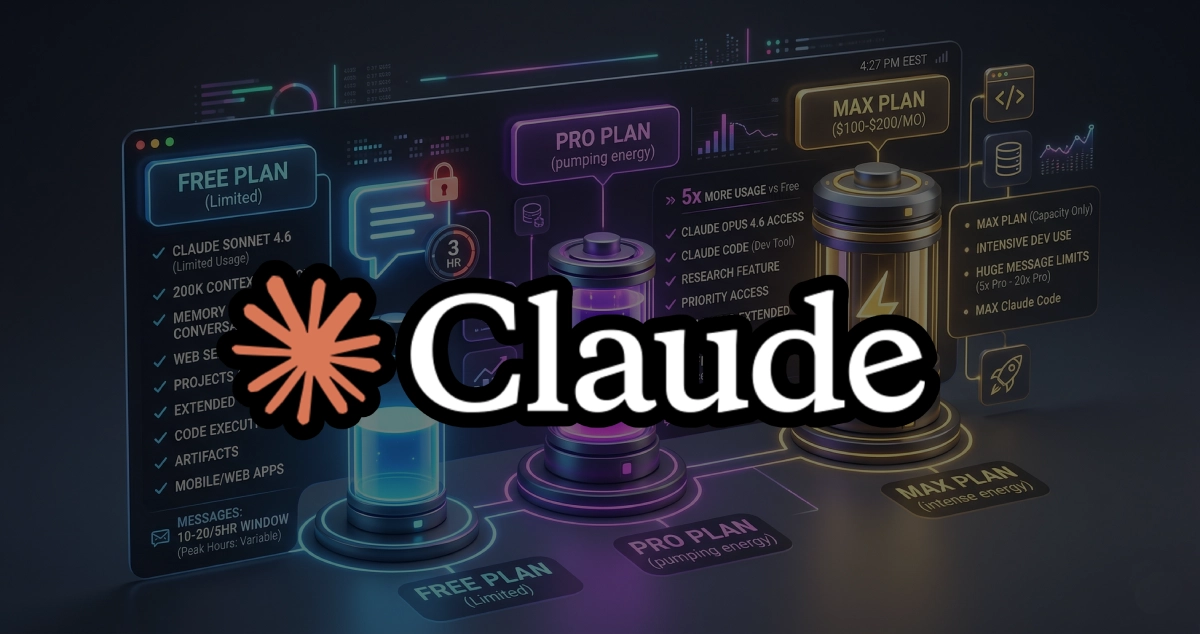
Claude Free Plan Limits 2026: What You Get, What You Don't, and When to Upgrade
Everything about Claude free plan limits in 2026 — message caps, model access, which features are free vs paid, and exactly when upgrading to Pro or Max is worth it.

Is Claude Max Worth It in 2026? Real Review of the $100 and $200 Plans
Is Claude Max worth it in 2026? Real-world review of both the $100 and $200 Max plans — usage limits, Claude Code access, $100 vs $200 decision, and who should actually upgrade from Pro.
Claude Code on Pro vs Max: Which Plan Do You Actually Need?
Compare Claude Code Pro vs Max plans — pricing, usage limits, extended thinking, and speed. Find out which Anthropic plan fits your coding workflow in 2026.