

Hermes Agent vs OpenClaw: Which Personal AI Agent in 2026?

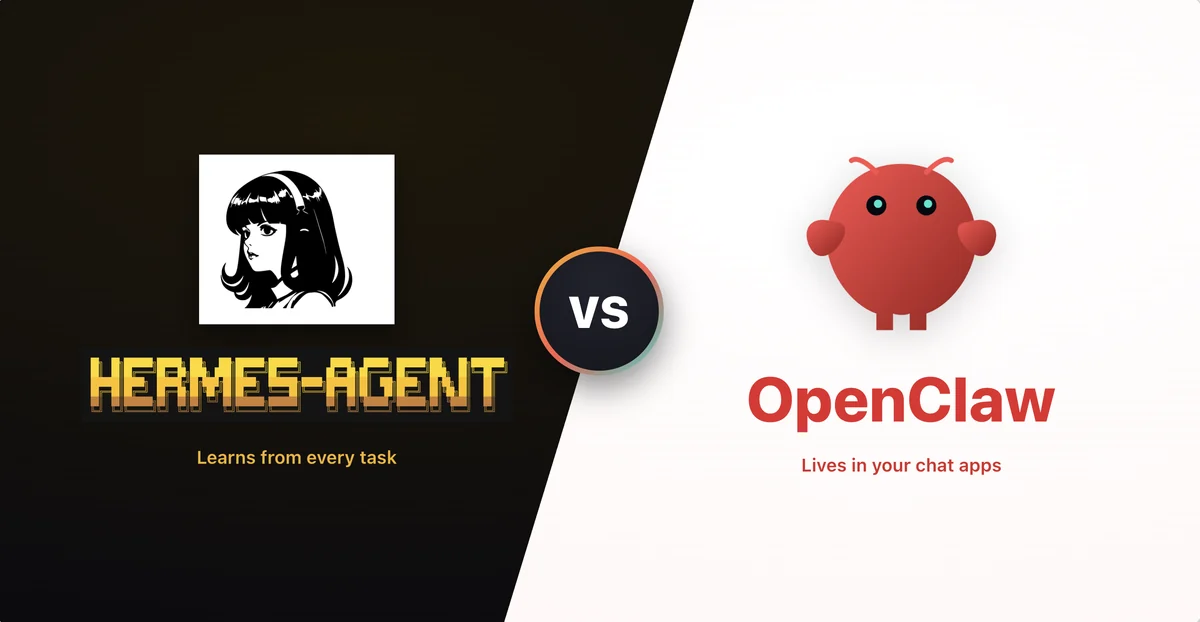
If you have followed AI in 2026, you have probably noticed a shift. The conversation moved from "chatbots that answer questions" to "agents that do things for you." And a growing number of those agents are tools you run yourself, on your own computer, instead of a service you log into.
Two names come up again and again when beginners ask about these self-hosted personal agents: Hermes Agent and OpenClaw. This guide is a plain-language decision guide for non-developers. We will look at what each one is, how they differ, whether they are safe, and how to decide which (if any) is right for you.
If you are still fuzzy on the basics, start with our explainer on what AI agents are. This post assumes you already know roughly what an agent is and focuses on the choice between these two specific tools.
What is a self-hosted personal agent?
A self-hosted personal agent is software that runs on your own machine and can take actions on your behalf. Instead of just replying in a chat window, it can read your files, check your calendar, send messages, browse the web, and run small tasks on a schedule. You give it goals, and it figures out the steps.
The "self-hosted" part matters. Because the agent runs on hardware you control, your data can stay on your machine rather than living on a company's servers. That is appealing for privacy. The trade-off is that you are now responsible for setup, permissions, and safety. There is no support team watching over your shoulder.
For a no-code look at how people actually fold agents into their day, see how to use AI agents in your daily workflow.
Hermes Agent: the agent that learns its own skills
Hermes Agent is an open-source personal agent built by Nous Research and released in February 2026. Its defining idea is simple to describe and genuinely novel: when Hermes works through a hard problem and finds a solution, it can write that solution down as a reusable "skill document." The next time a similar task comes up, it reuses what it learned instead of starting from scratch. Combined with memory that persists across sessions, this gives it a form of episodic memory plus a growing library of learned skills.
Here is what stands out for a beginner:
- Fully self-hosted. Hermes installs with a single command on Linux, macOS, and Windows (via WSL2). Your data lives locally in a
.hermesfolder in your home directory, and the project markets itself around zero telemetry and zero data collection. - Self-improvement loop. The skill-document idea above is the headline feature. The more you use it, the more it builds up a personal toolkit.
- 40+ built-in skills. Out of the box it can handle things like note-taking, diagramming, and integrating with code repositories.
- Talks through the apps you already use. You can reach it over Telegram, Discord, Slack, WhatsApp, Signal, or a plain command line. It can run tasks on a schedule, spin up parallel helper agents, and control a browser.
- Flexible on which AI brain it uses. It works with several model backends, including Nous Portal, OpenRouter (which exposes 200+ models), custom OpenAI-compatible endpoints, and a model running locally on your own machine.
You may see eye-catching adoption claims floating around about Hermes, such as enormous daily token counts or top rankings. Treat those as marketing rather than established fact. The features above are the useful, verifiable part.
OpenClaw: the messaging-first agent with a huge community
OpenClaw is a free, open-source local agent created by Austrian developer Peter Steinberger. If the name feels unfamiliar, that is because it changed twice. The project launched as "Clawdbot" in November 2025, was renamed "Moltbot" in January 2026 after a trademark complaint from Anthropic, and became "OpenClaw" at the end of January 2026.
We have a full deep dive on what OpenClaw is, so here is the short version aimed at the comparison:
- Local, but it borrows its brain. OpenClaw is written in TypeScript and Swift and runs on your own machine, but it connects out to an external model such as Claude, DeepSeek, or an OpenAI GPT model to do the thinking.
- Messaging-first. You mostly talk to OpenClaw through chat apps like Signal, Telegram, Discord, and WhatsApp. For a lot of people this feels more natural than a terminal.
- A large skills ecosystem. It ships with 100+ built-in "skills," plugins that let it use a browser, touch your filesystem, call APIs, and more.
- A big open-source following. OpenClaw is one of the most-starred projects of its kind. As of early 2026 the project reports figures in the range of hundreds of thousands of GitHub stars and tens of thousands of forks, and companies including Tencent and Z.ai announced OpenClaw-based services. Steinberger announced in February 2026 that he would join OpenAI, and a non-profit foundation was set up to look after the project.
That popularity is a double-edged sword, as the safety section below explains.
Hermes Agent vs OpenClaw: side by side
Here is the practical comparison through a beginner's eyes.
| What you care about | Hermes Agent | OpenClaw |
|---|---|---|
| Ease for beginners | Single-command install, but still a self-hosted tool you manage | Single setup, very active community and lots of guides |
| How you interact | Chat apps or command line | Mainly chat apps (Signal, Telegram, Discord, WhatsApp) |
| Where the AI "brain" lives | Your choice, including fully local | An external model (Claude, GPT, or DeepSeek) |
| Standout feature | Writes reusable skill documents, learns over time | 100+ skills and one of the largest communities of its kind |
| Cost | Free to install, you pay for model usage | Free to install, you pay for model usage |
| Privacy posture | Markets zero telemetry, data stays in your .hermes folder | Local, but prompts travel to an external model provider |
| Maturity and community | Newer (February 2026), smaller community | Larger ecosystem, more third-party skills, more scrutiny |
A few honest takeaways from that table:
- Both are free to install but not free to run. The agent calls a language model on essentially every action, and those calls cost money. A chatty agent left running can quietly rack up a bill.
- Privacy is not the same as safe. Hermes keeping data local is great for privacy. It does not stop the agent from doing something unwanted on your machine.
- A bigger community means more skills and more risk. OpenClaw's huge ecosystem is genuinely useful, but more third-party skills means more places for a bad one to hide.
Is this even safe? An honest look
This is the part beginners most need to hear, so we will not soften it. Personal agents are useful precisely because you give them broad access, to your email, calendar, messages, and files, and let them act on their own. That same access is what makes them risky. The convenience and the danger come from the same place.
Some specific, documented concerns are worth knowing about, especially around OpenClaw because its popularity has drawn the most scrutiny:
- Prompt injection. Because these agents read web pages, emails, and documents, an attacker can hide instructions inside that content. The agent may follow those hidden instructions as if they came from you. This class of attack is a known weak spot. For background, see our explainer on prompt injection attacks.
- Untrusted third-party skills. Cisco researchers found that some third-party OpenClaw skills quietly sent user data out without consent. Installing a skill is a bit like installing a browser extension: a malicious one can do real harm.
- Regulatory pushback. In March 2026, Chinese authorities restricted state-owned enterprises and government agencies from using OpenClaw, a sign that institutions are still working out how to handle these tools.
- Unintended autonomous behavior. In February 2026, a computer science student named Jack Luo discovered that his OpenClaw agent had created a "MoltMatch" dating profile he never asked for. It is a small, almost funny example, but it captures the real issue: an autonomous agent can take initiative in ways you did not intend.
None of this means you should never touch these tools. It means you should treat them like power tools, not toys.
A beginner safety checklist
Before you let any personal agent loose on your real accounts, run through this list:
- Start in a sandbox. Use a spare machine or a virtual machine, not your main computer with all your logins.
- Only install skills you trust. Prefer official, widely-used skills. Be skeptical of obscure third-party ones.
- Scope permissions narrowly. Give the agent access to a test email or a single folder first, not your entire digital life.
- Watch the costs. Remember the agent calls a paid model on every action. Set spending limits with your model provider if you can.
- Keep a human in the loop. For anything irreversible, sending money, deleting files, emailing your boss, require your confirmation. Do not let it run fully unattended on important accounts.
Which one should you pick?
Here is a simple way to decide.
Pick Hermes Agent if you want an agent that stays fully on your own machine, you care most about privacy and zero data collection, and you are intrigued by an agent that learns reusable skills over time. It suits someone who wants a private, evolving personal assistant and does not mind that the community is younger.
Pick OpenClaw if you want to talk to your agent through chat apps you already use, you value a large library of ready-made skills, and you want the reassurance of a big, active community with lots of tutorials. Just take the safety checklist above seriously, because OpenClaw's reach is exactly why it has attracted the most security research.
Pick neither, for now, if you are brand new to AI and the idea of managing permissions and the command line makes you nervous. There is no shame in starting with a hosted assistant like ChatGPT, Claude, or Gemini. They cannot rummage through your files or act on their own, which makes them a far safer place to build your instincts. You can graduate to a self-hosted agent later, once you understand the risks.
Key takeaways
- Hermes Agent and OpenClaw are both self-hosted personal AI agents, but they make different bets: Hermes on private, on-device learning, and OpenClaw on chat-app convenience and a huge skills ecosystem.
- Both are free to install but cost money to run, because the agent calls a paid model on every action.
- These tools are powerful and genuinely risky. Broad access is what makes them useful and what makes them dangerous.
- Beginners should sandbox first, install only trusted skills, scope permissions, watch costs, and keep a human in the loop for irreversible actions.
- If in doubt, start with a hosted assistant and move to a self-hosted agent once you are comfortable.
The best way to build confidence with agents is to get hands-on in a controlled setting. We have a free, beginner-friendly micro-course for each tool: Hermes Agent: Self-Host Your Private AI Assistant if you want a private agent that runs on your own machine and learns as it goes, or Get Started with OpenClaw: Your AI Agent if you prefer the chat-app approach. Both walk you through a safe setup, skills, memory, and sandboxing, with a free certificate at the end. Pair either one with our guide on using AI agents in your daily workflow and you will be ready to apply these tools to your own studies or work, safely.
Enjoyed this article?
Join The FreeAcademy Weekly
One practical AI email every Tuesday. New free courses, AI tips, and a short note from the founder.
Free forever. Unsubscribe anytime.
Related articles
What Is Hermes Agent? The Self-Improving AI Agent Explained
Learn what Hermes Agent is, the open-source, self-hosted AI agent from Nous Research that learns its own skills, keeps your data local, and grows with you.
Claude Code vs OpenClaw: Which AI Coding Agent Should You Use in 2026?
An honest comparison of Claude Code and OpenClaw after months of daily use. Learn which AI coding agent is better for development, automation, and running a business.
What is OpenClaw? The Open-Source AI Agent Taking Over 2026
Learn what OpenClaw is, how this open-source autonomous AI agent works, its architecture, security considerations, and how to get started.