

GPT-5.6 vs GPT-5.5: What Changed and Should You Upgrade (2026)

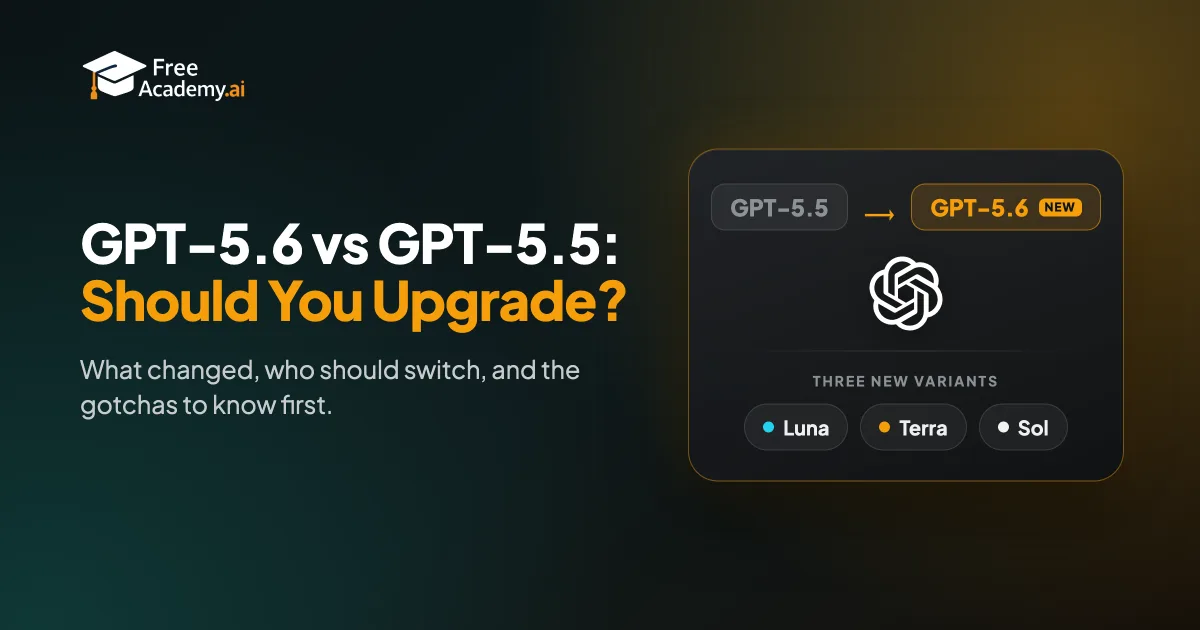
GPT-5.6 is not just a faster GPT-5.5. OpenAI replaced one model with a family of three: Luna, Terra, and Sol. That is the real change. If you only use ChatGPT for everyday questions, you may not need to do anything. If you code, run agents, or push hard reasoning tasks, the upgrade matters.
This guide covers what changed from GPT-5.5, what actually improved, who should switch, and the gotchas to check first.
Last updated: July 2026. Model access and pricing are moving fast right now, so treat the specifics here as a snapshot and confirm the latest on chatgpt.com and the OpenAI pricing page.
The short version
GPT-5.5 launched earlier in 2026 as a single model. It was framed as a better default assistant: more accurate, better at following instructions, good for daily use.
GPT-5.6 arrived on July 9, 2026, after a small preview that started June 26. Instead of one model, you get three variants tuned for different jobs:
- Luna is the fast, cheap option. Built for high volume and speed.
- Terra is the balanced middle. Roughly GPT-5.5-level quality at lower cost.
- Sol is the flagship. Best for the hardest coding, reasoning, and agent work.
So the headline is simple. GPT-5.5 was one tool. GPT-5.6 is a toolkit, and you pick the right tool for the task.
What changed from GPT-5.5
One model became three
This is the biggest shift. With GPT-5.5 you had one model and one quality level. With GPT-5.6 you choose a variant based on how hard the task is and how much you want to spend. That means cheaper routine work and a stronger ceiling for hard work, in the same family.
The focus moved toward professional and agent work
GPT-5.5 was pitched as a better everyday helper. GPT-5.6 leans into structured, high-stakes work: software engineering, computer use, knowledge work, research, and security tasks. If your work looks like that, the upgrade is aimed at you.
New API controls
For developers, GPT-5.6 adds more predictable prompt caching, including explicit cache breakpoints and a longer minimum cache life. That makes costs easier to plan on repeated calls. If you build apps on the API, this is a quality-of-life win.
Usage metering got consolidated
Under the hood, OpenAI merged usage tracking across chat and agent surfaces. One practical result: in some paid setups, work done inside ChatGPT and work done in Codex draw from the same budget. More on that in the gotchas.
What actually improved
Here is the honest read. The jump from 5.5 to 5.6 is real but not enormous on raw quality. The bigger value is choice and cost control.
Coding and reasoning. On agentic coding tests, the Sol variant edges out GPT-5.5. On Terminal-Bench 2.1, Sol scores around 88.8%, ahead of GPT-5.5. That is a step up, not a leap. If you live in hard coding and agent tasks, the gain adds up over time. If you write emails, you will barely notice.
Speed and cost. This is where the family shines. Luna is built to be fast and cheap for high-volume jobs. Terra gives you near-flagship quality for routine work at lower cost. Before, you paid for one quality level no matter the task. Now you can match spend to need.
Bigger context. The GPT-5.6 variants ship with a very large context window, reported at around a million tokens. That helps with long documents and big codebases, though most everyday users will not hit the old limits anyway.
Efficiency for builders. Better caching and matched pricing tiers make GPT-5.6 easier to run at scale without surprise bills.
Pricing at a glance
GPT-5.6 API pricing splits by variant. As of July 2026, the rough numbers per million tokens are:
| Variant | Input | Output | Best for |
|---|---|---|---|
| Sol | ~$5 | ~$30 | Hardest coding, reasoning, agents |
| Terra | ~$2.50 | ~$15 | Balanced everyday work |
| Luna | ~$1 | ~$6 | Fast, cheap, high volume |
OpenAI already cut prices on the cheaper variants once after launch, so these numbers will keep moving. Always check the official pricing page before you budget a project.
For ChatGPT subscription prices rather than API costs, see our ChatGPT Free vs Plus vs Pro comparison. This post focuses on the model upgrade, not the plans.
Which ChatGPT tiers get GPT-5.6
Access depends on your plan and where you are using it, and it kept shifting through the first weeks. As a snapshot for mid-2026:
- Free and Go stay on GPT-5.5 in standard chat, and you cannot pick the GPT-5.6 variants there. You do reach GPT-5.6 Terra by default in the Codex and Work surfaces, which are included on Free.
- Plus, Pro, Business, and Enterprise get the Sol variant in standard chat through reasoning settings, while a fast default still handles quick replies.
- In agent and coding surfaces, paid plans can reach all three variants, with higher tiers getting the strongest modes.
This changes often, so confirm on chatgpt.com. For a deeper plan breakdown, read which ChatGPT model should you use in 2026.
Should you upgrade?
Switch to GPT-5.6 if you
- Write or debug code often, or run coding agents.
- Do heavy reasoning, research, or analysis.
- Build on the API and want cheaper options for routine calls plus a stronger ceiling for hard ones.
- Run high-volume tasks where Luna's low cost saves real money.
You are fine staying on GPT-5.5 if you
- Mostly ask everyday questions, draft short text, or brainstorm.
- Are on a Free or Go plan and happy with your current experience.
- Do not want to think about variants and just want a good default.
The upgrade is not urgent for casual use. It is a clear win for builders and power users.
Gotchas to know first
A few things changed or tripped people up at launch:
- Shared usage budgets. On some paid setups, ChatGPT work and Codex work pull from the same allowance. If your team codes with agents, drafting in chat can eat into that budget.
- Old app versions hide the models. Many early "I can't see GPT-5.6" reports were just outdated apps or CLI versions. Update your client first.
- Staggered rollout. Access arrived on different days for different tiers. Plus users, for example, had to wait a bit after the first wave. Missing access was often timing, not your account.
- Auto mode hides the variant. In auto mode the system picks the variant for you, and it is not obvious which one answered. If you care, set the variant yourself instead of leaving it on auto.
How to actually make the switch
The move is less about upgrading and more about picking the right variant for each task. Reach for Luna when speed and cost matter, Terra for balanced daily work, and Sol when the task is genuinely hard.
For a task-by-task breakdown of when to use each one, read our GPT-5.6 Sol vs Terra vs Luna guide. That is the next step once you have decided to upgrade.
Key takeaways
- GPT-5.6 turned one model into three variants: Luna, Terra, and Sol.
- The quality jump over GPT-5.5 is real but modest. Sol edges it on hard coding and reasoning.
- The bigger win is choice: match cost and speed to the task instead of paying one flat rate.
- Builders and power users should upgrade. Casual users can stay on GPT-5.5 for now.
- Watch the gotchas: shared budgets, old app versions, staggered access, and auto mode hiding the variant.
Want to get more out of any ChatGPT model? Our free ChatGPT Power User course shows you how to prompt, structure tasks, and pick the right settings. Pair it with AI Essentials if you are still building the basics.
Enjoyed this article?
Join The FreeAcademy Weekly
One practical AI email every Tuesday. New free courses, AI tips, and a short note from the founder.
Free forever. Unsubscribe anytime.
Related articles
GPT-5.6 Sol vs Terra vs Luna: Which One for Each Task?
A task-based guide to OpenAI GPT-5.6 Sol, Terra, and Luna. Pick the right model for writing, coding, research, and speed, plus what changed vs GPT-5.5.
Which ChatGPT Model Should You Use in 2026? (GPT-5.5, GPT-5.5 Thinking, GPT-5.5 Pro Explained)
GPT-5.5 Instant, GPT-5.5 Thinking, GPT-5.5 Pro — ChatGPT's lineup is bigger than ever. Here's exactly which model to use for coding, writing, reasoning, and everyday tasks.
ChatGPT Free vs Plus vs Pro: Is the Upgrade Worth It in 2026?
Free and Go ($8) both give unlimited everyday chats. Plus ($20) adds GPT-6 reasoning. Pro is $100, $200 or $500. What each ChatGPT plan gets you.