

Best Free Python Course for Absolute Beginners: Start Coding in 2026

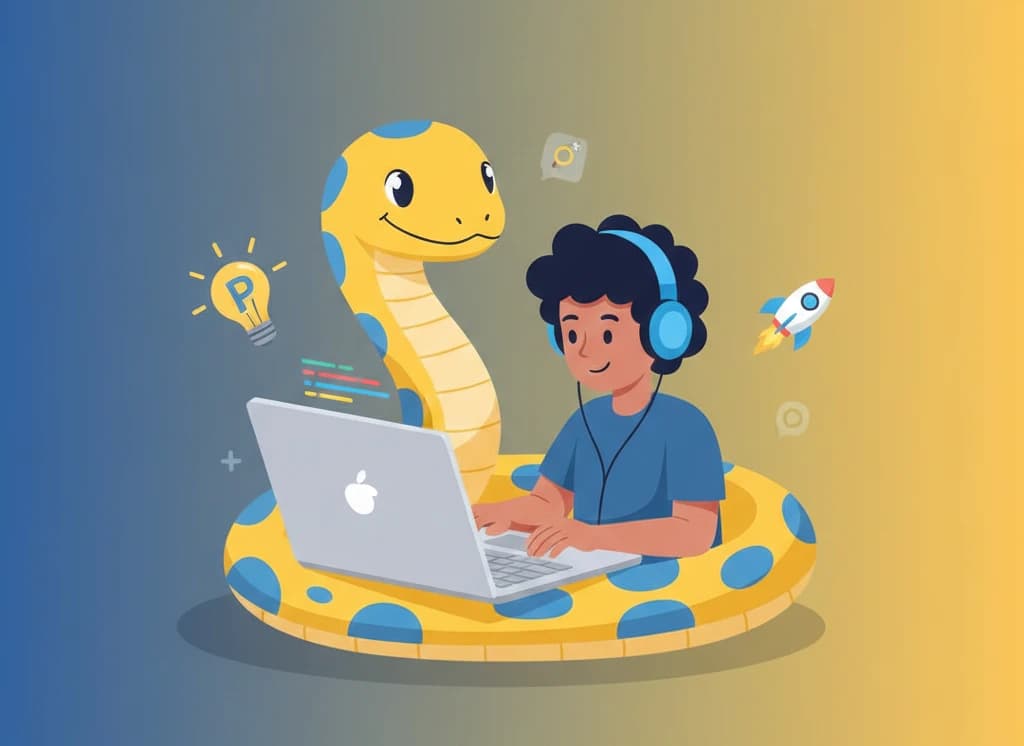
Python consistently ranks as the world's most popular programming language, and for good reason. Its clean syntax reads almost like English, making it the perfect first language for anyone new to coding. Whether you're looking to switch careers, automate tasks at work, or simply understand how software works, learning Python opens countless doors.
In this comprehensive guide, we'll compare the best free Python courses for absolute beginners in 2026, help you choose the right learning path, and give you everything you need to start coding without spending a dime.
Why Learn Python as Your First Language?
Before diving into courses, let's understand why Python is the ideal starting point for beginners:
- Beginner-friendly syntax: Python code reads like plain English, making it easier to understand
- Immediate feedback: Write a line of code and see results instantly
- Versatile applications: Web development, data science, AI, automation, and more
- Massive community: Millions of developers mean endless help and resources
- High demand: Python developers are among the most sought-after in the job market
- No complex setup: Start coding in your browser without installing anything
According to the TIOBE Index and Stack Overflow Developer Survey, Python has been the most popular programming language for several years running. Its dominance in data science, machine learning, and automation ensures this trend will continue.
Best Free Python Courses for Beginners Compared
| Course | Best For | Interactive Practice | Certificate | Beginner Friendly |
|---|---|---|---|---|
| Interactive Python Practice (FreeAcademy.ai) | Hands-on learners | Yes - Browser IDE | Free | Excellent |
| Python for Everybody (Coursera) | Structured learning | Limited | Free (audit) | Excellent |
| Learn Python (Codecademy) | Interactive basics | Yes | Free (limited) | Excellent |
| Automate the Boring Stuff | Practical automation | No | No | Good |
| Python.org Tutorial | Official documentation | No | No | Moderate |
| freeCodeCamp Python | Video learners | No | Free | Good |
| Google's Python Class | Quick learners | Limited | No | Moderate |
Detailed Course Reviews
Interactive Python Practice (FreeAcademy.ai)
Best for: Absolute beginners who learn by doing
Our Interactive Python Practice course teaches you Python through hands-on coding in your browser. No installation required - start writing and running real Python code immediately.
What you'll learn:
- Python fundamentals and syntax basics
- Variables, data types, and operators
- Control flow (if/else statements, loops)
- Functions and modular programming
- Lists, dictionaries, and data structures
- String manipulation and formatting
- File handling and input/output
- Error handling with try/except
- Object-oriented programming basics
- Building real projects
Course structure:
The course features progressive modules designed specifically for absolute beginners:
- Getting Started - Your first Python program
- Variables and Data Types - Storing and working with data
- Operators and Expressions - Making calculations
- Control Flow - Making decisions in code
- Loops - Repeating actions efficiently
- Functions - Writing reusable code
- Data Structures - Lists, tuples, and dictionaries
- Strings - Text manipulation mastery
- File Handling - Working with files
- Error Handling - Writing robust code
- Projects - Apply everything you've learned
Pros:
- Write and run code directly in your browser
- Instant feedback on every exercise
- No software installation required
- Free certificate upon completion
- Designed specifically for absolute beginners
- Practical projects to build your portfolio
Cons:
- Newer platform compared to established resources
- Requires consistent daily practice
Python for Everybody (Coursera)
Best for: Learners who prefer structured, university-style courses
Dr. Charles Severance's Python for Everybody specialization from the University of Michigan is one of the most popular programming courses ever created. It's designed for people with zero coding experience.
What you'll learn:
- Programming fundamentals
- Python data structures
- Using Python to access web data
- Working with databases
- Data visualization basics
Pros:
- University-quality instruction
- Well-paced for complete beginners
- Engaging instructor with clear explanations
- Large community of learners
- Available in multiple languages
Cons:
- Certificate requires paid subscription
- Less interactive than browser-based platforms
- Videos can feel slow for some learners
- Need to install Python locally for exercises
Learn Python (Codecademy)
Best for: Beginners who want guided interactive lessons
Codecademy's Python course offers step-by-step lessons with an integrated coding environment. Each concept is broken into small, digestible chunks.
What you'll learn:
- Python syntax basics
- Control flow and loops
- Functions
- Lists and dictionaries
- Classes and objects
Pros:
- Interactive coding environment
- Immediate feedback on code
- Clear, structured progression
- No setup required
- Gamified learning experience
Cons:
- Many features locked behind paywall
- Limited project-based learning
- Can feel hand-holdy for some
- Free tier is quite restricted
Automate the Boring Stuff with Python
Best for: Practical learners who want to automate real tasks
Al Sweigart's free online book teaches Python by solving real-world problems. Learn to automate spreadsheets, rename files, scrape websites, and more.
What you'll learn:
- Python basics through practical examples
- File and folder manipulation
- Web scraping with Beautiful Soup
- Excel and PDF automation
- Email and SMS automation
- GUI automation
Pros:
- Completely free online book
- Extremely practical focus
- Real-world automation projects
- Great reference material
- Author actively maintains content
Cons:
- No interactive coding environment
- Must set up Python locally
- Text-heavy learning format
- Less structured than courses
- May overwhelm complete beginners
Python.org Official Tutorial
Best for: Self-directed learners who like documentation
The official Python tutorial from Python.org provides a comprehensive introduction to the language from its creators.
What you'll learn:
- Python syntax and semantics
- Built-in data types
- Control flow tools
- Functions and modules
- Input and output
- Error handling
- Standard library overview
Pros:
- Official and authoritative
- Always up-to-date
- Comprehensive coverage
- Free forever
- No registration required
Cons:
- Dry, documentation-style writing
- No interactive elements
- Assumes some programming knowledge
- Can be overwhelming for beginners
- No community support
freeCodeCamp Python Course
Best for: Video learners who prefer long-form content
freeCodeCamp offers a comprehensive 4+ hour Python tutorial on YouTube, covering everything from basics to intermediate concepts.
What you'll learn:
- Python installation and setup
- Variables and data types
- Conditionals and loops
- Functions and modules
- Object-oriented programming
- Working with files
Pros:
- Completely free
- Professional video quality
- No registration required
- Active YouTube community
- Covers substantial ground
Cons:
- No interactive practice
- Long video format
- Easy to watch passively
- Must pause to practice
- No structured curriculum
Google's Python Class
Best for: Quick learners ready for intensity
Google's Python Class is a free course designed for people with some programming experience who want to learn Python quickly.
What you'll learn:
- Python basics
- Strings and lists
- Sorting and dictionaries
- Files and regular expressions
- Utilities and practical examples
Pros:
- Created by Google engineers
- Includes practice exercises
- Concise and efficient
- Professional-quality materials
- Free to access
Cons:
- Moves quickly
- Assumes programming background
- Not ideal for absolute beginners
- Limited community support
- Dated content in some areas
Course Comparison: Pros and Cons Summary
| Course | Pros | Cons |
|---|---|---|
| FreeAcademy Python | Interactive, beginner-focused, no setup, free certificate | Newer platform |
| Python for Everybody | University quality, well-paced, engaging instructor | Certificate costs, local setup needed |
| Codecademy Python | Interactive, immediate feedback, structured | Free tier limited, less projects |
| Automate the Boring Stuff | Practical focus, real projects, free book | Text-heavy, local setup, overwhelming |
| Python.org Tutorial | Official, comprehensive, always current | Dry, no interactivity, not beginner-friendly |
| freeCodeCamp Python | Free, professional video, no signup | Passive learning, long format |
| Google Python Class | Efficient, quality exercises | Too fast for beginners, dated |
What to Learn: Python Beginner Roadmap
Phase 1: Foundations (Week 1-2)
Master the absolute basics before moving forward:
- Hello World - Your first program, understanding print()
- Variables - Storing data in named containers
- Data types - Strings, integers, floats, booleans
- Basic operations - Arithmetic, string concatenation
- Comments - Documenting your code
# Your first Python program
name = "Python Learner"
print(f"Hello, {name}!")
Phase 2: Control Flow (Week 3-4)
Learn to make your programs smart:
- Comparison operators - Equals, not equals, greater than
- If statements - Making decisions
- Else and elif - Multiple conditions
- For loops - Repeating with a count
- While loops - Repeating with a condition
# Simple guessing game
secret = 7
guess = int(input("Guess the number: "))

if guess == secret:
    print("You got it!")
elif guess < secret:
    print("Too low!")
else:
    print("Too high!")
Phase 3: Functions (Week 5-6)
Write reusable, organized code:
- Defining functions - The def keyword
- Parameters - Passing data to functions
- Return values - Getting data back
- Scope - Local vs global variables
- Built-in functions - Using Python's toolbox
def greet(name, greeting="Hello"):
    return f"{greeting}, {name}!"

message = greet("World")
print(message)  # Hello, World!
Phase 4: Data Structures (Week 7-8)
Work with collections of data:
- Lists - Ordered, changeable collections
- Tuples - Ordered, unchangeable collections
- Dictionaries - Key-value pairs
- Sets - Unique values
- List comprehensions - Elegant list creation
# Working with data structures
fruits = ["apple", "banana", "cherry"]
prices = {"apple": 1.00, "banana": 0.50, "cherry": 2.00}

for fruit in fruits:
    print(f"{fruit}: ${prices[fruit]}")
Phase 5: Files and Errors (Week 9-10)
Handle the real world:
- Opening files - Read and write modes
- Reading files - Line by line and all at once
- Writing files - Creating and appending
- Try/except - Catching errors gracefully
- Common exceptions - FileNotFoundError, ValueError
# Safe file reading
try:
    with open("data.txt", "r") as file:
        content = file.read()
        print(content)
except FileNotFoundError:
    print("File not found!")
Phase 6: First Projects (Week 11-12)
Apply everything you've learned:
- Calculator - Basic arithmetic operations
- To-do list - Add, remove, display tasks
- Number guessing game - Random numbers and loops
- Contact book - Store and retrieve information
- Simple quiz - Questions and scoring
How to Choose the Right Course
Based on Your Learning Style
- Learn by doing? Choose FreeAcademy or Codecademy for interactive practice
- Prefer watching? freeCodeCamp's YouTube course or Python for Everybody
- Like reading? Automate the Boring Stuff or Python.org tutorial
- Want structure? Python for Everybody's university-style approach
Based on Your Schedule
- 15-30 minutes daily? FreeAcademy's bite-sized lessons fit perfectly
- Weekend warrior? freeCodeCamp's long-form videos work well
- Full days available? Work through Automate the Boring Stuff chapters
- Irregular schedule? Use Python.org tutorial at your own pace
Based on Your Goals
- Career change? Focus on fundamentals, then specialize in web or data
- Automate work tasks? Start with Automate the Boring Stuff
- Just exploring? Try FreeAcademy or Codecademy for a taste
- Academic preparation? Python for Everybody provides a solid foundation
Common Mistakes Beginners Make
1. Trying to Learn Everything at Once
# Don't try to understand this as a beginner:
result = [x**2 for x in range(10) if x % 2 == 0]

# Start simple:
numbers = [0, 1, 2, 3, 4]
squares = []
for num in numbers:
    squares.append(num * num)
Focus on fundamentals first. Advanced concepts will make sense once you have a solid foundation.
2. Not Practicing Enough
Reading about Python isn't the same as writing Python. For every 10 minutes of learning, spend at least 20 minutes coding. Type out examples yourself - don't copy and paste.
3. Skipping Error Messages
# When you see an error like:
# TypeError: can only concatenate str (not "int") to str

# Don't panic! Read it carefully:
age = 25
print("I am " + str(age) + " years old")  # Convert int to str
Error messages are your friends. They tell you exactly what went wrong and where.
4. Comparing Yourself to Others
Everyone learns at their own pace. Someone else might grasp loops faster, but struggle with functions where you excel. Stay focused on your own progress.
5. Not Building Projects
Tutorials only take you so far. As soon as you learn a concept, use it in a small project. Even a simple calculator teaches you more than ten tutorial videos.
Building Your Python Portfolio
As you learn, build projects that demonstrate your skills:
Beginner Projects
- Mad Libs generator - String manipulation and input
- Number guessing game - Loops and conditionals
- Simple calculator - Functions and arithmetic
- Rock, Paper, Scissors - Random choices and logic
- Password generator - Strings and randomization
Intermediate Projects
- To-do list application - File handling and CRUD operations
- Quiz application - Data structures and scoring
- Expense tracker - User input and calculations
- Word counter - File reading and dictionaries
- Hangman game - Strings, loops, and game logic
Ready for More?
- Web scraper - Beautiful Soup basics
- Weather app - API calls and JSON
- Simple blog - Flask or Django introduction
- Data visualization - Matplotlib charts
- Automation scripts - File organization, backups
Frequently Asked Questions
Can I learn Python with no programming experience?
Absolutely. Python was designed to be readable and beginner-friendly. Its syntax resembles plain English, making it the ideal first programming language. Many successful Python developers started with zero coding experience.
How long does it take to learn Python basics?
With consistent daily practice (30-60 minutes), most beginners grasp Python fundamentals in 4-8 weeks. This includes variables, loops, functions, and basic data structures. Building practical skills typically takes 3-6 months of regular practice.
Is Python still worth learning in 2026?
Yes. Python dominates in data science, machine learning, automation, and web development. Its popularity continues to grow, and demand for Python developers remains high. Learning Python opens doors to many technology careers.
What can I build with Python?
Almost anything: websites (Django, Flask), data analysis scripts, machine learning models, automation tools, games, APIs, chatbots, and more. Python's versatility is one of its greatest strengths for beginners and experts alike.
Do I need to install anything to learn Python?
Not necessarily. Browser-based platforms like FreeAcademy.ai let you write and run Python code without installing anything. However, for larger projects, you'll eventually want Python installed locally on your computer.
Should I learn Python 2 or Python 3?
Learn Python 3. Python 2 reached end-of-life in 2020 and is no longer maintained. All modern Python courses teach Python 3, and virtually all new projects use it exclusively.
Is Python easier than JavaScript?
For beginners, Python is generally considered easier to learn. Its syntax is cleaner and more consistent. JavaScript has more quirks and was designed primarily for web browsers. That said, both are excellent beginner languages.
What's the best way to practice Python daily?
Use an interactive platform like FreeAcademy for structured practice. Supplement with small personal projects - automate something you do manually, build a simple game, or solve coding challenges on sites like Codewars or LeetCode.
Start Your Python Journey Today
Learning to code with Python is one of the most valuable skills you can develop in 2026. The language's simplicity makes it accessible, while its power and versatility keep professionals using it throughout their careers.
Here's your action plan:
- Start with Interactive Python Practice to learn fundamentals hands-on
- Practice coding every day, even if just for 20 minutes
- Build small projects as soon as you learn new concepts
- Join Python communities on Reddit, Discord, or Stack Overflow
- Be patient - consistency beats intensity
The best time to start learning Python was yesterday. The second best time is right now.
Ready to write your first line of code? Start learning Python for free.
Enjoyed this article?
Join The FreeAcademy Weekly
One practical AI email every Tuesday. New free courses, AI tips, and a short note from the founder.
Free forever. Unsubscribe anytime.
Related articles
Best JavaScript Course in 2026: Learn JavaScript Free
We ranked the best free JavaScript courses for beginners and beyond. Compare freeCodeCamp, FreeAcademy, The Odin Project, and more — start building websites today.
5 Free Programming Books That Go Beyond Tutorials
Tutorials teach you to copy code. These books teach you to think like a programmer. Five free reads that will make you a better developer at any experience level.
AI Coding Assistants vs Learning to Code Yourself: Do You Still Need to Learn Programming in 2026?
With AI coding tools getting so good, should you still learn to code? A balanced look at what AI can and cannot do, why understanding code still matters, and how to become an AI-augmented developer.
