Best Free Courses to Learn Web Development Without a Degree

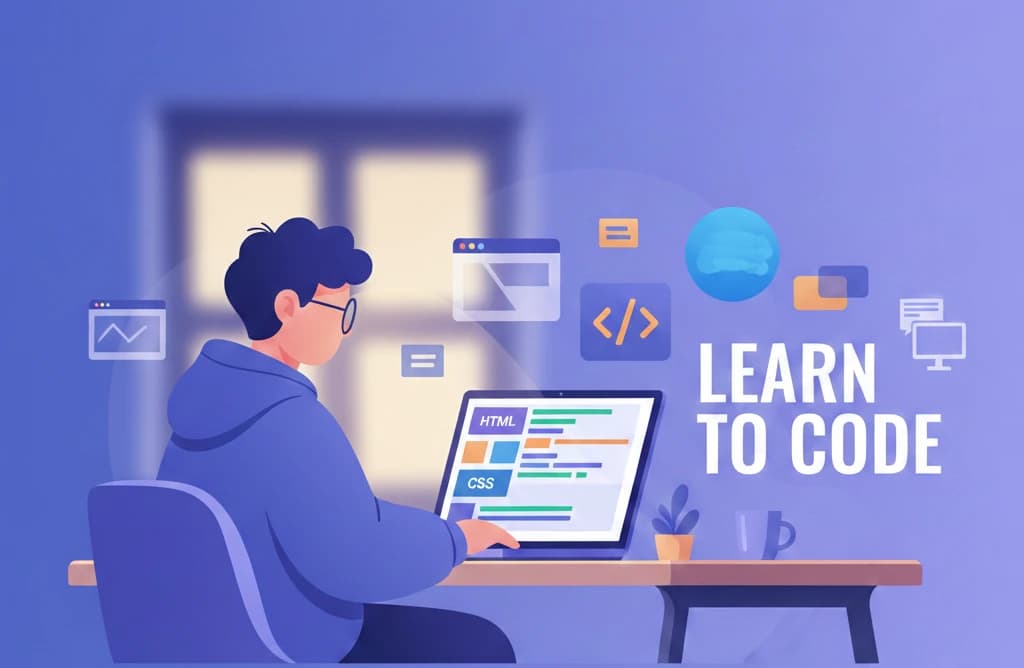
You don't need a computer science degree to become a web developer. In 2026, some of the most successful developers are self-taught, having learned everything they need through free online courses. The barriers to entry have never been lower, and the demand for web developers has never been higher.
In this comprehensive guide, we'll show you exactly how to learn web development for free, recommend the best courses for each skill level, and give you a complete learning path from absolute beginner to job-ready developer.
Why Learn Web Development Without a Degree?
Before diving into courses, let's address why self-taught web development is not just viable but often advantageous:
- Industry acceptance: Major tech companies like Google, Apple, and IBM have dropped degree requirements for many roles
- Practical skills matter: Employers care about what you can build, not where you learned it
- Cost savings: A CS degree costs $40,000-$200,000; these courses cost nothing
- Faster path: You can become job-ready in 6-12 months versus 4 years
- Up-to-date curriculum: Free courses often cover newer technologies than traditional education
- Flexible learning: Study at your own pace while working or managing other commitments
The numbers speak for themselves: Stack Overflow's Developer Survey consistently shows that over 60% of professional developers are at least partially self-taught.
The Complete Web Development Learning Path
Here's the roadmap from complete beginner to employable web developer:
Phase 1: Foundations (Weeks 1-4)
- HTML - Structure of web pages
- CSS - Styling and layout
- Basic JavaScript - Adding interactivity
Phase 2: Core JavaScript (Weeks 5-8)
- JavaScript fundamentals - Variables, functions, objects
- DOM manipulation - Making pages interactive
- ES6+ features - Modern JavaScript syntax
Phase 3: Developer Tools (Weeks 9-10)
- Git & GitHub - Version control and collaboration
- Command line basics - Terminal proficiency
- Browser developer tools - Debugging skills
Phase 4: Frontend Framework (Weeks 11-14)
- React fundamentals - Components and state
- TypeScript - Type-safe JavaScript
- Modern CSS - Flexbox, Grid, responsive design
Phase 5: Backend Basics (Weeks 15-18)
- Node.js - Server-side JavaScript
- REST APIs - Building and consuming APIs
- Databases - SQL fundamentals
Phase 6: Full-Stack Integration (Weeks 19-24)
- Next.js - Full-stack React framework
- Authentication - User management
- Deployment - Getting your apps online
Best Free Web Development Course Platforms Compared
| Platform | Best For | Certificate | Hands-on Practice | Beginner Friendly |
|---|---|---|---|---|
| FreeAcademy.ai | Interactive learning | Free | Yes - Browser IDE | Yes |
| freeCodeCamp | Comprehensive curriculum | Free | Yes | Yes |
| The Odin Project | Project-based learning | No | Yes | Yes |
| MDN Web Docs | Reference & tutorials | No | Limited | Moderate |
| Codecademy | Interactive basics | Paid for full | Yes | Yes |
| Scrimba | Video + coding | Paid for full | Yes | Yes |
Best Free Courses for Each Phase
HTML & CSS: Building Your Foundation
Interactive HTML Fundamentals (FreeAcademy.ai)
Best for: Complete beginners wanting hands-on practice from day one
Our Interactive HTML Fundamentals course teaches you to build web pages through practical exercises. No prior experience required - you'll write real HTML code in your browser and see results immediately.
What you'll learn:
- Document structure and semantic HTML
- Forms and user input
- Tables and data presentation
- Media elements (images, video, audio)
- Accessibility best practices
- SEO-friendly markup
Why it stands out:
- Interactive exercises with live preview
- No setup required - code in your browser
- Real-world examples
- Free certificate upon completion
Interactive CSS Selectors & Layout (FreeAcademy.ai)
Best for: Those ready to make their HTML pages look professional
After HTML, our Interactive CSS course teaches you modern styling and layout techniques. Master Flexbox and CSS Grid through hands-on challenges.
What you'll learn:
- CSS selectors and specificity
- The box model
- Flexbox for one-dimensional layouts
- CSS Grid for complex layouts
- Responsive design principles
- Modern CSS features
Why it stands out:
- Visual feedback on every exercise
- Real layout challenges
- Mobile-first approach
- Free certificate included
JavaScript: The Core of Web Development
JavaScript Essentials (FreeAcademy.ai)
Best for: Beginners wanting a comprehensive JavaScript foundation
Our JavaScript Essentials course takes you from zero to confident JavaScript developer. This is the language that powers interactive websites and modern web applications.
What you'll learn:
- Variables, data types, and operators
- Control flow and functions
- Objects and arrays
- DOM manipulation
- Event handling
- Async programming (promises, async/await)
- ES6+ modern features
Why it stands out:
- Beginner-friendly explanations
- Covers fundamentals to advanced concepts
- Real-world examples
- Prepares you for frameworks
Interactive JavaScript Practice (FreeAcademy.ai)
Best for: Reinforcing JavaScript skills through coding challenges
Interactive JavaScript Practice provides hands-on exercises to solidify your JavaScript knowledge. Theory is great, but practice makes perfect.
What you'll learn:
- Practical problem-solving with JavaScript
- Array methods and manipulation
- Object-oriented patterns
- Functional programming concepts
- Real coding challenges
Why it stands out:
- Live code execution in browser
- Instant feedback on solutions
- Progressive difficulty
- Covers modern ES6+ syntax
Version Control: Essential Developer Skill
Git & GitHub Mastery (FreeAcademy.ai)
Best for: Learning professional collaboration workflows
Every developer needs Git. Our Git & GitHub Mastery course teaches version control from basics to professional workflows.
What you'll learn:
- Git fundamentals (commits, branches, merges)
- GitHub collaboration
- Pull requests and code review
- Branching strategies
- Resolving merge conflicts
- Open source contribution
Why it stands out:
- Practical workflow focus
- Covers real team scenarios
- GitHub-specific features
- Industry-standard practices
Interactive Git Practice (FreeAcademy.ai)
Best for: Hands-on Git command practice
Interactive Git Practice lets you practice Git commands in a simulated repository right in your browser.
What you'll learn:
- Core Git commands
- Branch management
- Merging techniques
- Stashing and rebasing
- Best practices
Frontend Framework: React
Interactive React Fundamentals (FreeAcademy.ai)
Best for: JavaScript developers ready for modern frontend development
Interactive React Fundamentals teaches you the most popular frontend framework through hands-on exercises.
What you'll learn:
- Components and JSX
- Props and state management
- React Hooks (useState, useEffect, useContext)
- Event handling
- Conditional rendering
- Lists and keys
- Forms in React
Why it stands out:
- Interactive component building
- Live preview of your React code
- Modern hooks-based approach
- Real UI component challenges
TypeScript: Level Up Your JavaScript
Interactive TypeScript Practice (FreeAcademy.ai)
Best for: JavaScript developers wanting type safety
Interactive TypeScript Practice adds static typing to your JavaScript skills, making you more employable and your code more reliable.
What you'll learn:
- Type annotations and inference
- Interfaces and types
- Generics
- Utility types
- TypeScript with React
- Migration strategies
Why it stands out:
- Assumes JavaScript knowledge
- Practical typing patterns
- Industry-relevant skills
- Free certificate
Backend Development: Node.js
Interactive Node.js Basics (FreeAcademy.ai)
Best for: Frontend developers expanding to full-stack
Interactive Node.js Basics teaches server-side JavaScript, completing your full-stack journey.
What you'll learn:
- Node.js fundamentals
- Modules and npm
- File system operations
- Building HTTP servers
- Express.js basics
- REST API development
- Async patterns
Why it stands out:
- JavaScript all the way down
- Practical server exercises
- API-building focus
- Prepares for full-stack roles
Full-Stack Framework: Next.js
Next.js Mastery (FreeAcademy.ai)
Best for: React developers ready for production applications
Next.js Mastery teaches the leading React framework used by companies like Netflix, TikTok, and Notion.
What you'll learn:
- App Router fundamentals
- Server vs client components
- Data fetching strategies
- Rendering modes (SSR, SSG, ISR)
- API routes
- Performance optimization
- Deployment
Why it stands out:
- Production-focused curriculum
- Modern App Router approach
- Real-world patterns
- Job-ready skills
Database Fundamentals: SQL
Interactive SQL Practice (FreeAcademy.ai)
Best for: Developers needing database skills
Interactive SQL Practice teaches you to work with databases through hands-on query writing.
What you'll learn:
- SELECT queries and filtering
- JOINs and relationships
- Aggregation and grouping
- Subqueries
- Data modification
- Database design basics
Why it stands out:
- Live database in your browser
- Real query execution
- Instant feedback
- Progressive challenges
API Design: REST Fundamentals
Interactive REST API Design (FreeAcademy.ai)
Best for: Developers building or consuming APIs
Interactive REST API Design teaches API principles essential for modern web development.
What you'll learn:
- REST principles and constraints
- Resource naming conventions
- HTTP methods and status codes
- Authentication patterns
- API versioning
- Documentation best practices
Why it stands out:
- Design-focused curriculum
- Industry best practices
- Security considerations
- Real API examples
Course Comparison: Pros and Cons Summary
| Course | Pros | Cons |
|---|---|---|
| FreeAcademy HTML/CSS | Interactive, beginner-friendly, free certificate | Newer platform |
| FreeAcademy JavaScript | Comprehensive, modern ES6+, practical | Requires commitment |
| FreeAcademy React | Hands-on components, hooks-focused | Assumes JS knowledge |
| FreeAcademy Node.js | Full-stack ready, API focus | Intermediate level |
| freeCodeCamp | Massive curriculum, community | Can feel overwhelming |
| The Odin Project | Project-based, thorough | Steeper learning curve |
How to Choose the Right Learning Path
Based on Your Goals
- Want a job fast? Focus on HTML, CSS, JavaScript, React, and one backend technology
- Interested in startups? Add Next.js and Supabase to build full-stack apps quickly
- Targeting large companies? Include TypeScript, testing, and system design
- Freelance aspirations? Learn WordPress/Webflow alongside core skills
Based on Your Available Time
- 2-3 hours daily: Follow the 24-week path above
- 1-2 hours daily: Extend to 9-12 months, focus on quality over speed
- Weekends only: Plan for 12-18 months, prioritize projects over tutorials
- Full-time learning: Complete the path in 3-4 months with intense focus
Based on Your Learning Style
- Learn by doing: Prioritize FreeAcademy interactive courses and The Odin Project
- Prefer video: Supplement with YouTube tutorials (Traversy Media, Web Dev Simplified)
- Like reading: Use MDN Web Docs as your primary resource
- Need structure: Follow freeCodeCamp's linear curriculum
Success Stories: Self-Taught Developers
These aren't fictional examples - this is the reality of modern tech hiring:
The career changer: Thousands of former teachers, accountants, and retail workers have successfully transitioned to web development through free courses. Many land their first developer role within a year of starting.
The teenager: Young developers regularly build impressive portfolios and land internships or junior roles without any formal education, learning entirely through free online resources.
The parent: People have learned to code during nap times and after kids go to bed, eventually transitioning to remote developer roles that offer better work-life balance.
What they all have in common:
- Consistent daily practice (even just 1-2 hours)
- Building projects to apply knowledge
- Contributing to open source or building in public
- Networking in developer communities
- Not giving up when things got difficult
Common Mistakes to Avoid
1. Tutorial Hell
Watching tutorial after tutorial without building your own projects. After each course section, build something - anything - on your own.
2. Skipping the Basics
Jumping to React before understanding JavaScript. The fundamentals will haunt you later if you skip them.
3. Learning in Isolation
Not engaging with the developer community. Join Discord servers, attend meetups, post your work on social media.
4. Perfectionism
Waiting until you know "enough" to start applying for jobs. Apply when you can build basic projects, then keep learning.
5. Ignoring Soft Skills
Communication, problem-solving, and teamwork matter as much as coding. Practice explaining your code and collaborating with others.
6. Not Building a Portfolio
Completing courses without creating projects to show. Employers want to see what you've built, not certificates alone.
Building Your Portfolio
As you learn, build these projects to demonstrate your skills:
Beginner Projects
- Personal portfolio website (HTML, CSS)
- Interactive to-do list (JavaScript)
- Weather app using an API
- Simple blog with static pages
Intermediate Projects
- E-commerce product page (React)
- Dashboard with data visualization
- Full-stack CRUD application
- Real-time chat application
Advanced Projects
- Full-stack SaaS application
- Open source contribution
- Mobile-responsive web app
- API with authentication
Frequently Asked Questions
Can I really become a web developer without a degree?
Yes, absolutely. The web development industry is one of the most accessible tech careers. Employers care about demonstrated skills and projects, not credentials. Major companies including Google, Apple, and IBM have publicly stated they no longer require degrees for many roles. Focus on building a strong portfolio and you'll be competitive.
How long does it take to learn web development for free?
With consistent daily practice (2-3 hours), you can become job-ready in 6-12 months. The exact timeline depends on your prior experience, learning pace, and how much time you dedicate. Some intensive learners get hired in 3-4 months, while those studying part-time might take 12-18 months.
What's the best order to learn web development?
Start with HTML and CSS to understand page structure and styling. Then learn JavaScript for interactivity. After that, pick a frontend framework like React. Finally, add backend skills with Node.js and databases. This progression builds each skill on the previous one.
Are free coding courses as good as paid bootcamps?
Free courses from platforms like FreeAcademy, freeCodeCamp, and The Odin Project cover the same material as expensive bootcamps. The main difference is structure and accountability. With free courses, you need self-discipline. Many successful developers learned entirely through free resources.
What if I'm not good at math?
Web development requires minimal math. Basic arithmetic and logic are sufficient for most roles. You won't need calculus, statistics, or advanced mathematics. If you can think systematically and solve problems step by step, you have the mindset for web development.
Should I learn frontend or backend first?
Start with frontend (HTML, CSS, JavaScript). It provides immediate visual feedback, which is motivating for beginners. You'll see your code come to life in the browser. Once comfortable, backend skills become easier to learn because you understand how the pieces connect.
How do I stay motivated while learning?
Build projects you care about, join developer communities, celebrate small wins, and remember your "why." Connect with other learners on Discord or Twitter. Share your progress publicly. Take breaks when frustrated but always come back. Consistency beats intensity.
When am I ready to apply for jobs?
Apply when you can build a basic full-stack application and explain your code. You don't need to know everything - that's impossible. If you can create a CRUD app with a frontend framework, basic styling, and database connectivity, you're ready to start applying.
Start Your Web Development Journey Today
The path from beginner to professional web developer has never been more accessible. Every course you need is available for free, and employers are actively seeking self-taught developers who demonstrate real skills.
Here's your action plan:
- Start with Interactive HTML Fundamentals today
- Progress through CSS and JavaScript foundations
- Build projects after each learning phase
- Join developer communities for support
- Create a portfolio showcasing your work
- Start applying once you can build full-stack apps
The only thing standing between you and a career in web development is taking that first step.
Ready to begin? Start learning web development for free.
Tags
Enjoyed this article?
Join The FreeAcademy Weekly
One practical AI email every Tuesday. New free courses, AI tips, and a short note from the founder.
Free forever. Unsubscribe anytime.
Related articles
Best JavaScript Course in 2026: Learn JavaScript Free
We ranked the best free JavaScript courses for beginners and beyond. Compare freeCodeCamp, FreeAcademy, The Odin Project, and more — start building websites today.
Best Free TypeScript Course for JavaScript Developers
Already know JavaScript? These free TypeScript courses are designed for you. Learn type safety, advanced patterns, and earn a certificate — no cost required.
Python vs JavaScript for AI Development: Which Should You Learn?
Comprehensive comparison of Python and JavaScript for AI and machine learning development. Learn the strengths of each language, when to use them, and get learning path recommendations.
