Midjourney vs ChatGPT Images vs Stable Diffusion vs Flux: AI Image Generation Comparison 2026

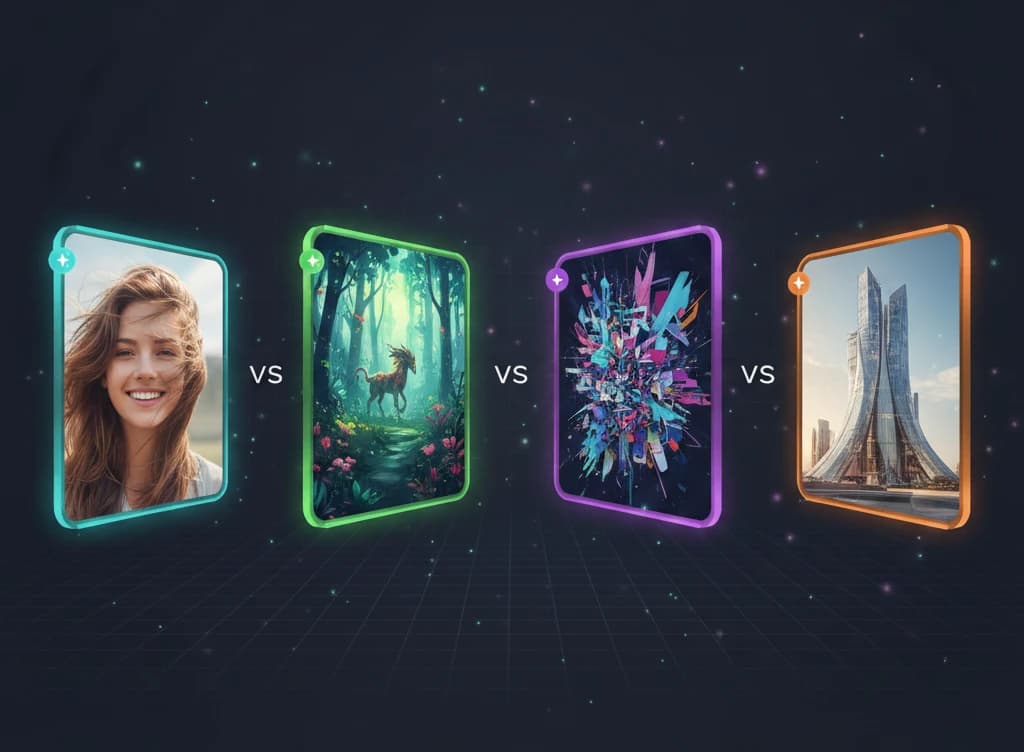
AI image generation has evolved dramatically and the lineup has shifted again in 2026. Four platforms still dominate the space: Midjourney V8, ChatGPT Images 2.0 (powered by GPT Image 2, the successor to DALL-E 3), Stable Diffusion 3.5, and Flux 2 by Black Forest Labs.
The big releases since this guide first published:
- Flux 2 family launched on November 25, 2025 (Pro, Flex, Dev), with the Apache 2.0-licensed Klein 4B following on January 15, 2026
- Midjourney V8 launched in March 2026 with a fully rewritten engine — 5x faster, native 2K output
- GPT Image 2 dropped in April 2026, replacing DALL-E 3 inside ChatGPT and introducing a reasoning model into image generation
- Google Imagen 4 Fast arrived at $0.02/image
Each tool takes a fundamentally different approach—from Midjourney's curated aesthetics to Stable Diffusion's open-source flexibility. Choosing the right one depends on your goals, budget, and technical comfort level.
This guide compares all four across image quality, pricing, ease of use, customization, and commercial rights so you can pick the best tool for your workflow.
Quick Comparison Table
| Feature | Midjourney V8 | ChatGPT Images 2.0 | Stable Diffusion 3.5 | Flux 2 |
|---|---|---|---|---|
| Best For | Art, design, marketing | Ease of use, quick generation | Full control, customization | Prompt accuracy, photorealism, open weights |
| Starting Price | $10/month | Free (ChatGPT), $20/month (Plus) | Free (open source) | Free (Klein/Dev), API for Pro |
| Ease of Use | Easiest yet (V8 web app) | Easiest (ChatGPT integration) | Hard (local setup) | Medium (local or API) |
| Image Quality | Excellent (artistic, native 2K) | Excellent (with visual reasoning) | Very Good (model-dependent) | Best-in-class photorealism |
| Customization | Limited | Limited | Full (LoRA, ControlNet, etc.) | High (open weights, LoRA) |
| Commercial Use | Yes (paid plans) | Yes | Yes (open license) | Yes (Klein is Apache 2.0) |
| Runs Locally | No | No | Yes | Yes (Flex/Dev/Klein) |
Midjourney V8: The Artist's Choice
Overview
Midjourney has built its reputation on producing stunning, aesthetically polished images with minimal prompting effort. It's the go-to tool for designers, marketers, and creatives who want beautiful results without deep technical knowledge.
In March 2026, Midjourney V8 launched with a completely rewritten engine — roughly 5x faster than V7 and producing native 2K output by default. The dedicated web interface at midjourney.com is now the primary surface (Discord remains supported).
Key Strengths
1. Unmatched Aesthetic Quality
Midjourney consistently produces the most visually striking images of any AI generator. Its outputs have a distinctive, high-production-value quality that often requires little to no post-processing. From concept art to product mockups, the results look polished out of the box.
2. Style Consistency
Need a consistent look across multiple images? Midjourney's --sref (style reference) parameter lets you lock in a visual style and apply it across generations, which is invaluable for branding and design projects.
3. Simple Prompting
Short, natural-language prompts work remarkably well. You don't need to learn complex prompt engineering syntax—"a cozy coffee shop at sunset, watercolor style" produces excellent results.
4. Community and Inspiration
Midjourney's community gallery provides endless inspiration and lets you see the prompts behind images you admire. It's a learning resource and idea generator rolled into one.
Weaknesses
- No free tier—requires a paid subscription to use
- Limited control over specific details (hands, text, spatial positioning)
- No local/offline usage—requires internet and Midjourney's servers
- Less precise text rendering compared to ChatGPT Images 2.0 and Flux 2
- Slower iteration cycles compared to local models (though V8 closed much of the gap)
Best Use Cases
- Marketing and advertising visuals
- Concept art and illustration
- Social media content
- Brand mood boards and design exploration
- Product photography mockups
- Book covers and editorial art
Pricing
| Plan | Monthly Cost | Fast GPU Hours | Features |
|---|---|---|---|
| Basic | $10/month | ~3.3 hrs | Web + Discord, general commercial use |
| Standard | $30/month | 15 hrs | Unlimited relaxed, stealth mode |
| Pro | $60/month | 30 hrs | More fast hours, stealth mode |
| Mega | $120/month | 60 hrs | Maximum fast hours |
Annual billing saves ~20%. All paid plans include commercial usage rights.
ChatGPT Images 2.0 (GPT Image 2): The Most Accessible Option
Overview
OpenAI retired DALL-E 3 inside ChatGPT in 2026 and replaced it with GPT Image 2 (released April 2026), branded as ChatGPT Images 2.0. The new model introduces a reasoning step into image generation, which means it's noticeably better at multi-element scenes, text rendering, and following complex instructions than DALL-E 3 ever was.
It's still the easiest AI image generator to use: describe what you want in plain English, ChatGPT refines your prompt behind the scenes, and GPT Image 2 generates the image. No separate app, no learning curve. Editing is conversational — select regions and request changes.
Key Strengths
1. Conversational Interface
ChatGPT Images 2.0's integration with ChatGPT means you generate images through conversation. Say "make the background darker" or "add a person on the left" and it understands. This is uniquely intuitive.
2. Best Text Rendering
GPT Image 2 produces the most accurate text within images of any generator. Logos, signs, labels, multilingual text, and typography render legibly and correctly more often than competitors—a feature that matters for marketing materials and mockups.
3. Visual Reasoning
The new model brings reasoning into image generation, so it can handle complex multi-element scenes, count objects correctly, and respect spatial relationships in ways DALL-E 3 frequently failed at.
4. Automatic Prompt Enhancement
ChatGPT rewrites your prompts before sending them to GPT Image 2, adding detail and specificity. A simple request like "a cat in a garden" gets expanded into a rich, detailed prompt that produces better results.
5. Free Access
ChatGPT Free users get 2–3 GPT Image 2 generations per day, making it the most accessible entry point for AI image generation. ChatGPT Plus users get ~50 generations per 3-hour window (~180/day) with faster generation and higher quality.
6. Built-in Safety
GPT Image 2 has robust content policies and refuses to generate images of real people, copyrighted characters, and other sensitive content. For businesses, this reduces legal risk.
Weaknesses
- Less artistic flair than Midjourney—outputs can look "generic"
- Limited customization—no fine-tuning, LoRA, or advanced controls
- Rate-limited, especially on the free tier
- Can't run locally—fully cloud-dependent
- Prompt rewriting sometimes changes your intent
Best Use Cases
- Quick concept visualization
- Marketing and social media graphics
- Product mockup generation
- Presentations and slide decks
- Non-technical users who want fast results
- Generating images with readable text
Pricing
| Plan | Monthly Cost | Image Generation |
|---|---|---|
| ChatGPT Free | $0 | 2–3 images/day with GPT Image 2 |
| ChatGPT Go | $8/month | ~20 images/day |
| ChatGPT Plus | $20/month | ~50 per 3 hrs (~180/day) |
| ChatGPT Pro | $100–$200/month | Unlimited |
| API (gpt-image-2) | ~$0.04–$0.08/image | Pay per image (varies by resolution) |
If you already pay for ChatGPT Plus, GPT Image 2 (ChatGPT Images 2.0) is included at no extra cost.
Stable Diffusion 3.5: The Open-Source Powerhouse
Overview
Stable Diffusion, developed by Stability AI, is the most customizable AI image generator available. As an open-source model, it can run entirely on your own hardware, be fine-tuned for specific styles, and integrated into custom workflows—all without subscription fees or API limits.
Stable Diffusion 3.5 (released late 2025) brought major improvements in image quality, prompt adherence, and text rendering, closing the gap with proprietary models.
Key Strengths
1. Full Control and Customization
This is where Stable Diffusion dominates. You can:
- Train LoRA models on your own images (product photos, brand assets, art styles)
- Use ControlNet for precise composition control (pose, depth, edges)
- Apply inpainting and outpainting with pixel-level precision
- Chain together complex workflows in tools like ComfyUI
No other tool comes close for technical control.
2. Runs Locally—No Internet Required
Install Stable Diffusion on your own machine and generate images without sending data to any external server. This matters for:
- Privacy: Confidential product designs never leave your computer
- Cost: After hardware investment, generation is free
- Speed: No queue times—generate as fast as your GPU allows
3. No Subscription Fees
The model is free to download and use. You only need a compatible GPU (NVIDIA with 8GB+ VRAM recommended). Community-built interfaces like Automatic1111, ComfyUI, and Forge are all free.
4. Massive Ecosystem
Thousands of community-created models, LoRAs, and extensions on platforms like Civitai and Hugging Face. Want a model optimized for anime? Product photography? Architectural visualization? Someone has probably trained one.
5. Workflow Automation
ComfyUI lets you build node-based generation pipelines—automate batch processing, apply consistent styles, and integrate with other tools via APIs.
Weaknesses
- Steep learning curve—setup and configuration require technical knowledge
- Requires a capable GPU (or cloud GPU rental)
- Default output quality can be inconsistent without tuning
- No built-in safety guardrails—user is responsible for content policies
- Text rendering still lags behind ChatGPT Images 2.0 and Flux 2
Best Use Cases
- Professional workflows requiring batch processing
- Product photography and e-commerce
- Game and concept art with specific style requirements
- Privacy-sensitive projects (medical, legal, corporate)
- Custom model training for brand-specific imagery
- Integration into automated pipelines and applications
Pricing
| Option | Cost | Requirements |
|---|---|---|
| Local (own GPU) | Free | NVIDIA GPU with 8GB+ VRAM |
| Google Colab | Free–$10/month | Google account |
| Cloud GPU (RunPod, Vast.ai) | ~$0.20–$0.80/hour | Account setup |
| Stability AI API | ~$0.01–$0.06/image | API key |
The hardware investment pays for itself quickly if you generate images regularly.
Flux 2: The Photorealism Champion
Overview
Flux, developed by Black Forest Labs (founded by key architects of the original Stable Diffusion), has rapidly emerged as the photorealism leader since its 2024 launch. The Flux 2 family launched on November 25, 2025 with three tiers — Pro, Flex, and Dev — and the open-source Klein 4B (Apache 2.0) followed on January 15, 2026. The family is widely considered the best overall image generation lineup available in early 2026.
Flux 2 Pro now produces native 4 megapixel output, supports up to 8 reference images for consistent characters and styles, and matches or beats every competitor on photorealism benchmarks.
Key Strengths
1. Best Prompt Adherence
Flux 2 excels at following complex prompts accurately. Spatial relationships ("a red ball to the left of a blue cube"), specific counts, and detailed scene descriptions are handled more faithfully than any competitor.
2. Excellent Text Rendering
Flux 2 rivals ChatGPT Images 2.0 for generating readable text within images. Signs, labels, and typography render accurately, making it valuable for design mockups and marketing visuals.
3. Best-in-Class Photorealism
Flux 2 Pro produces some of the most photorealistic images in the AI generation space. Human faces, skin textures, lighting, and materials look remarkably natural with fewer artifacts. Native 4 MP output and multi-reference support (up to 8 references) make it especially strong for character and brand consistency.
4. Open-Weight Models Available
Flux 2 Klein (Apache 2.0), Flux 2 Dev (non-commercial), and the smaller Flex models are all available as open weights, meaning you can run them locally, fine-tune them, and integrate them into your own applications.
5. Speed
Flux 2 Flex and the older Flux.1 Schnell are optimized for fast generation in just 1–4 steps, making them among the fastest quality generators available. This is ideal for real-time applications and rapid prototyping.
Weaknesses
- Smaller community and ecosystem compared to Stable Diffusion
- Fewer LoRAs and custom models available (but growing fast)
- Pro model requires API access (not open-weight)
- Less established track record—newer tool with less documentation
- Artistic/stylized outputs less polished than Midjourney
Best Use Cases
- Photorealistic image generation
- Design mockups with text/typography
- Complex multi-subject scenes
- Real-time and interactive applications (Schnell model)
- Developers building image generation into products
- Users who want open weights with high quality
Pricing
| Option | Cost | Quality |
|---|---|---|
| Flux 2 Klein (local, Apache 2.0) | Free | Good (fully open license, commercial use) |
| Flux 2 Dev (local) | Free (non-commercial) | Very Good |
| Flux 2 Flex (local) | Free (non-commercial) | High, optimized for speed |
| Flux 2 Pro (API) | ~$0.04–$0.06/image | Best (native 4 MP, multi-reference) |
| Hosted services (Replicate, fal.ai, WaveSpeedAI) | ~$0.01–$0.05/image | Varies by model |
Head-to-Head Comparisons
Image Quality
Winner: Depends on style
- Most artistic/polished: Midjourney V8 — consistently beautiful with minimal prompting, now native 2K
- Most photorealistic: Flux 2 Pro — natural lighting, skin textures, and materials at 4 MP
- Best default quality: ChatGPT Images 2.0 (GPT Image 2) — reliable, high quality with zero configuration plus visual reasoning
- Most variable (highest ceiling): Stable Diffusion — with the right model and settings, it can match or beat any competitor, but the floor is lower
Prompt Accuracy
Winner: Flux 2 and ChatGPT Images 2.0 (tied)
Flux 2 and GPT Image 2 both handle complex, multi-element prompts with very high fidelity. GPT Image 2's reasoning step is especially good for object counts and spatial relationships. Midjourney V8 has improved here too, and Stable Diffusion varies by model and sampler settings.
Text in Images
Winner: ChatGPT Images 2.0 and Flux 2 (tied)
Both render readable text within images reliably, including multilingual text. This matters for:
- Logo mockups
- Social media graphics with text overlays
- Product packaging visualization
- Sign and storefront renders
Midjourney and Stable Diffusion still struggle with text accuracy, though both have improved.
Ease of Use
Winner: ChatGPT Images 2.0
Nothing beats typing a description into ChatGPT and getting an image back. Ranking:
- ChatGPT Images 2.0 — Conversational, no learning curve
- Midjourney V8 — Simple prompts on a polished web app or Discord
- Flux 2 — Accessible via hosted services, moderate learning curve for local
- Stable Diffusion — Requires technical setup, but ComfyUI has improved the experience
Customization and Control
Winner: Stable Diffusion
For advanced users, Stable Diffusion offers unmatched control:
| Capability | Midjourney V8 | ChatGPT Images 2.0 | Stable Diffusion | Flux 2 |
|---|---|---|---|---|
| LoRA fine-tuning | No | No | Yes | Yes |
| ControlNet (pose/depth) | No | No | Yes | Limited |
| Inpainting | Basic | Yes (conversational) | Advanced (pixel-level) | Yes |
| Outpainting | Yes | Yes | Yes | Yes |
| Batch processing | Limited | No | Yes | Yes |
| Custom workflows | No | No | Yes (ComfyUI) | Yes (ComfyUI) |
| Img2img | Yes | Yes | Yes | Yes |
| Multi-reference (consistent characters) | Style refs | Limited | Via LoRA | Yes (up to 8 refs) |
Commercial Usage Rights
Winner: Stable Diffusion and Flux (open licenses)
| Tool | Commercial Use | Conditions |
|---|---|---|
| Midjourney V8 | Yes | Paid plan required, revenue over $1M needs Pro plan |
| ChatGPT Images 2.0 | Yes | Subject to OpenAI's content policy |
| Stable Diffusion 3.5 | Yes | Community license, some restrictions for very large companies |
| Flux 2 Klein | Yes | Apache 2.0—use for anything |
| Flux 2 Dev / Flex | Non-commercial | Research/personal use only |
| Flux 2 Pro | Yes | Via API terms of service |
For maximum commercial freedom with no strings attached, Flux 2 Klein's Apache 2.0 license is unbeatable.
Pricing Deep Dive
For Casual Users (< 100 images/month)
| Tool | Cost | Notes |
|---|---|---|
| ChatGPT Images 2.0 (Free) | $0 | 2–3 images/day with GPT Image 2 |
| Stable Diffusion (local) | $0 | Free if you have a GPU |
| Flux 2 Klein (local) | $0 | Free if you have a GPU, Apache 2.0 license |
| Midjourney Basic | $10/month | ~200 images/month |
| ChatGPT Plus | $20/month | Includes GPT Image 2 with much higher limits |
Recommendation: Start with ChatGPT Images 2.0 on ChatGPT Free. If you want more control, try Flux 2 Klein locally.
For Professionals (100–1,000 images/month)
| Tool | Cost | Notes |
|---|---|---|
| Stable Diffusion (local) | $0 + hardware | Best value at scale |
| Flux 2 Flex/Dev (local) | $0 + hardware | Fast, high quality |
| Midjourney Standard | $30/month | Reliable quality, unlimited relaxed mode |
| Flux 2 Pro (API) | $40–$60/month | ~$0.04–$0.06 per image, native 4 MP |
Recommendation: Midjourney Standard for marketing/design. Stable Diffusion or Flux 2 locally for technical workflows.
For Teams and Businesses
| Tool | Cost | Notes |
|---|---|---|
| Midjourney Pro/Mega | $60–$120/month per seat | Best for creative teams |
| DALL-E 3 API | Variable | Integrate into products |
| Stability AI API | Variable | Enterprise agreements available |
| Flux Pro API | Variable | Enterprise pricing available |
| Self-hosted SD/Flux 2 | Hardware + maintenance | Full control, no per-image cost |
Recommendation: For teams prioritizing ease, Midjourney. For teams needing integration, use APIs. For privacy-sensitive industries, self-host.
Best Tool for Your Use Case
For Marketing and Social Media
Recommended: Midjourney V8
Midjourney's aesthetic quality produces scroll-stopping visuals with minimal effort. Style references ensure brand consistency across campaigns. V8's native 2K output also reduces upscaling steps.
Runner-up: ChatGPT Images 2.0 for quick, one-off graphics with text overlays.
For Product Photography and E-Commerce
Recommended: Stable Diffusion (with custom LoRA)
Train a LoRA on your actual product photos, then generate unlimited variations—different backgrounds, angles, and settings—all matching your product exactly.
Runner-up: Flux 2 Pro for high-quality photorealistic shots without training, with native 4 MP and multi-reference support.
For Game Art and Concept Design
Recommended: Midjourney + Stable Diffusion
Use Midjourney for initial concept exploration (fast, beautiful results), then Stable Diffusion with ControlNet for precise iteration and consistency.
For Web and App Design Mockups
Recommended: ChatGPT Images 2.0 or Flux 2
Both handle text rendering well, making them ideal for mockups that include UI text, labels, or copy. ChatGPT Images 2.0 is faster for quick concepts; Flux 2 gives more control and higher resolution.
For Privacy-Sensitive Work
Recommended: Stable Diffusion or Flux 2 (local)
If your work involves confidential designs, proprietary products, or sensitive content, running locally ensures nothing leaves your machine.
For Developers Building AI Products
Recommended: Flux 2 or Stable Diffusion
Both offer open weights suitable for integration. Flux 2 Klein's Apache 2.0 license and Flex's speed make it ideal for real-time applications; Stable Diffusion's ecosystem offers more customization options.
Learn more: Our Building AI Agents with Node.js course covers integrating AI services into production applications.
Hardware Requirements for Local Models
Running Stable Diffusion or Flux locally requires a capable GPU:
| GPU | VRAM | SD 3.5 Performance | Flux 2 Flex Performance |
|---|---|---|---|
| NVIDIA RTX 3060 12GB | 12GB | Good (~15s/image) | Good (~8s/image) |
| NVIDIA RTX 4070 | 12GB | Fast (~8s/image) | Fast (~4s/image) |
| NVIDIA RTX 4090 | 24GB | Very Fast (~3s/image) | Very Fast (~2s/image) |
| Apple M2/M3 Pro | 16–18GB shared | Moderate (~20–30s) | Moderate (~10–15s) |
| Apple M2/M3 Max | 32–96GB shared | Good (~10–15s) | Good (~5–8s) |
Times are approximate for a single 1024x1024 image at standard settings.
If you don't have a suitable GPU, cloud options like RunPod, Vast.ai, and Google Colab offer GPU rentals starting at ~$0.20/hour.
Our Recommendations
If You Want the Best-Looking Images
Use Midjourney V8. Its aesthetic quality is unmatched for artistic and marketing use cases, and the new engine ships native 2K output. Start with the $10/month Basic plan and upgrade if you need more generations.
If You Want the Easiest Experience
Use ChatGPT Images 2.0. Describe what you want in plain English, iterate through conversation, and download. No setup, no learning curve. Start free and upgrade to Plus if you need more — GPT Image 2's reasoning step handles complex scenes reliably.
If You Want Maximum Control
Use Stable Diffusion 3.5. The learning curve is steep, but the customization is limitless—LoRA training, ControlNet, ComfyUI workflows, and complete privacy. Best for professionals and technical users.
If You Want the Best Balance of Quality and Flexibility
Use Flux 2. It offers excellent prompt adherence, best-in-class photorealism, open weights for local use, and the only mainstream image model with multi-reference support out of the box. It's the best "all-rounder" for users who want quality with control.
If You're Not Sure Where to Start
Start with ChatGPT Images 2.0 (free via ChatGPT), then try Midjourney's $10/month plan. If you find yourself wanting more control, explore Flux 2 Klein locally. Graduate to Stable Diffusion when you need full customization.
The Verdict: There's No Single "Best" AI Image Generator
Just like with text-based AI assistants, the best tool depends on your needs:
- Midjourney V8 — Best image quality and aesthetics, ideal for creatives
- ChatGPT Images 2.0 (GPT Image 2) — Easiest to use, best for beginners and quick generation
- Stable Diffusion — Most customizable, best for technical users and professionals
- Flux 2 — Best prompt accuracy and photorealism, best for developers
Many professionals use multiple tools. Midjourney for initial concepts, Stable Diffusion for production refinement, DALL-E for quick mockups. That's a perfectly valid workflow.
Want to see how Google's Gemini Imagen stacks up against Midjourney and DALL-E? Check out our Midjourney vs DALL-E vs Gemini Imagen comparison for a focused three-way breakdown.
The AI image generation space is evolving fast. New models and features launch regularly, and today's limitations may be tomorrow's solved problems.
Learn More with Free Courses
Ready to master AI tools? FreeAcademy offers free courses to help you work effectively with AI:
- AI Essentials — Understand how AI works (no tech background needed)
- Prompt Engineering — Write effective prompts for any AI tool
- ChatGPT Power User — Master ChatGPT and DALL-E from beginner to expert
- AI for Everyday Life — Practical AI applications for daily tasks
- Building AI Agents with Node.js — Integrate AI services into production applications
All courses are 100% free with certificates upon completion.
Frequently Asked Questions
Which AI image generator has the best image quality?
Midjourney V8 produces the most aesthetically polished images with minimal effort, making it the top choice for artistic and marketing visuals. For photorealism, Flux 2 Pro leads with the most natural-looking outputs at native 4 MP. Stable Diffusion can match either with the right model and settings, but requires more expertise to achieve consistent results. ChatGPT Images 2.0 (GPT Image 2) is the best default-quality choice if you want zero configuration.
Is Stable Diffusion really free?
Yes. Stable Diffusion is open source and free to download and use. You need a compatible GPU (NVIDIA with 8GB+ VRAM recommended) or can use cloud GPU services. There are no subscription fees or per-image charges when running locally.
Can AI-generated images be used commercially?
Yes, but terms vary. Midjourney requires a paid plan for commercial use. ChatGPT Images 2.0 (GPT Image 2) outputs can be used commercially under OpenAI's terms. Stable Diffusion 3.5 uses a community license allowing commercial use. Flux 2 Klein uses the permissive Apache 2.0 license. Always review the specific license terms for your chosen tool.
Which AI image generator is best for beginners?
ChatGPT Images 2.0 (GPT Image 2) is the easiest starting point—just describe what you want in plain English. Midjourney V8 is the next step up, offering better artistic quality with a manageable learning curve. Stable Diffusion and Flux 2 require more technical knowledge for local setup.
Can these tools generate text within images?
ChatGPT Images 2.0 and Flux 2 are the best at rendering readable text in images, including multilingual text. Midjourney V8 has improved here too, but Stable Diffusion still struggles with text accuracy. If your images need legible text (signs, labels, logos), choose ChatGPT Images 2.0 or Flux 2.
Which AI image generator is best for product photography?
Stable Diffusion with a custom LoRA trained on your product photos gives the most control and consistency. Flux 2 Pro is an excellent alternative for high-quality product shots without training, especially with multi-reference support. Midjourney V8 works well for lifestyle product imagery with an artistic feel.
Do I need an expensive GPU to run Stable Diffusion or Flux 2 locally?
A mid-range NVIDIA GPU with 12GB VRAM (like the RTX 3060 12GB or RTX 4070) handles both models well. Apple Silicon Macs (M2/M3) also work. You don't need a high-end GPU—the RTX 3060 12GB is often the best value entry point. Cloud GPU services are also available from ~$0.20/hour.
How do Midjourney and ChatGPT Images 2.0 compare for marketing use?
Midjourney V8 excels at creating visually stunning, scroll-stopping content—ideal for social media, ads, and brand imagery. ChatGPT Images 2.0 (GPT Image 2) is better for graphics that include text overlays, quick mockups, and when you need ease of use over artistic polish. Many marketing teams use both.
Conclusion
The AI image generation landscape in 2026 offers powerful options for every need and skill level. Whether you're a designer seeking beautiful concept art, a marketer creating campaign visuals, a developer building image features, or a hobbyist exploring AI creativity—there's a tool that fits.
Start experimenting today. Try ChatGPT Images 2.0 for free, explore Midjourney V8's Basic plan, or download Flux 2 Klein to run locally. The best way to find your ideal tool is to use them.
Published: February 19, 2026. Last updated: May 5, 2026 to add Flux 2 (released November 25, 2025), Midjourney V8 (March 2026), and ChatGPT Images 2.0 / GPT Image 2 (April 2026). AI image generation evolves rapidly—check back for updates.
Tags
Enjoyed this article?
Join The FreeAcademy Weekly
One practical AI email every Tuesday. New free courses, AI tips, and a short note from the founder.
Free forever. Unsubscribe anytime.
Related articles
Midjourney vs DALL-E vs Gemini Imagen: AI Image Generation Comparison 2026
Compare Midjourney, DALL-E 3, and Google Gemini Imagen for AI image generation in 2026. Pricing, quality, ease of use, and best use cases compared side-by-side.
How to Generate AI Images: Beginner's Guide to 2026 Tools
Follow this ai image generation guide to create stunning visuals with text-to-image tools. Learn prompts, platforms, and tips for beginners in 2026.
Best Free AI Image Generation Courses for Beginners 2026
Discover the best free AI image generation courses for beginners in 2026. Learn Midjourney, DALL-E, Stable Diffusion, and Flux with hands-on tutorials.