

Local LLMs vs Cloud LLMs in 2026: Privacy, Speed & Cost Compared


Every prompt you send to ChatGPT, Claude, or Gemini travels to a data center, gets processed on someone else's hardware, and leaves a record on someone else's servers. For many tasks that's perfectly fine. But if you're working with sensitive code, client data, medical records, or anything you wouldn't paste into a public forum — it's worth asking: do I really need to send this to the cloud?
In 2026, the answer is increasingly "no." Open-source models running on your own hardware have gotten remarkably capable, and tools like Ollama and LM Studio make running them as easy as installing an app. Llama 4 (released April 2025) and Llama 4 Scout even ship with up to a 10M-token context window — the largest of any open-weight model. At the same time, cloud models like GPT-5.5, Claude Opus 4.8, and Gemini 3.1 Pro remain significantly more powerful for complex reasoning tasks.
This guide breaks down the real tradeoffs between local and cloud LLMs — privacy, performance, cost, and capability — so you can decide when each approach makes sense.
TL;DR
Use local LLMs (Ollama, LM Studio) when working with sensitive data, doing high-volume batch tasks, or when you need offline access. A 7B model on a modern laptop handles code completion, summarization, and drafting well. Use cloud LLMs (ChatGPT, Claude, Gemini) when you need top-tier reasoning, multimodal capabilities, or long-context analysis. Most developers in 2026 use both — the hybrid approach saves money and keeps sensitive data private while still accessing frontier intelligence when it matters. Read on for the full hardware requirements, cost breakdown, and setup guide.
What Are Local LLMs?
A local LLM is a large language model that runs entirely on your own computer. No internet connection required. No data leaves your machine. You download the model weights (usually a single file), run an inference engine, and interact with it through a local API or chat interface.
Two tools have made this accessible to anyone with a reasonably modern computer:
Ollama
Ollama is a command-line tool that makes running local models as simple as a single command. It handles downloading, configuring, and serving models with an OpenAI-compatible API.
Getting started takes about two minutes:
# Install Ollama (macOS/Linux)
curl -fsSL https://ollama.com/install.sh | sh

# Run a model — it downloads automatically on first use
ollama run llama3.1

# Or run from the API
curl http://localhost:11434/api/generate -d '{
  "model": "llama3.1",
  "prompt": "Explain the difference between REST and GraphQL"
}'
Ollama supports dozens of models out of the box and exposes a local API at localhost:11434 that you can integrate into any application — scripts, VS Code extensions, custom tools, or full-stack apps.
LM Studio
LM Studio takes a different approach: it provides a polished desktop application with a graphical interface. You browse and download models from a built-in catalog, configure settings with sliders instead of config files, and chat through a familiar UI.
LM Studio is ideal if you:
- Prefer a visual interface over the command line
- Want to easily compare different models side by side
- Need a quick way to test models before integrating them into code
Both tools serve the same fundamental purpose — running open-source models locally — but Ollama leans toward developers and automation, while LM Studio leans toward exploration and ease of use.
Best Open-Source Models to Run Locally
The open-source model ecosystem has exploded. Here are the most capable models you can run on your own hardware in 2026:
Llama 4 (Meta)
Meta's Llama family remains the most popular open-source option. Llama 4 launched in April 2025 and brought a Mixture-of-Experts (MoE) architecture along with native multimodal support. The two open-weight variants:
- Llama 4 Scout — 17B active / 109B total parameters with 16 experts and a 10M-token context window (the largest available in any open-weight model)
- Llama 4 Maverick — 17B active / 400B total parameters with 128 experts; comparable to last year's GPT-4o on most benchmarks
- Llama 4 Behemoth — Meta's frontier model (288B active / 2T total parameters), still in closed beta for partners
Llama 3.1 (8B / 70B / 405B) is still widely used for users who need simpler dense models or have older Ollama tooling. Both Scout and Maverick are available via Ollama and LM Studio.
Mistral and Mixtral (Mistral AI)
Mistral models punch above their weight:
- Mistral 7B — one of the best models at its size, excellent for constrained hardware
- Mixtral 8x7B — uses a Mixture of Experts architecture, delivering near-70B quality with faster inference
- Mistral Large — competitive with frontier models on reasoning tasks
Qwen 2.5 (Alibaba)
The Qwen family has made significant strides in multilingual capability and coding:
- Qwen 2.5 7B/14B/72B — strong general-purpose models
- Qwen 2.5 Coder — specialized for code generation, one of the best open-source coding models available
DeepSeek V3 and R1
DeepSeek models have gained attention for their strong reasoning capabilities:
- DeepSeek V3 — competitive with GPT-4o on many tasks despite being open-weight
- DeepSeek R1 — a reasoning-focused model that shows its "chain of thought," similar to OpenAI's o1
Phi-4 (Microsoft)
Microsoft's Phi-4 is notable for doing a lot with very few parameters:
- Phi-4 (14B) — outperforms many larger models on reasoning and coding tasks
- Ideal for running on laptops and constrained environments
Quick Comparison
| Model | Parameters | Min RAM | Best For |
|---|---|---|---|
| Llama 3.1 8B | 8B | 16GB | General use, good all-rounder |
| Llama 4 Scout | 17B active / 109B total | 64GB+ (or quantized on 32GB) | Long-context (10M tokens) and multimodal |
| Mistral 7B | 7B | 16GB | Fast inference, good quality/size ratio |
| Mixtral 8x7B | 46B (active 12B) | 32GB | Near-70B quality, faster speed |
| Qwen 2.5 Coder 7B | 7B | 16GB | Code generation and completion |
| DeepSeek R1 (distilled) | 7B–70B | 16GB–64GB | Reasoning and analysis |
| Phi-4 | 14B | 16GB | Reasoning on constrained hardware |
Hardware Requirements and Performance
Running LLMs locally is a fundamentally different compute problem than running a web app or even training a model. Here's what actually matters:
RAM Is King
The single most important factor for running local LLMs is memory — not CPU speed, not disk space, not even GPU. The entire model needs to fit in memory (either system RAM or GPU VRAM) to run at reasonable speed.
Rule of thumb: A quantized model needs roughly 0.5–1 GB of RAM per billion parameters.
- 7B model (Q4 quantization): ~4–6 GB
- 13B model (Q4): ~8–10 GB
- 70B model (Q4): ~35–40 GB
CPU vs GPU
- CPU-only (Apple Silicon, modern x86): Works well for 7B–13B models. Apple's M-series chips are particularly good because they share memory between CPU and GPU, giving you access to the full unified memory pool. Expect 10–30 tokens per second on an M2/M3 Mac with a 7B model.
- Dedicated GPU (NVIDIA): Significantly faster, especially for larger models. An RTX 4090 (24GB VRAM) can run a 13B model at 40–80 tokens/second. For 70B models, you'll need multiple GPUs or offload layers to system RAM (which slows things down).
- No GPU, older CPU: Possible but slow. A 7B model on an older quad-core CPU might generate 2–5 tokens/second — usable for batch processing but frustrating for interactive chat.
Practical Hardware Tiers
| Setup | Budget | What You Can Run |
|---|---|---|
| MacBook Air M2 (16GB) | ~$1,000 | 7B models comfortably, 13B models slowly |
| MacBook Pro M3 (36GB) | ~$2,500 | 13B models comfortably, some 30B models |
| Desktop with RTX 4090 (24GB VRAM) | ~$2,000+ | 13B models at high speed, 30B with offloading |
| Mac Studio M2 Ultra (192GB) | ~$6,000+ | 70B models comfortably, 405B with quantization |
| Multi-GPU server (2x A100 80GB) | ~$30,000+ | 70B at full precision, 405B comfortably |
Quantization: The Compression Tradeoff
Full-precision models are enormous. A 70B model at full precision (FP16) requires ~140 GB of memory. Quantization compresses models by reducing the precision of their weights — from 16-bit floating point down to 8-bit, 4-bit, or even lower.
The most common quantization levels:
- Q8 (8-bit): Minimal quality loss, ~50% size reduction
- Q4 (4-bit): Noticeable but acceptable quality loss for most tasks, ~75% size reduction
- Q2 (2-bit): Significant quality degradation, only useful for very constrained devices
Ollama and LM Studio handle quantization automatically — when you download a model, you typically choose the quantization level (e.g., llama3.1:8b-q4_K_M).
Privacy and Data Security Advantages
This is the strongest argument for running models locally. When you use a cloud LLM:
- Your prompts are transmitted over the internet to the provider's servers
- Your data may be logged for abuse monitoring, model improvement, or debugging
- You depend on the provider's privacy policy, which can change
- Data may cross jurisdictions, creating regulatory complications (GDPR, HIPAA, etc.)
- Third-party employees may review your conversations as part of safety or quality processes
With a local LLM:
- Nothing leaves your machine. Zero network requests. Zero logging. Zero third-party access.
- Full compliance by default. No data processing agreements needed. No jurisdiction questions.
- Air-gapped operation. You can literally disconnect from the internet and keep working.
- No vendor lock-in. The model files are yours. No account, no subscription, no terms of service.
Who Needs This Level of Privacy?
- Developers working with proprietary code — asking an LLM to refactor internal code means sending that code to a third party
- Healthcare professionals — patient data must stay within controlled environments (HIPAA compliance)
- Legal professionals — client communications and case details are privileged
- Financial institutions — trading strategies, client data, and internal communications are heavily regulated
- Journalists and activists — source protection is paramount
- Any business with strict data governance — many enterprise policies prohibit sending certain data to external services
The Quality Gap: Local vs Cloud
Let's be honest: cloud models are still significantly better than local models for complex tasks.
Here's a realistic assessment of where each excels:
Where Cloud Models Win
- Complex reasoning and analysis — multi-step logic, mathematical proofs, nuanced arguments
- Long-context understanding — processing and reasoning over documents with 100K+ tokens
- Creative writing quality — more natural, varied, and sophisticated prose
- Instruction following — better at understanding complex, multi-part instructions
- Multimodal tasks — image understanding, document analysis, audio processing
- Tool use and function calling — more reliable at structured API interactions
- Specialized knowledge — deeper expertise across niche domains
Where Local Models Are Good Enough
- Code completion and generation — 7B coding models handle most autocomplete and snippet generation well
- Summarization — condensing text into key points
- Text transformation — reformatting, translating between formats, extracting structured data
- Simple Q&A — factual questions with straightforward answers
- Drafting and brainstorming — generating first drafts, lists, outlines
- Data processing — classifying, labeling, or extracting information from text at scale
- Commit messages and documentation — routine developer writing tasks
A Concrete Example
Ask both a local 7B model and Claude Opus to "design a database schema for a multi-tenant SaaS application with role-based access control, audit logging, and support for soft deletes":
- Claude Opus 4.8 will produce a comprehensive schema with tables, relationships, indexes, RLS policies, migration considerations, and explanations of design decisions. It might proactively address edge cases you hadn't considered.
- Llama 3.1 8B will produce a reasonable schema with the core tables and relationships, but may miss edge cases, use less optimal indexing strategies, or produce less sophisticated access control patterns.
For learning and prototyping, the local model's output is perfectly usable. For production architecture decisions, the cloud model gives you significantly more value.
Cost Comparison
The economics of local vs cloud depend heavily on your usage volume and existing hardware.
Cloud LLM Costs
Cloud APIs charge per token (roughly 0.75 words per token):
| Service | Model | Input Cost | Output Cost |
|---|---|---|---|
| OpenAI | GPT-5.5 | $5.00/M tokens | $30.00/M tokens |
| OpenAI | GPT-5.3 Mini | ~$0.15/M tokens | ~$0.60/M tokens |
| Anthropic | Claude Opus 4.8 | $5.00/M tokens | $25.00/M tokens |
| Anthropic | Claude Sonnet 4.6 | $3.00/M tokens | $15.00/M tokens |
| Gemini 3.1 Pro | $2.00/M tokens (≤200K ctx) | $12.00/M tokens | |
| Gemini 3 Flash | $0.50/M tokens | $3.00/M tokens |
Alternatively, subscription plans:
- ChatGPT Plus: $20/month (usage caps apply)
- Claude Pro: $20/month (usage caps apply)
- Google AI Pro (formerly Gemini Advanced): $19.99/month (usage caps apply)
Local LLM Costs
Running locally has a different cost structure:
One-time costs:
- Hardware you already own: $0
- New hardware (if needed): $1,000–$6,000+ depending on requirements
Ongoing costs:
- Electricity: A laptop running a 7B model uses roughly 30–60W. At $0.15/kWh, that's about $0.005–$0.009 per hour. Running 8 hours a day, 22 days a month costs roughly $1–2/month in electricity.
- A desktop with an RTX 4090 under load uses about 300–450W, costing roughly $0.05–$0.07 per hour, or $8–12/month at heavy use.
Model downloads:
- Free. Open-source models cost nothing to download and use.
Break-Even Analysis
If you're spending $20/month on a ChatGPT subscription and you already have a capable laptop (Apple Silicon with 16GB+), running local models is essentially free beyond the electricity cost you're already paying.
If you'd need to buy new hardware specifically for local inference, the break-even depends on your usage:
- Light use (occasional questions): Cloud subscriptions are cheaper — you won't recoup hardware costs
- Moderate use (daily development work): Break-even in 6–18 months depending on hardware
- Heavy use (batch processing, constant inference): Local pays for itself quickly since cloud API costs scale linearly with usage while local costs are fixed
The key insight: cloud costs scale with usage; local costs are mostly fixed. If you process thousands of documents or run continuous inference, local becomes dramatically cheaper.
The Hybrid Approach: When to Use Each
The most practical strategy in 2026 isn't choosing one or the other — it's using both strategically.
Use Local LLMs When:
- Working with sensitive data — client code, personal information, medical records, legal documents
- Doing repetitive, high-volume tasks — batch processing, data extraction, classification
- Offline or limited connectivity — travel, air-gapped environments, unreliable internet
- Prototyping and experimenting — trying different prompts without worrying about API costs
- Running continuous background tasks — code review bots, file watchers, automated summaries
- Teaching and learning — experimenting with models, understanding how LLMs work, modifying system prompts without cost
Use Cloud LLMs When:
- Maximum quality matters — production code review, important analysis, client-facing content
- Complex reasoning is required — multi-step logic, advanced math, system design
- You need multimodal capabilities — image analysis, document understanding, audio transcription
- Long context is essential — analyzing large codebases, lengthy documents, extended conversations
- Speed and reliability are critical — cloud infrastructure is optimized for uptime and low latency
- You need the latest capabilities — new features (function calling, structured outputs, vision) ship to cloud models first
A Developer's Typical Workflow
Here's how a privacy-conscious developer might use both in practice:
- Code autocomplete — local model (Qwen Coder 7B via Ollama) for real-time suggestions in the editor. Fast, private, free.
- Commit messages and documentation — local model. Routine writing that doesn't need frontier intelligence.
- Architecture decisions — cloud model (Claude Opus 4.8 or GPT-5.5). Complex reasoning where quality matters more than privacy.
- Code review of proprietary code — local model. The code stays on your machine.
- Debugging tricky issues — cloud model with sanitized code snippets. Strip proprietary details, keep the structural problem.
- Batch processing client data — local model. Compliance requirements make cloud processing complicated.
- Learning new technologies — either. Cloud for complex explanations, local for quick lookups and experimentation.
Setting Up a Local + Cloud Workflow
If you're a developer, here's a practical setup to get started:
Step 1: Install Ollama
# macOS or Linux
curl -fsSL https://ollama.com/install.sh | sh

# Pull a general-purpose model
ollama pull llama3.1

# Pull a coding-focused model
ollama pull qwen2.5-coder:7b
Step 2: Use the OpenAI-Compatible API
Ollama exposes an API that's compatible with the OpenAI client libraries. This means you can switch between local and cloud by changing a single configuration:
import OpenAI from 'openai'

// For local inference via Ollama
const local = new OpenAI({
  baseURL: 'http://localhost:11434/v1',
  apiKey: 'ollama', // Ollama doesn't need a real key
})

// For cloud inference via OpenAI
const cloud = new OpenAI({
  apiKey: process.env.OPENAI_API_KEY,
})

// Same interface, different backends
async function generate(prompt: string, useLocal = false) {
  const client = useLocal ? local : cloud
  const model = useLocal ? 'llama3.1' : 'gpt-4o-mini'

  const response = await client.chat.completions.create({
    model,
    messages: [{ role: 'user', content: prompt }],
  })

  return response.choices[0].message.content
}

// Sensitive data → local
const analysis = await generate('Analyze this patient record: ...', true)

// Complex reasoning → cloud
const architecture = await generate('Design a microservices architecture for...', false)
Step 3: Configure Your Editor
Most AI-powered code editors support custom endpoints:
- Continue (VS Code extension): Supports Ollama as a backend out of the box
- Cursor: Can be configured to use local models via custom API endpoints
- Neovim plugins: Many support Ollama's API directly
Step 4: Set Up Model Routing
For more sophisticated setups, you can route requests automatically based on sensitivity:
function chooseBackend(prompt: string): 'local' | 'cloud' {
  const sensitivePatterns = [
    /patient|medical|diagnosis/i,
    /ssn|social security|tax id/i,
    /password|secret|credential/i,
    /proprietary|confidential|internal/i,
  ]

  const isSensitive = sensitivePatterns.some(p => p.test(prompt))
  return isSensitive ? 'local' : 'cloud'
}
This is a simplified example — in practice, you'd want more sophisticated classification — but it illustrates the principle of routing sensitive queries locally while sending complex, non-sensitive queries to more powerful cloud models.
Who Should Use Local LLMs?
Developers
Local LLMs are particularly valuable for developers:
- Code autocomplete without sending proprietary code to third parties
- Git commit messages, PR descriptions, and documentation generated locally
- Experimenting with prompts and model behavior without API cost concerns
- Building and testing AI-powered features before committing to a cloud provider
- Running coding agents that need to execute many LLM calls in loops
Businesses
Organizations benefit from local LLMs when:
- Data governance policies restrict sending data to external services
- Regulatory requirements (HIPAA, GDPR, SOC 2) make cloud AI complicated
- Predictable costs are preferred over usage-based pricing
- Offline operation is needed in factories, field offices, or secure facilities
Privacy-Conscious Individuals
For personal use, local LLMs let you:
- Ask personal questions (health, finance, relationships) without a permanent record
- Process personal documents (tax returns, medical records) privately
- Maintain digital sovereignty — your AI conversations belong to you
- Avoid training data contribution — most cloud providers use conversations to improve their models (even if opt-out is available, compliance is trust-based)
Key Takeaways
- Local LLMs (via Ollama and LM Studio) run entirely on your hardware. Nothing leaves your machine, giving you complete privacy and data control.
- Cloud LLMs (ChatGPT, Claude, Gemini) are significantly more powerful for complex reasoning, long-context tasks, and multimodal capabilities, but require sending data to third-party servers.
- Open-source models like Llama 4 (Scout / Maverick), Llama 3.1, Mistral, Qwen, and DeepSeek have made local inference surprisingly capable for everyday tasks like code completion, summarization, and text transformation.
- Hardware requirements are manageable: a modern laptop with 16GB RAM can run 7B models comfortably. Apple Silicon Macs are particularly well-suited for local inference.
- The hybrid approach is the most practical strategy: use local models for sensitive data and high-volume tasks, cloud models for complex reasoning and maximum quality.
- Cost dynamics favor local for heavy users: cloud costs scale linearly with usage, while local costs are mostly fixed after the initial hardware investment.
- The gap is closing but still real: cloud models maintain a significant lead in reasoning, instruction following, and specialized knowledge. For tasks where quality is critical, cloud models remain the better choice.
The future isn't local or cloud — it's knowing when to use each. Start by installing Ollama, pulling a model, and running it alongside your existing cloud tools. You'll quickly develop an intuition for which tasks work well locally and which benefit from cloud-scale intelligence.
Frequently Asked Questions
Is Ollama free to use?
Yes, Ollama is completely free and open source. The models you download through it are also free to use — they're open-source or open-weight models released by companies like Meta, Mistral, and Alibaba. There are no subscription fees, API costs, or usage limits. Your only cost is the electricity to run inference on your hardware.
Can local LLMs replace ChatGPT entirely?
For most users, no — not yet. Local models excel at routine tasks like drafting text, code completion, summarization, and data processing. But for complex reasoning, creative writing, and tasks requiring deep domain knowledge, cloud models like GPT-5.5 and Claude Opus 4.8 still produce notably better results. The practical approach is using both: local for private and routine tasks, cloud for complex ones.
What's the minimum hardware to run a local LLM?
You can run a 7B parameter model (like Llama 3.1 8B or Mistral 7B) on a laptop with 16GB of RAM. Apple Silicon Macs (M1 or newer) provide the best experience due to their unified memory architecture. On Windows or Linux, 16GB of system RAM plus an NVIDIA GPU with at least 8GB of VRAM gives good results. Smaller models (3B parameters) can run on devices with as little as 8GB of RAM, though response quality is lower.
Do local LLMs work offline?
Yes, completely. Once you've downloaded a model, no internet connection is required. The model runs entirely on your local hardware. This makes local LLMs ideal for air-gapped environments, travel, and situations with unreliable connectivity.
How do I choose between Ollama and LM Studio?
If you're a developer who prefers the command line and wants to integrate local models into scripts or applications, choose Ollama — its API and CLI are designed for programmatic use. If you prefer a graphical interface and want to browse, download, and chat with models visually, choose LM Studio. Both run the same underlying models, so the quality of output is identical. You can also use both — they don't conflict with each other.
Are local LLMs secure enough for enterprise use?
Local LLMs offer stronger data security guarantees than cloud APIs because data never leaves your infrastructure. However, "secure enough" depends on your specific requirements. The model itself doesn't provide encryption, access controls, or audit logging — you need to implement those at the infrastructure level. For enterprise deployments, consider running models in containerized environments with proper access controls, network isolation, and monitoring, just as you would with any other sensitive application.
Want to deepen your understanding of the AI landscape — including where local and cloud models fit? FreeAcademy's free AI Essentials: Understanding AI in 2026 course covers the concepts behind modern LLMs in an approachable, practical format.
If you want to get more out of the cloud AI tools you keep alongside your local setup, our free AI for Everyday Life course covers practical workflows for using ChatGPT, Claude, and Gemini in day-to-day tasks.
Getting better output from any model — local or cloud — also comes down to how you write your requests. Our free Prompt Engineering course teaches the techniques that improve results across every AI system.
Published: February 24, 2026. Last updated: June 4, 2026 to reflect Llama 4 (Scout, Maverick, Behemoth), the GPT-5.5 / Claude Opus 4.8 / Gemini 3.1 cloud lineup, and the Gemini Advanced → Google AI Pro rebrand.
Enjoyed this article?
Join The FreeAcademy Weekly
One practical AI email every Tuesday. New free courses, AI tips, and a short note from the founder.
Free forever. Unsubscribe anytime.
Related articles
What Is Kimi K3? Moonshot AI's Open Model Explained (2026)
Kimi K3 is Moonshot AI 2.8T parameter open weight model. Learn the architecture, benchmarks vs Claude and GPT, pricing, and how to try it free.

What Are AI Agents and How Do They Work? (Simple Explanation)
Learn what AI agents are, how they differ from chatbots, and how they use tools, planning, and memory to complete real-world tasks autonomously.
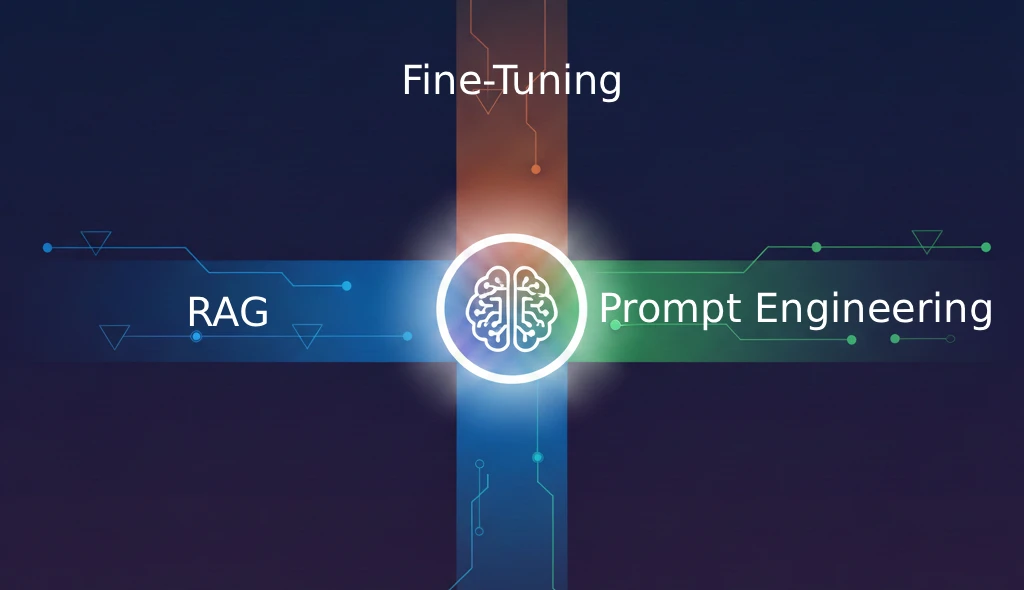
RAG vs Fine-Tuning vs Prompt Engineering: When to Use Each for AI Apps
Compare RAG, fine-tuning, and prompt engineering for customizing LLMs. Learn when to use each approach, cost differences, and how to combine them for production AI applications.