

Best JavaScript Course in 2026: Learn JavaScript Free

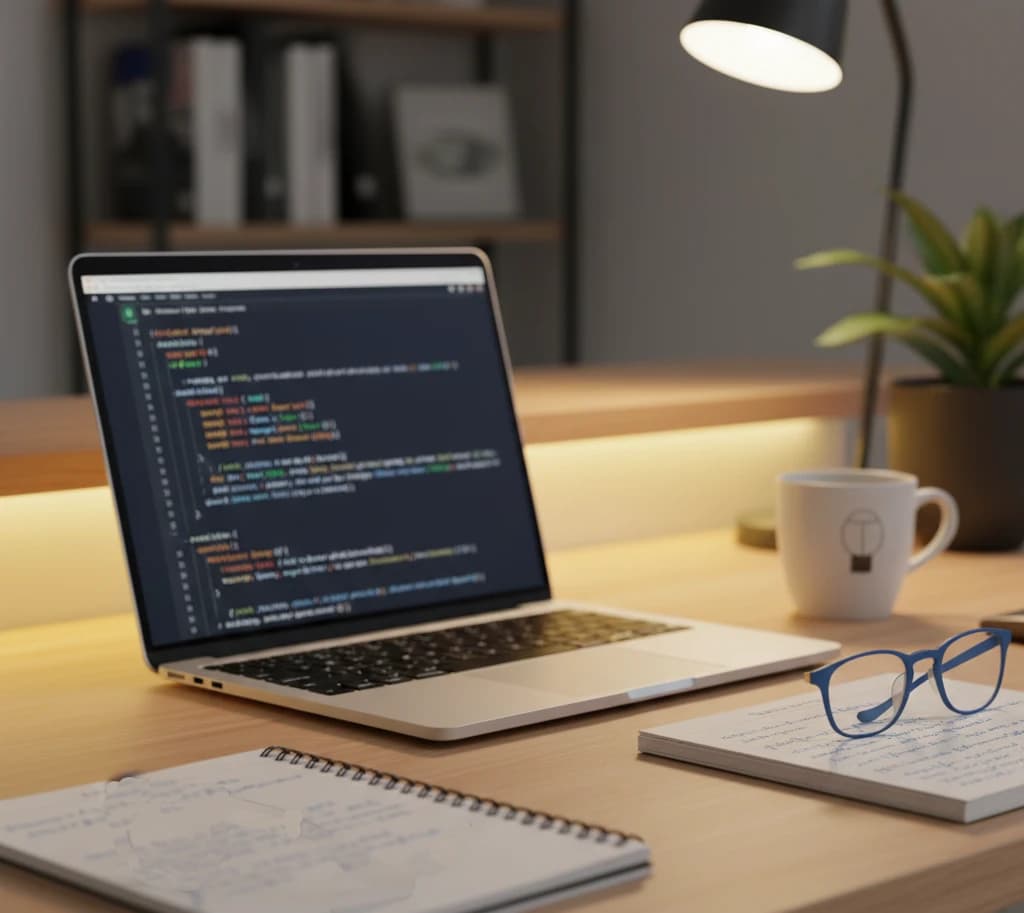
JavaScript remains the most essential programming language for web development in 2026. Whether you're building interactive websites, creating mobile apps with React Native, or developing server-side applications with Node.js, JavaScript is the foundation you need. The good news? You can learn it completely free.
In this comprehensive guide, we've reviewed the best JavaScript courses available in 2026. We'll compare platforms, teaching styles, and help you choose the perfect learning path—whether you're a complete beginner or looking to level up your skills.
Why Learn JavaScript in 2026?
Before exploring the courses, let's understand why JavaScript continues to dominate:
- Universal demand: JavaScript is used by 98% of all websites for client-side programming
- Full-stack capability: With Node.js, you can use JavaScript for both frontend and backend
- Highest job availability: More job postings require JavaScript than any other programming language
- Ecosystem maturity: Frameworks like React, Vue, and Angular power modern web applications
- AI integration: JavaScript is increasingly used to integrate AI features into web applications
JavaScript isn't going anywhere. Learning it opens doors to web development, mobile apps, desktop applications, and even machine learning.
Best JavaScript Course Platforms Compared
| Platform | Best For | Certificate | Course Quality | Hands-on Practice | Price |
|---|---|---|---|---|---|
| FreeAcademy.ai | Interactive learning | Free | Excellent | Yes - Browser-based | Free |
| freeCodeCamp | Comprehensive curriculum | Free | Excellent | Yes | Free |
| Codecademy | Beginners | Pro only ($) | Good | Yes | Free/Paid |
| The Odin Project | Job-ready skills | None | Excellent | Yes | Free |
| JavaScript.info | Deep understanding | None | Excellent | Limited | Free |
| Udemy | Video learners | Paid | Varies | Limited | $15-100 |
| Scrimba | Interactive videos | Paid | Excellent | Yes | Free/Paid |
Top 8 JavaScript Courses for 2026
1. JavaScript Essentials (FreeAcademy.ai)
Best for: Beginners who want structured, interactive learning
Our JavaScript Essentials course takes you from zero to confident JavaScript developer. Built specifically for 2026, it covers modern JavaScript (ES6+) with hands-on exercises you can complete directly in your browser.
What you'll learn:
- Core JavaScript fundamentals (variables, data types, operators)
- Control flow and decision making
- Functions and scope
- Objects and arrays
- DOM manipulation and events
- Asynchronous JavaScript (Promises, async/await)
- ES6+ features (arrow functions, destructuring, modules)
- Practical projects throughout
Pros:
- Completely free, including certificate
- Interactive code exercises in the browser
- No setup required—start coding immediately
- Modern ES6+ curriculum updated for 2026
- Self-paced with progress tracking
Cons:
- Newer platform with growing community
- Focused on fundamentals (advanced topics in separate courses)
Certificate: Yes, free upon completion
Start the JavaScript Essentials Course
2. Interactive JavaScript Practice (FreeAcademy.ai)
Best for: Reinforcing JavaScript skills through hands-on practice
If you've learned the basics and want more practice, our Interactive JavaScript Practice course provides dozens of coding exercises with immediate feedback.
What you'll learn:
- Variables and data types exercises
- Function challenges
- Array manipulation problems
- Object-oriented programming practice
- Algorithm practice
- Real-world coding scenarios
Pros:
- Learn by doing—not just watching
- Instant feedback on your code
- Browser-based execution
- Great for building muscle memory
- Complements any JavaScript course
Cons:
- Assumes basic JavaScript knowledge
- Less theoretical explanation
Certificate: Yes, free upon completion
Start Interactive JavaScript Practice
3. JavaScript Algorithms and Data Structures (freeCodeCamp)
Best for: Those who want a comprehensive, project-based curriculum
freeCodeCamp's JavaScript certification is one of the most respected free programming courses available. It includes hundreds of hours of content and culminates in five certification projects.
What you'll learn:
- Basic JavaScript syntax and logic
- ES6 features
- Regular expressions
- Debugging techniques
- Data structures
- Algorithm scripting
- Object-oriented and functional programming
Pros:
- Completely free with certificate
- Massive supportive community
- Project-based learning
- Recognized by employers
- Self-paced with no deadlines
Cons:
- Can feel overwhelming for beginners
- Less video content, more reading
- Limited personalized feedback
Certificate: Yes, free upon completion
4. The Odin Project - JavaScript Path
Best for: Aspiring professional developers who want job-ready skills
The Odin Project takes a unique approach: it teaches you how developers actually learn and work. The JavaScript path builds real projects while teaching you to find answers independently.
What you'll learn:
- JavaScript fundamentals and DOM manipulation
- Asynchronous JavaScript and APIs
- Testing with Jest
- React framework
- Building complete web applications
- Computer science fundamentals
- How to think like a developer
Pros:
- Prepares you for real development work
- Teaches research and problem-solving skills
- Active Discord community
- Completely free
- Project-heavy curriculum
Cons:
- Steeper learning curve
- Requires self-discipline
- No certificates
Certificate: None (portfolio projects instead)
5. JavaScript.info - The Modern JavaScript Tutorial
Best for: Developers who want deep conceptual understanding
JavaScript.info is the definitive free online JavaScript textbook. It's incredibly thorough and explains not just how to use JavaScript, but why things work the way they do.
What you'll learn:
- Core JavaScript in exceptional depth
- Browser APIs and document manipulation
- Advanced topics (prototypes, generators, proxies)
- Network requests and real-time data
- Web components
- Regular expressions mastery
Pros:
- Unmatched depth of explanation
- Free and open source
- Constantly updated
- Excellent reference material
- Available in multiple languages
Cons:
- Text-heavy (limited video content)
- Can be overwhelming for beginners
- No interactive exercises
- No certificate
Certificate: None
6. Codecademy - Learn JavaScript
Best for: Complete beginners who need a gentle introduction
Codecademy's JavaScript course provides a smooth on-ramp for people who have never written code before. The interactive platform makes it easy to get started.
What you'll learn:
- Introduction to JavaScript
- Conditionals and functions
- Scope and arrays
- Loops and iterators
- Objects and classes
- Modules and error handling
Pros:
- Very beginner-friendly
- Interactive code editor
- Immediate feedback
- Mobile app for learning on the go
- Structured learning path
Cons:
- Pro features require subscription ($40/month)
- Less depth than other options
- Certificate requires paid plan
- Can create dependency on guided environment
Certificate: Pro plan only
7. Scrimba - Learn JavaScript
Best for: Visual learners who want interactive video tutorials
Scrimba's innovative "screencast" format lets you pause videos and edit the code directly. It's like having an instructor code alongside you.
What you'll learn:
- JavaScript fundamentals
- DOM manipulation
- Building interactive projects
- Modern JavaScript practices
- Real-world application development
Pros:
- Unique interactive video format
- Can edit code within videos
- High-quality instruction
- Active community
- Many free courses available
Cons:
- Full access requires subscription ($18/month)
- Some advanced content is paid
- Smaller course library than competitors
Certificate: Pro plan only
8. Mastering DSA with JavaScript (FreeAcademy.ai)
Best for: Interview preparation and algorithmic thinking
Once you know JavaScript basics, our Mastering DSA with JavaScript course teaches data structures and algorithms—essential for coding interviews.
What you'll learn:
- Arrays and strings manipulation
- Linked lists implementation
- Stacks and queues
- Trees and graphs
- Sorting and searching algorithms
- Dynamic programming
- Problem-solving patterns
Pros:
- Free with certificate
- Interactive coding challenges
- Interview-focused content
- Browser-based practice
- Covers all major DSA topics
Cons:
- Requires solid JavaScript foundation
- Challenging content
Certificate: Yes, free upon completion
Start Mastering DSA with JavaScript
How to Choose the Right JavaScript Course
Consider Your Learning Style
- Learn by reading? → JavaScript.info
- Learn by doing? → JavaScript Essentials or freeCodeCamp
- Learn by watching? → Scrimba
- Need structure? → Codecademy or FreeAcademy.ai
- Want real-world skills? → The Odin Project
Consider Your Goals
- Just curious about coding? → Codecademy or JavaScript Essentials
- Want a career in web development? → The Odin Project + JavaScript Essentials
- Preparing for interviews? → Mastering DSA with JavaScript
- Need a certificate? → freeCodeCamp or JavaScript Essentials
Consider Your Timeline
- 2-4 weeks: JavaScript Essentials (focused fundamentals)
- 2-3 months: freeCodeCamp JavaScript certification
- 4-6 months: The Odin Project full path
- Ongoing reference: JavaScript.info
Recommended Learning Path for 2026
Here's the optimal progression we recommend:
Phase 1: Build Your Foundation (Weeks 1-4)
- Start with JavaScript Essentials for structured fundamentals
- Practice with Interactive JavaScript Practice
- Reference JavaScript.info when you need deeper explanations
Phase 2: Build Projects (Weeks 5-8)
- Complete freeCodeCamp's certification projects
- Follow The Odin Project's project curriculum
- Build your own projects based on interests
Phase 3: Prepare for Jobs (Weeks 9-12)
- Take Mastering DSA with JavaScript for interview prep
- Build a portfolio website
- Contribute to open source projects
Phase 4: Specialize (Ongoing)
Choose your path:
- Frontend: Learn React with our upcoming courses
- Backend: Explore Node.js and Express
- Full-stack: Combine both paths
- Mobile: Learn React Native
What Makes a Great JavaScript Course?
When evaluating JavaScript courses, look for:
- Modern curriculum: Should teach ES6+ features, not just legacy JavaScript
- Hands-on practice: Coding exercises, not just videos
- Real projects: Apply concepts to actual applications
- Active maintenance: Content should be updated regularly
- Community support: Forums or Discord for help
- Progressive difficulty: Builds from basics to advanced topics
Common Mistakes When Learning JavaScript
Avoid these pitfalls:
- Tutorial hell: Watching tutorials without coding yourself
- Skipping fundamentals: Jumping to frameworks before understanding core JavaScript
- Not building projects: Only doing guided exercises
- Copying code: Not understanding what you're writing
- Learning in isolation: Not engaging with communities
- Ignoring documentation: MDN Web Docs is your friend
Frequently Asked Questions
What is the best free JavaScript course for beginners?
For complete beginners, we recommend starting with JavaScript Essentials. It offers structured lessons with interactive exercises, requires no setup, and provides a free certificate upon completion. freeCodeCamp is another excellent free option with a comprehensive curriculum.
Can I learn JavaScript for free in 2026?
Absolutely! Many excellent JavaScript courses are completely free, including FreeAcademy.ai, freeCodeCamp, The Odin Project, and JavaScript.info. You can become a proficient JavaScript developer without spending any money on courses.
How long does it take to learn JavaScript?
Learning JavaScript basics takes 2-4 weeks of consistent study. Becoming job-ready typically takes 3-6 months, depending on your prior experience and study intensity. Mastery is an ongoing journey that develops over years of practice.
Is JavaScript hard to learn?
JavaScript is considered beginner-friendly compared to many programming languages. The basics are accessible, though some concepts (like asynchronous programming) can be challenging. With structured learning from courses like JavaScript Essentials, most people can learn JavaScript successfully.
Should I learn JavaScript or Python first?
It depends on your goals. Choose JavaScript if you want to build websites and web applications. Choose Python for data science, machine learning, or general scripting. JavaScript is essential for any web development career.
What can I build with JavaScript?
JavaScript enables you to build websites, web applications, mobile apps (React Native), desktop apps (Electron), server-side applications (Node.js), browser extensions, games, and even machine learning applications. It's one of the most versatile programming languages.
Do I need a certificate to get a JavaScript job?
Certificates can help, but employers prioritize demonstrated skills. A strong portfolio of projects matters more than certificates. That said, free certificates from platforms like FreeAcademy.ai or freeCodeCamp can enhance your resume with no downside.
Which JavaScript framework should I learn after the basics?
React is the most popular choice in 2026, followed by Vue and Angular. However, master plain JavaScript first before learning any framework. Understanding core JavaScript makes learning frameworks much easier.
Start Learning JavaScript Today
JavaScript opens doors to virtually every area of modern software development. With so many free resources available, there's never been a better time to start.
Our recommendation: Begin with JavaScript Essentials for a solid foundation, then continue with Interactive JavaScript Practice to reinforce your skills. When you're ready for interviews, take Mastering DSA with JavaScript.
The web development industry needs JavaScript developers. Whether you're building your first website or preparing for a new career, these courses will help you get there.
Ready to start? Explore all our JavaScript courses and begin your journey today.
Enjoyed this article?
Join The FreeAcademy Weekly
One practical AI email every Tuesday. New free courses, AI tips, and a short note from the founder.
Free forever. Unsubscribe anytime.
Related articles
Best Free Courses to Learn Web Development Without a Degree
Discover the best free web development courses in 2026. Learn HTML, CSS, JavaScript, and modern frameworks without a degree. Complete learning path with comparison table and success strategies.
Best Free TypeScript Course for JavaScript Developers
Already know JavaScript? These free TypeScript courses are designed for you. Learn type safety, advanced patterns, and earn a certificate — no cost required.
How to Become a Developer and Land Your First Job in 2026: The Complete Guide
A practical, no-nonsense guide to becoming a software developer and landing your first job in 2026. Learn which skills matter most, how to build a portfolio, and strategies for standing out in the AI-augmented job market.
